Range
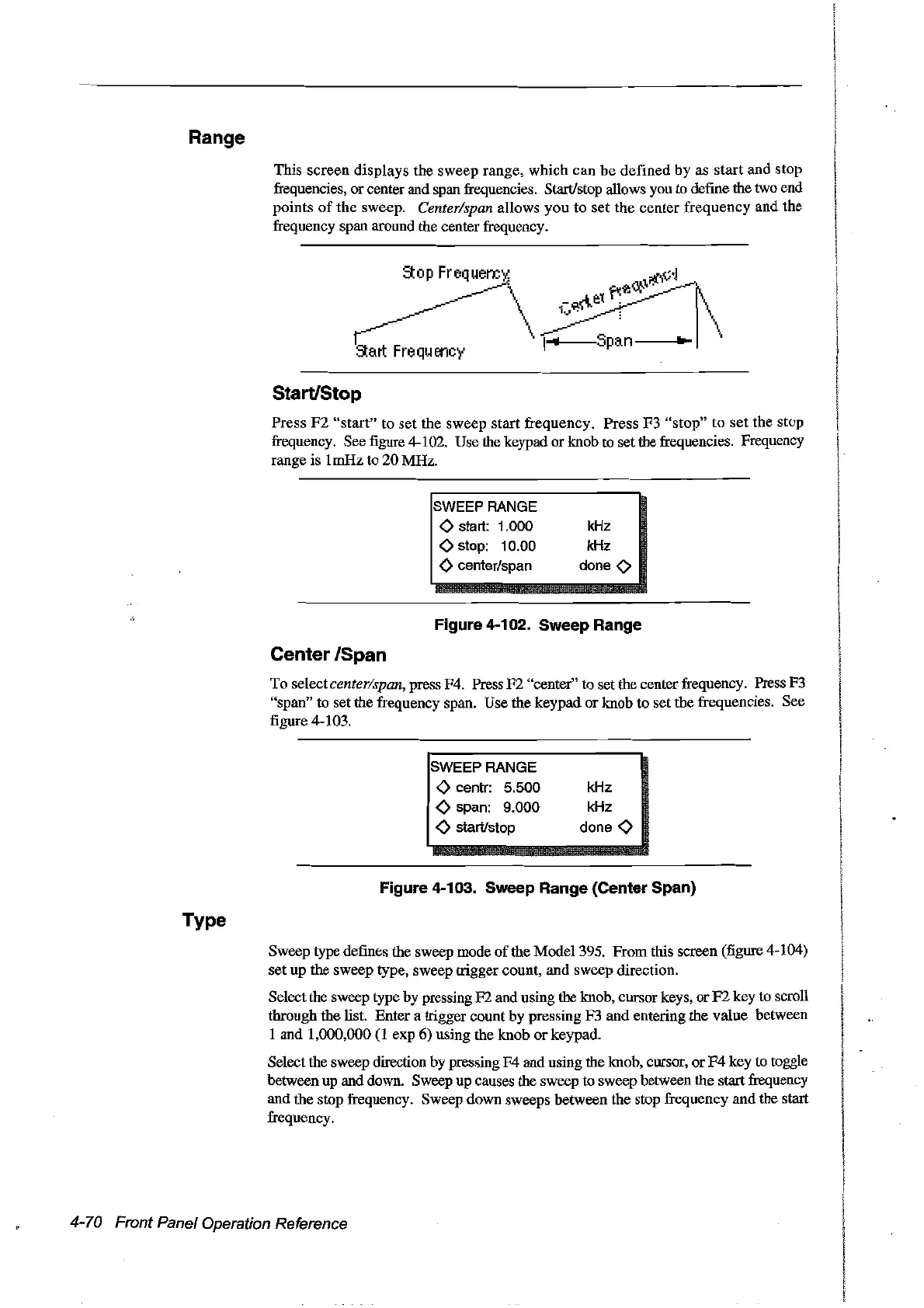
This
screen
displays the sweep range,
which
can
be
defined
by
as start and stop
frequencies, or center and span frequencies. StartJstop allows you to define the two end
points
of
the sweep. Center/span al10ws
you
to
set
the center frequency and the
frequency span around the center frequency.
StartiStop
Press
F2
"start"
to
set
the sweep start frequency. Press F3
"stop"
to
set
the stop
frequency. See
figure
4-102. Use the keypad or knob to set the frequencies. Frequency
range is 1mHz to
20
MHz.
SWEEPRANGE
<>
start: 1.000
<>
stop: 10.00
<>
centerlspan
kHz
kHz
done
<>
Figure 4-102. Sweep Range
Center /Span
To selectcenter/span, press F4. Press
F2
"center" to set the center frequency. Press F3
"span" to set the frequency span. Use the keypad
or
knob to set the frequencies. See
figure 4-103.
SWEEPRANGE
<>
centr: 5.500
<>
span: 9.000
<>
startlstop
kHz
kHz
done
<>
Figure 4-103. Sweep Range (Center Span)
Type
Sweep type defines the sweep mode
of
the Model 395. From this screen (figure 4-104)
set up the sweep type, sweep trigger count, and sweep direction.
Selectthe sweep type by pressing F2 and using the knob, cursor keys,
or
F2
key to scroIl
through the list. Enter a trigger count by pressing F3 and entering the value between
1 and 1,000,000
(1
exp 6) using the knob
or
keypad.
Select the sweep direction by pressing
F4
and using the knob, corsor,
or
F4
key to toggle
between up and down. Sweep up causes the sweep to sweep between the start frequency
and the stop frequency. Sweep down sweeps between the stop frequency and the start
frequency.
4-70 Front Panel Operation Reference
Artisan Technology Group - Quality Instrumentation ... Guaranteed | (888) 88-SOURCE | www.artisantg.com



 To Next Page