done
<>
3.8 THE
MODEl
395 AS A WAVEFORM SEQUENCE GENERATOR
Example 6 Creating a Waveform Sequence
This sequence combines the waveforms you created in examples 4 and 5 (synel and
syuc2) to form a simulated vertical sync signal for video applications. Paragraph 5.5.3,
example 6 contains the remote SCPI prograrnming equivalent
of
this example.
First setup the
Model395
as described in example 1, steps
1,2,
and
30
Step
1.
Accessing Sequence Setup
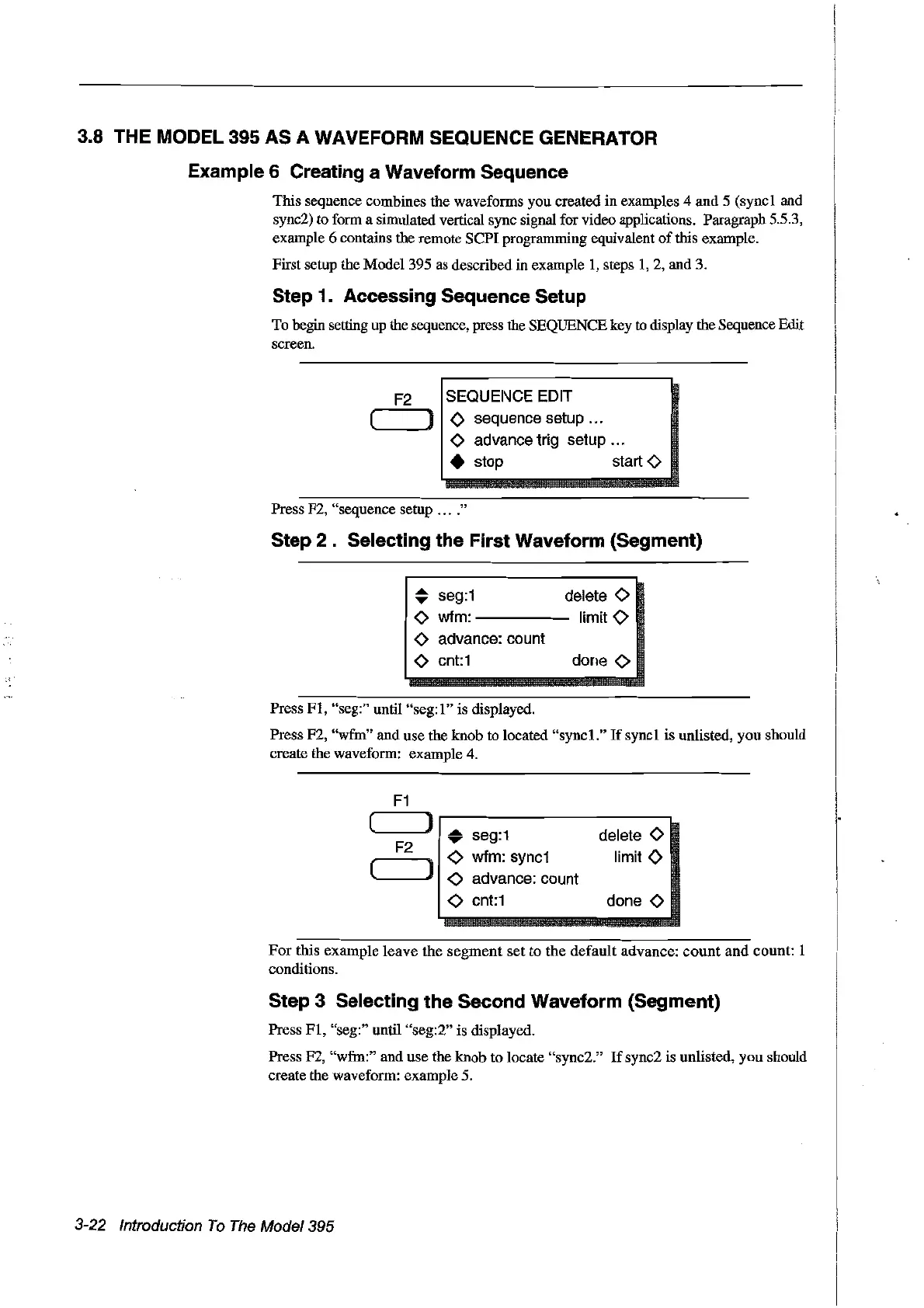
To begin setting up the sequence, press the SEQUENCE key
to
display the Sequence Edit
screen.
F2
SEQUENCE EDIT
( J 0 sequence setup ...
<>
advance trig setup ...
• stop start
<>
Press F2, "sequence setup
n.
0"
Step
2.
Selecting the First Waveform (Segment)
~
seg:1
deiete
<>
<>
wfm:
-----
Iimit 0
<>
advance: count
<>
cnt:1
Press
FI,
"seg:" until
"seg:l"
is displayedo
Press F2,
"wfm" and use the knob
ta
located "sync1."
If
sync1 is unlisted, you should
create the waveform: example 4.
F1
( )
..
seg:1
delete
<>
F2
<>
wfm:
sync1
limitO
(
)
<>
advance:count
<>
cnt:1
done
<>
For
this example leave the
segment
set to the default advance:
count
and
count: 1
conditions.
Step 3 Selecting the Second Waveform (Segment)
Press
FI,
"seg:" until "seg:2" is displayed.
Press F2,
"wfm:" and use the knob to locate "sync2."
If
sync2 is unlisted, you should
create the waveform: example 5.
3-22 Introduction
To
The
Model395
Artisan Technology Group - Quality Instrumentation ... Guaranteed | (888) 88-SOURCE | www.artisantg.com



 To Next Page