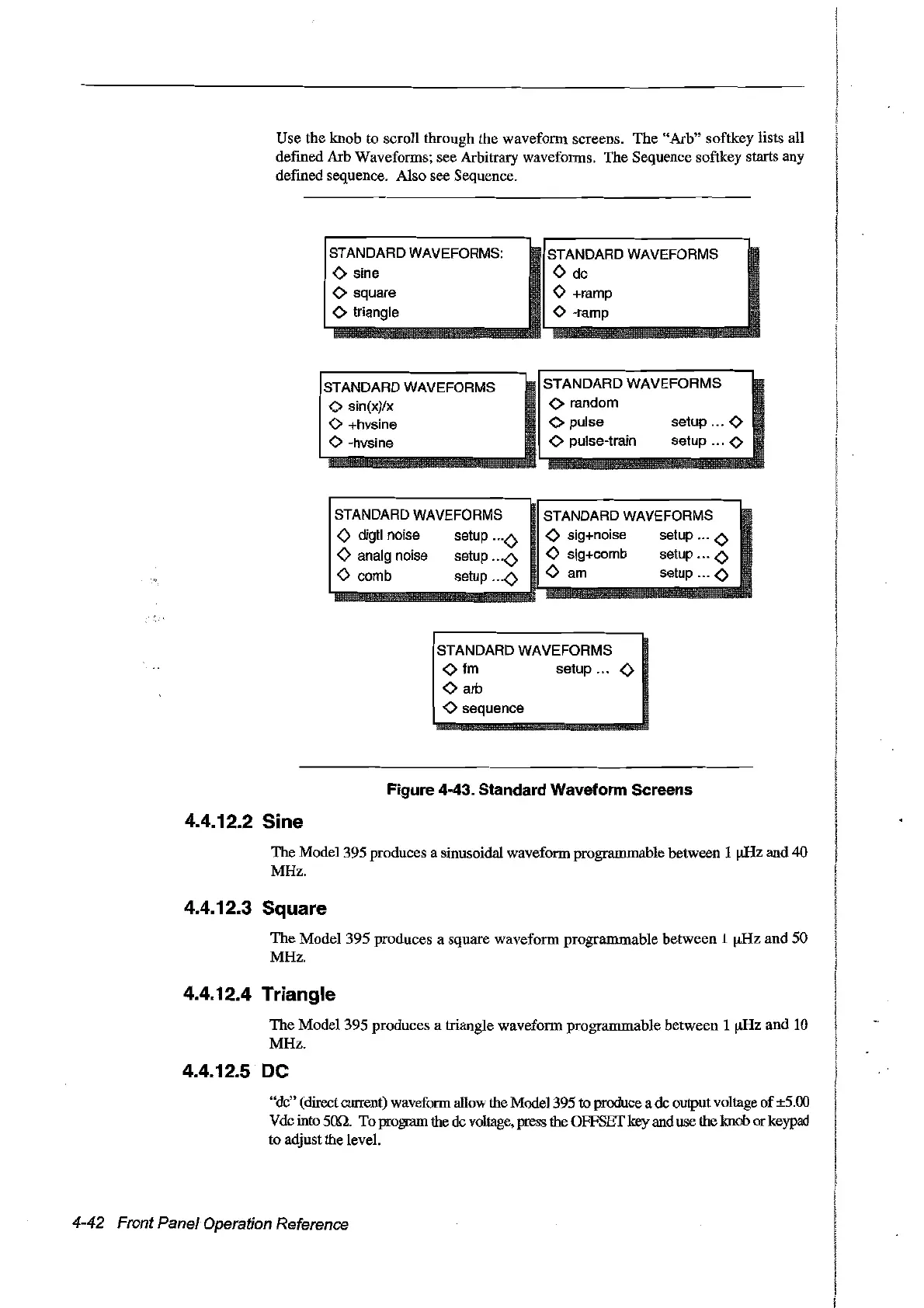
Use
the
knob
to seroU through the waveform screens.
The
"Arb"
softkey lists
aU
defined Arb Waveforms; see Arbitrary waveforms. The Sequence softkey starts any
defined sequence. AIso see Sequence.
STANDARD WAVEFORMS:
STANDARD WAVEFORMS
<>
sine
<>
de
<>
square
<>
+ramp
<>
triangle
<>
-ramp
STANDARDWAVEFORMS
STANDARD
WAVEFORMS
<>
sin(x)/x
<>
random
<>
+hvsine
<>
pulse
setup ...
<>
<>
-hvsine
<>
pulse-train setup ...
<>
STANDARD WAVEFORMS
<) digtl noise setup <)
<>
analg noise setup <)
<)
comb setup
<)
STANDARD WAVEFORMS
<>
sig+noise setup
<>
<>
sig+comb setup
<>
<>
am
setup
<>
STANDARD
WAVEFORMS
<>
fm
setup
no
<>
<>
arb
<>
sequence
Figure 4-43. Standard Waveform Screens
4.4.12.2 Sine
The Model 395 produces a sinusoidal waveform programmable between 1 IiRz and 40
MHz.
4.4.12.3 Square
The
Model
395 produces a square waveform programmable between 1
!kHz
and
50
MHz.
4.4.12.4 Triangle
The
Model395
produces a triangle waveform programmable between 1
!kHz
and
10
MHz.
4.4.12.5 .
OC
"de" (direct current) waveform
a1low
the Model395 to produce a de oUlput voltage
of
±5.00
V
de into.son. To progrnm
the
de
voltage, press the OFFSET
key
and use the knob or keypad
to adjust the level.
4-42 Front Panel Operation Reference
Artisan Technology Group - Quality Instrumentation ... Guaranteed | (888) 88-SOURCE | www.artisantg.com



 To Next Page