Step 2. Reealling The Sequence
First
turn
offthe POWER switch, and then
turn
the POWER back on. Recall the stored
setup
"setupl"
by pressing the SETUPS key.
1
~~s~~~
~fm~:;etuPl-
o save... recall •
o save as ... delete...
<>
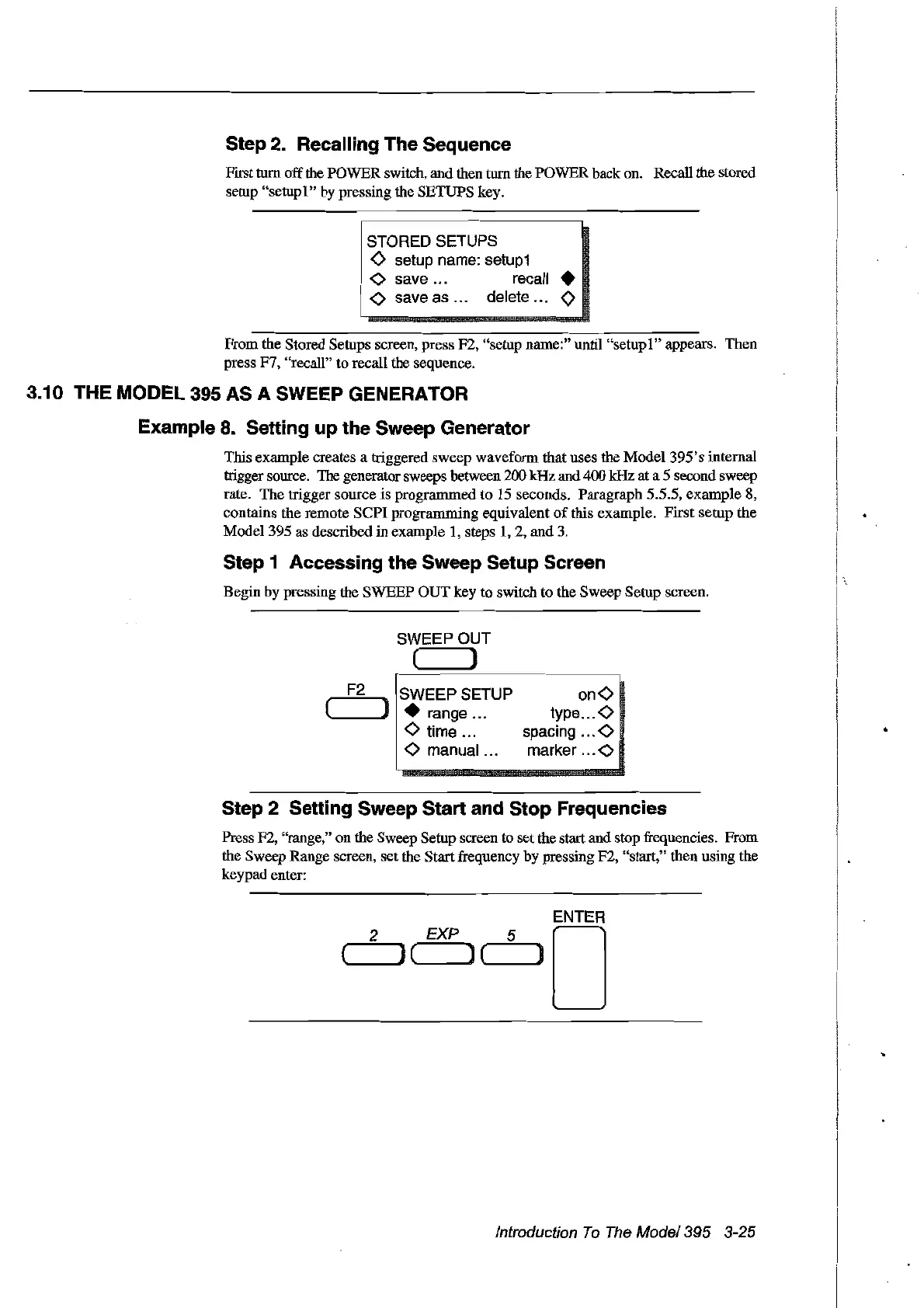
From the Stored Setups screen, press F2, "setup name:" until
"setupl"
appears. Then
press F7, "recaII" to recaIl the sequence.
3.10 THE
MODEl
395 AS A SWEEP GENERATOR
Example
8.
Setting up the Sweep Generator
This example creates a triggered sweep waveform that uses the
Model395's
internaI
trigger source. The generator sweeps between 200 kHz and 400
kHz at a 5 second sweep
rate. The trigger source is prograrnmed to 15 seconds. Paragraph 5.5.5, example
8,
contains the remote
sePI
programming equivalent
of
this example. First setup the
Model395
as described in example 1, steps
1,2,
and 3.
Step 1 Aceessing the Sweep Setup Sereen
Begin by pressing the SWEEP
OUT
key to switch to the Sweep Setup screen.
SWEEPOUT
( )
F2
SWI::EP SETUP
(
--"'Pl
• range ...
o time .
o manual ...
onO
type 0
spacing 0
marker 0
2
Step 2 Setting Sweep Start and Stop Frequencies
Press F2, "range," on the Sweep Setup screen to setthe start and stop frequencies. From
the Sweep Range screen, set the Start frequency by pressing F2, "start," then using the
keypad enter:
ENTER
EXP
5 0
(
.......
)( )(
.......
__
J
Introduction
To
The
Model395
3-25
Artisan Technology Group - Quality Instrumentation ... Guaranteed | (888) 88-SOURCE | www.artisantg.com



 To Next Page