4
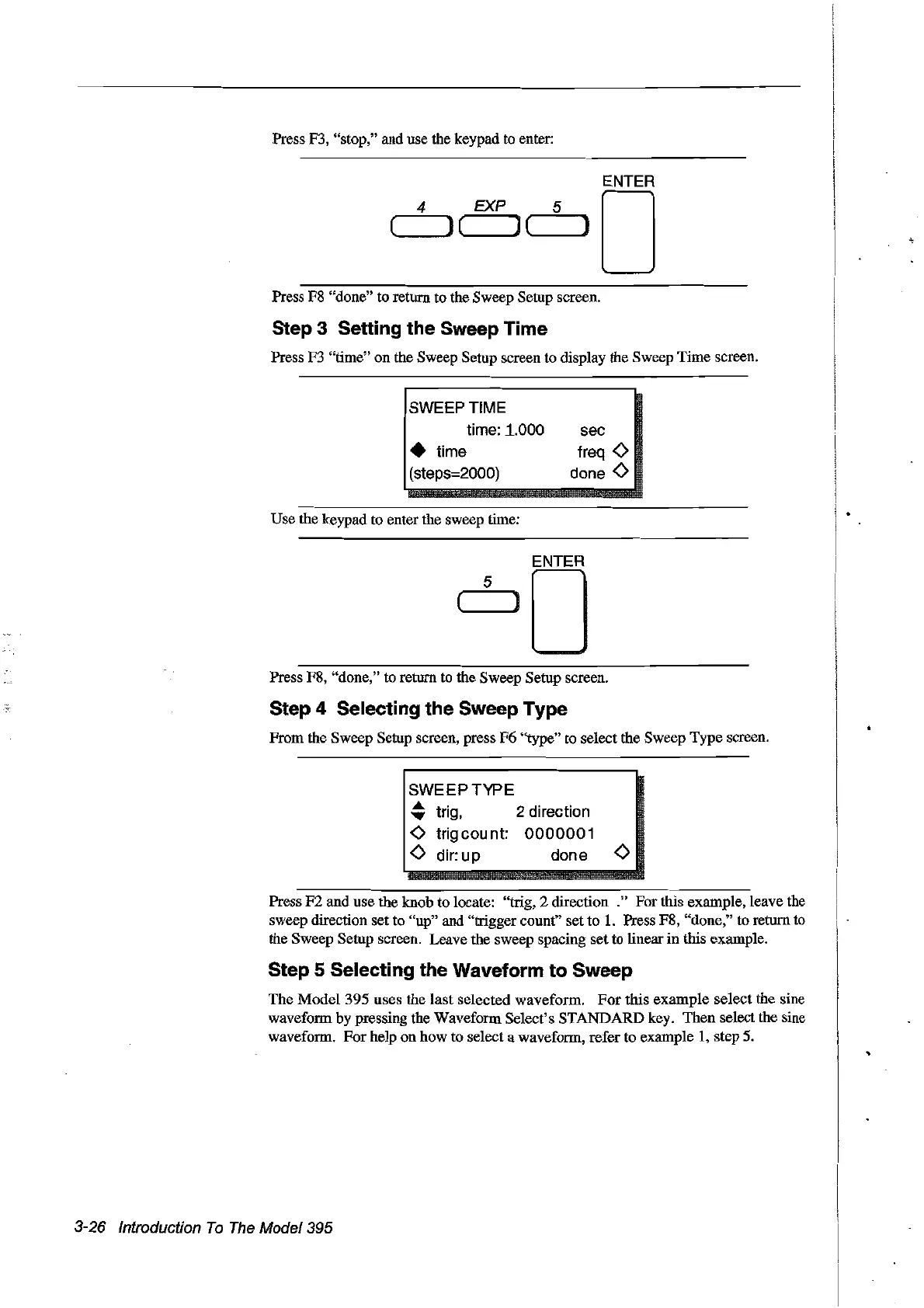
Press F3, "stop," and use the keypad to enter:
ENTER
EXP 5 0
(,,-----,J ( ) ('--
__
)
Press F8 "done" to return to the Sweep Setup screen.
Step 3 Setting the Sweep Time
Press F3 "time" on the Sweep Setup screen to display the Sweep Time screen.
SWEEPTIME
time:
~.OOO
• time
(steps=2000)
Use the keypad to enter the sweep time:
sec
treq
<>
done
<>
Press F8, "done," to return to the Sweep Setup screen.
Step 4 Selecting the Sweep Type
From the Sweep Setup screen, press F6 "type" to select the Sweep Type screen.
SWEEPTYPE
~
trig, 2 direction
<>
trigcount:
0000001
<>
dir:
up
done
<>
Press F2 and use the knob to locate: "trig, 2 direction ." For this example, leave
the
sweep direction set to "up" and "trigger count" set to
1.
Press F8, "done," to return
to
the Sweep Setup screen. Leave the sweep spacing set to linear
in
this example.
Step 5 Selecting the Waveform to Sweep
The Model 395 uses the
last
selected waveform.
For
this example select the sine
waveform by pressing the Waveform Select's STANDARD key. Then select the sine
waveform. For help on how to select a waveform, refer to example 1, step 5.
3-26 Introduction
Ta
The
Madel 395
Artisan Technology Group - Quality Instrumentation ... Guaranteed | (888) 88-SOURCE | www.artisantg.com



 To Next Page