First, connect the Model 395, the scope, and the "
con
troller" as described in "Initial
Setup"
of
paragraph 5.5.
Then, send these commands:
*RST;
[:SOURce]
:FUNCtion[:SHAPe]
SQUare;
:FREQuency
4.58e6;
:VOLTage
[:LEVel]
[:IMM] [:AMPL]
2.70;
:VOLTage:OFFSet
-1.20;
<pmt>
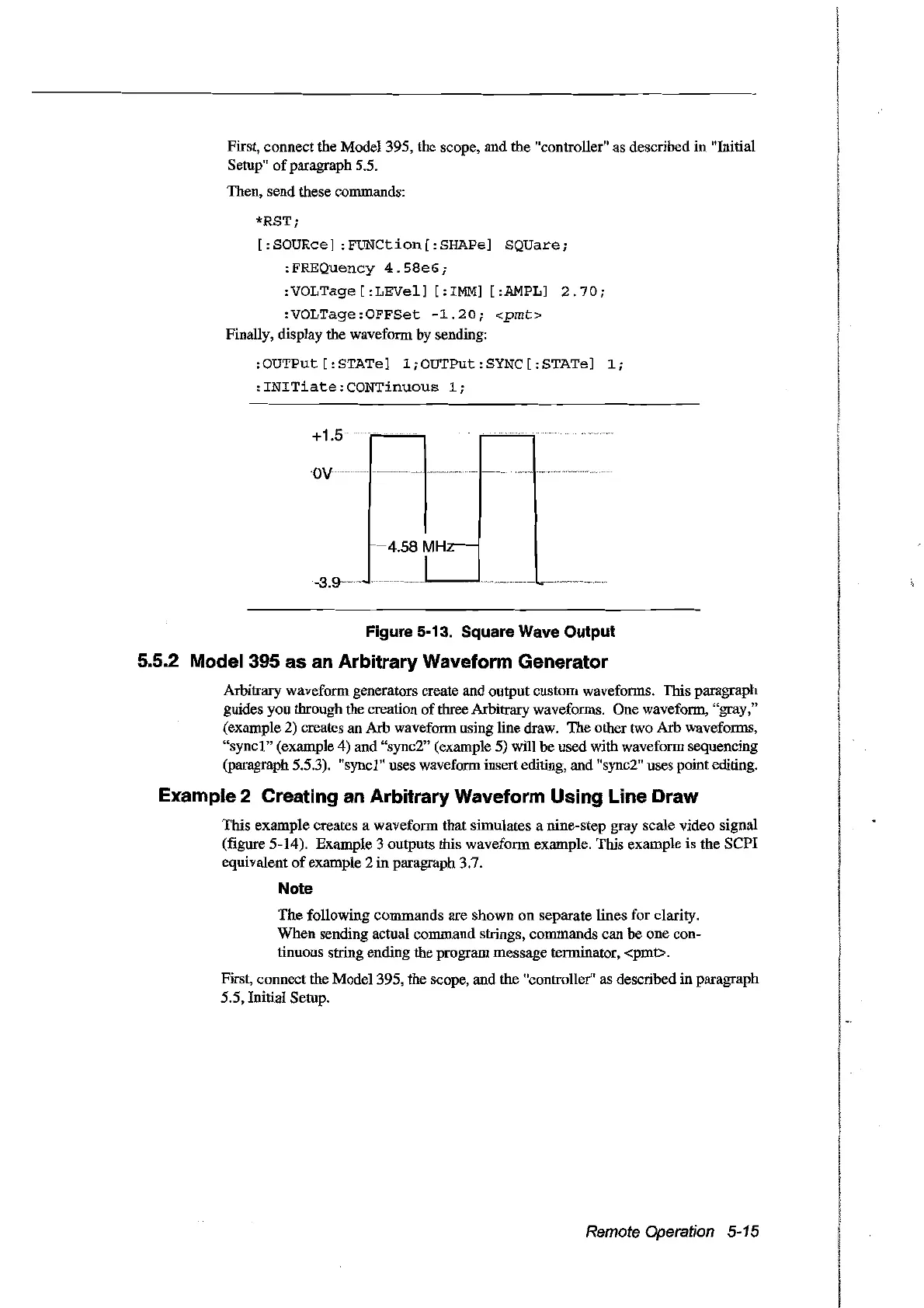
Finally, display the waveform by sending:
:OUTPut [:STATe]
l;OUTPut:SYNC[:STATe]
1;
:INITiate:CONTinuous
1;
+1.5
ov
"'"
1-"'-'
'wu
l"
.
-'4.58
MHz--
1
Figure 5-13. Square Wave Output
5.5.2 Model 395 as an Arbitrary Waveform Generator
Arbitrary waveform generators create and output custom waveforms. This paragraph
guides you through the creation
of
three Arbitrary waveforms. One waveform, "gray,"
(example 2) creates anArb waveform using tine draw. The other two Arb waveforms,
"syncl"
(example 4) and "sync2" (example 5) will be used with waveform sequencing
(paragraph 5.5.3). "syncl" uses waveform insert editing, and "sync2" uses point editing.
Example 2 Creating an Arbitrary Waveform Using Line Draw
This example creates a waveform that simulates a nine-step gray scale video signal
(figure 5-14). Example 3 outputs this waveform example. This example is the
SePI
equivalent
of
example 2
in
paragraph 3.7.
Note
The
following commands are shown on separate tines for clarity.
When sending actual command strings, commands can be one con-
tinuous string ending the program message terminator, <pmt>.
First, connect the Mode1395, the scope, and the "controller" as described in paragraph
5.5, Initial Setup.
Remote Operation 5-15
Artisan Technology Group - Quality Instrumentation ... Guaranteed | (888) 88-SOURCE | www.artisantg.com



 To Next Page