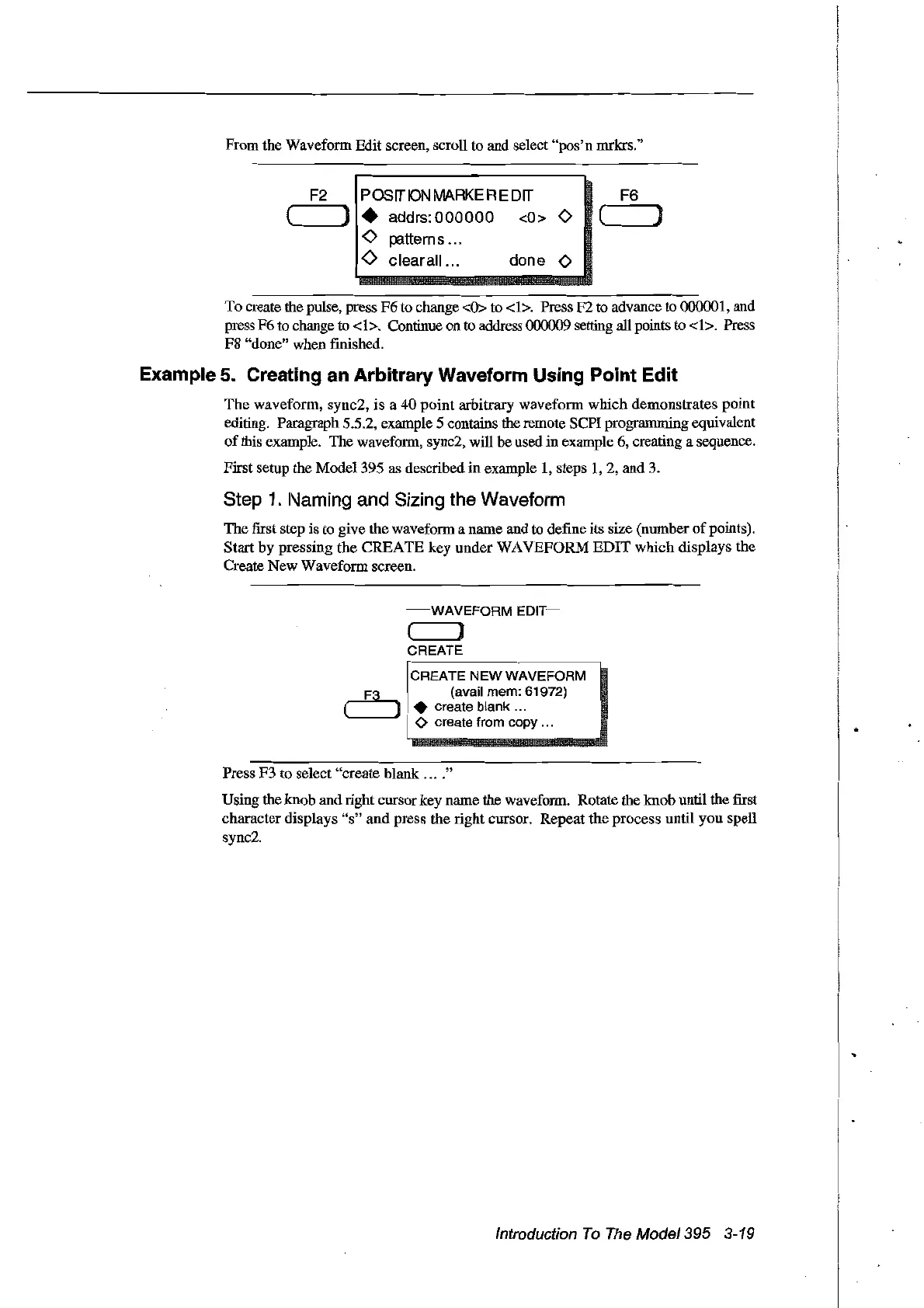
From the Waveform Edit screen, seroU to and select
"pos'n
mrlcrs."
F2
posrrON
MARKE
RE
Drr
F6
( ) • addrs:
000000
<0> 0 ( )
<0
p:ltterns ...
Ô
clearall...
done 0
To
create the pulse, press
F6
to change <ü> to
<1>.
Press F2 to advance to
0ססoo1,
and
press F6
to
change to
<1>.
Continue on
to
address 000009 setting
aU
points
to
<1>.
Press
F8
"done" when finished.
Example 5. Creating an Arbitrary Waveform Using Point Edit
The
waveform, sync2,
is
a
40
point
arbitrary waveform
which
demonstrates point
editing. Paragraph 5.5.2, example 5 contains the remote SCPI programming equivalent
of
fuis example. The waveform, sync2, will he used in example 6, creating a sequence.
Fifst setup the
Model395
as described
in
example
1,
steps
1,2,
and 3.
Step
1.
Naming and Sizing the Waveform
The
frrst step is to give the waveform a name and to define its size (number
of
points).
Start
by
pressing
the
CREA
TE
key
under
WA
VEFORM
EDIT
which
displays the
Create New Waveform screen.
~·-WAVEFORM
EDIT~
( ]
CREATE
F
····~~···_···_···------,
CREATE
NEW
WAVEFORM
,...-Ea..... j (avai! mem: 61972)
L---.J
.•
create blank ...
<>
create from copy ...
Press F3 to select "create blank
....
"
Using the knob and right cursor key name the waveform. Rotate the knob until the
fust
character displays
"s"
and
press the right cursor.
Repeat
the
process until
you
spell
sync2.
Introduction
To
The
Model395 3-19
Artisan Technology Group - Quality Instrumentation ... Guaranteed | (888) 88-SOURCE | www.artisantg.com



 To Next Page