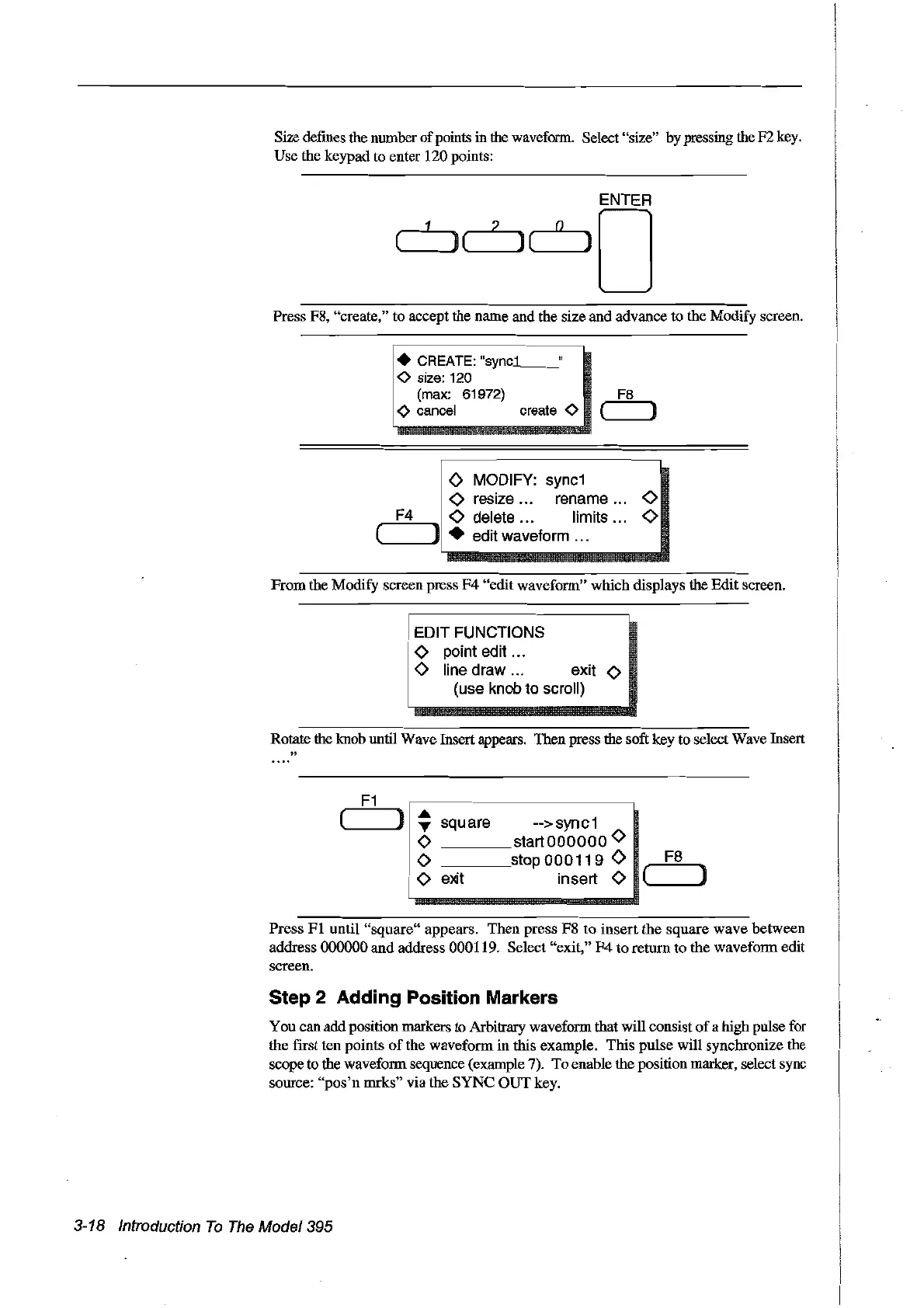
Size defines the number
of
points in the waveform. Select "size" by pressing theF2 key.
Use the keypad to enter 120points:
Press F8, "create," to accept the name and the size and advance to the Modify screen.
• CREATE:
"syncL-"
<>
size:
120
(max:
61972)
F8
<>
cancel create
<>
( )
o MODIFY:
syne1
<>
resize... rename
<>
"......:.F...,;4:...-
1
<>
deiete ... Iimits
<>
(
.....
__
]1
• edit waveform ...
From
the Modify screenpress
F4
"edit waveform" which displays the Edit screen.
EDIT FUNCTIONS
o point edit .
o line draw exit 0
(use
knob
to seroll)
Rotate the knob until Wave Insert appears. Then press the soft key to select Wave Insert
"
F1
( )
..
-->syne1
T
square
0
startOOOOOO
0
0
stop
000119
0
Fa
0
e>dt
insert 0
( )
Press
FI
until
"square"
appears. Then press
F8
to
insert
the
square
wave
between
address 000000
and
address 000119. Select "exit,"
F4
to return
to
the waveform edit
screen.
Step 2 Adding Position Markers
You can add position markers to Arbitrary waveform that will consist
of
a high pulse for
the frrst ten points
of
the waveform in this example. This pulse will synchronize the
scope to the waveform sequence (example 7).
To
enable the position marker, select sync
source:
"pos'n
mrks" via the
SYNC
OUT
key.
3-18 Introduction
To
The
Model395
Artisan Technology Group - Quality Instrumentation ... Guaranteed | (888) 88-SOURCE | www.artisantg.com



 To Next Page