• CREA
TE:
"sync2
__
"
<>
size: 1024
{max:
61972}
<>
cancel create 0
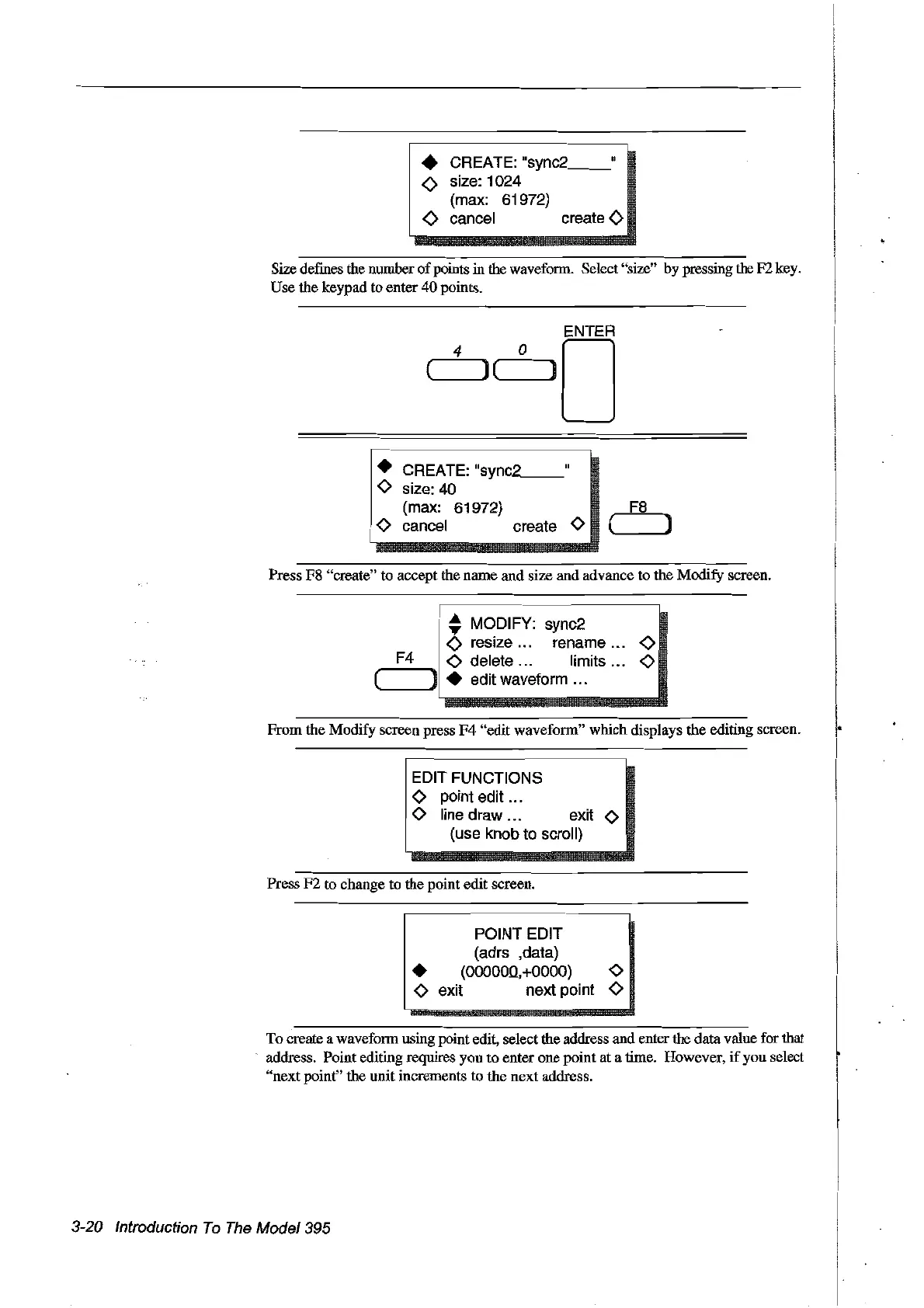
Size defines the number
of
points in the waveform. Select "size" by pressing the F2 key.
Use the keypad to enter
40
points.
• CREA
TE:
"
sync
-.2
__
o size:
40
{max:
61972}
Fa
o cancel create 0 ( )
Press F8 "create" to accept the name and size and advance to the Modify screen.
,-
.....
_-----------,
~
MODIFY: sync2
<>
resize... rename
<>
F4
<>
delete ... limits
<>
( ) • edit waveform ...
From
the Modify screen press
F4
"edit waveform" which displays the editing screen.
1
~1~~~~TtI~NS
-
o line draw ... exit 0
{use knob to scroll}
Press
F2
to change to the point edit screen.
POINT EDIT
(adrs ,data)
•
{OOOOOQ,+OOOO}
0
o exit next point 0
To create a waveform using point edit, select the address and enter the data value for that
address. Point editing requires you
to
enter one point at a rime. However,
if
you select
"next
point" the unit increments
to
the next address.
3-20 Introduction
To
The
Model395
Artisan Technology Group - Quality Instrumentation ... Guaranteed | (888) 88-SOURCE | www.artisantg.com



 To Next Page