4.4.12.19
FM
Selecting
FM
allows you
to
select internal frequency modulation. From the
FM
screen
you can
set
the independent center and the modulation frequencies, as well as set the
deviation range.
The
modulating signal can be selected, but the carrier waveform will
always he a sine wave. From the StandardWaveform screen, select
"fin"
to generatethe
FM
waveform. Or, select "fin setup
...
" to setup the waveform.
Selecting "fin setup
...
" to display the
FM
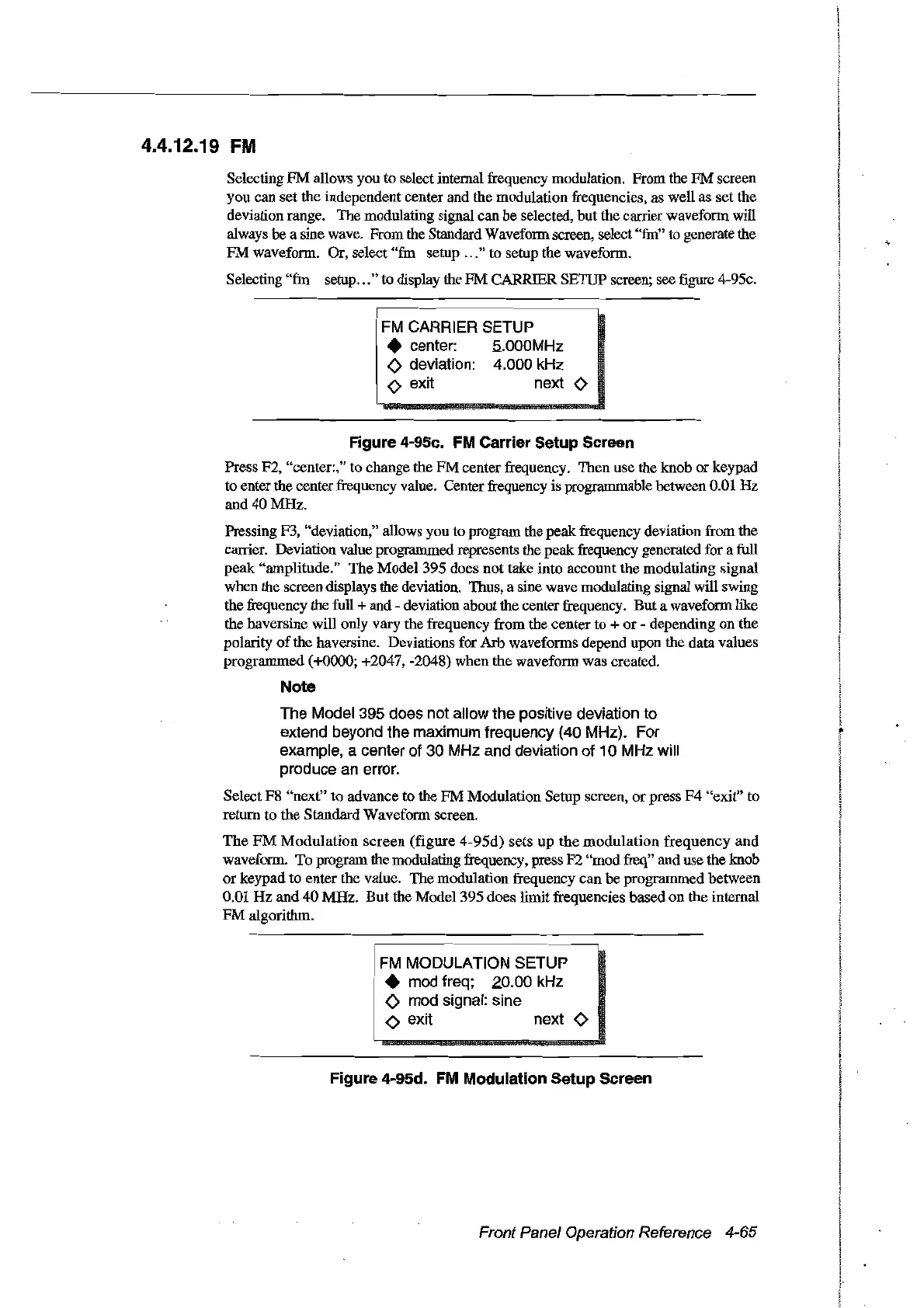
CARRIER SETUP screen; see
figure
4-95c.
FM
CARRIER SETUP
• center: 5..000MHz
<>
deviation: 4.000 kHz
o exit next 0
Figure 4-95e.
FM
Carrier Setup Sereen
Press F2, "center:," to change the
FM
center frequency. Then use the knob
or
keypad
ta enter
the
center frequency value. Centerfrequency is programmable between 0.01
Hz
and
40
MHz.
Pressing F3, "deviation," allows you to program the
peak
frequency deviation from the
carrier. Deviation value programmed represents the
peak
frequency generated for a full
peak
"amplitude."
The
Model
395
does
not
take into account the modulating signal
when the screen displays the deviation. Thus, a sine wave modulating signal will swing
the frequency the full +
and
- deviation about the centerfrequency.
But
a waveform like
the haversine will only vary the frequency from the center to +
or
- depending
on
the
polarity
of
the haversine. Deviations for Arb waveforms depend upon the data values
programmed (+0000; +2047, -2048)
when
the waveform was created.
Note
The Model 395 does not allow the positive deviation to
extend beyond the maximum frequency (40 MHz). For
example, a center of 30 MHz and deviation of 10 MHz will
produce
an
error.
Select
F8
"next"
to advance to the
FM
Modulation Setup screen,
or
press
F4
"exit" to
return
to
the Standard Waveform screen.
The
FM
Modulation
screen
(figure
4-95d)
sets
up
the
modulation
frequency
and
waveform.
To
program the modulating frequency, press
F2
"modfreq" and use the knob
or
keypad
to enter the value.
The
modulation frequency
can
be
programmed hetween
0.01
Hz
and
40
MHz.
But
the
Model395
does limit frequencies based
on
the internal
FM
algorithm.
FM
MODULATION SETUP
• mod freq; 20.00 kHz
<>
mod signal: sine
o exit next 0
Figure 4-95d.
FM
Modulation Setup Sereen
Front Panel Operation Reference 4-65
Artisan Technology Group - Quality Instrumentation ... Guaranteed | (888) 88-SOURCE | www.artisantg.com



 To Next Page