Fuse
Holder
~Insta/
......
-230
115~
Line
Volta
g
:,,------
Selector
Power
Connector
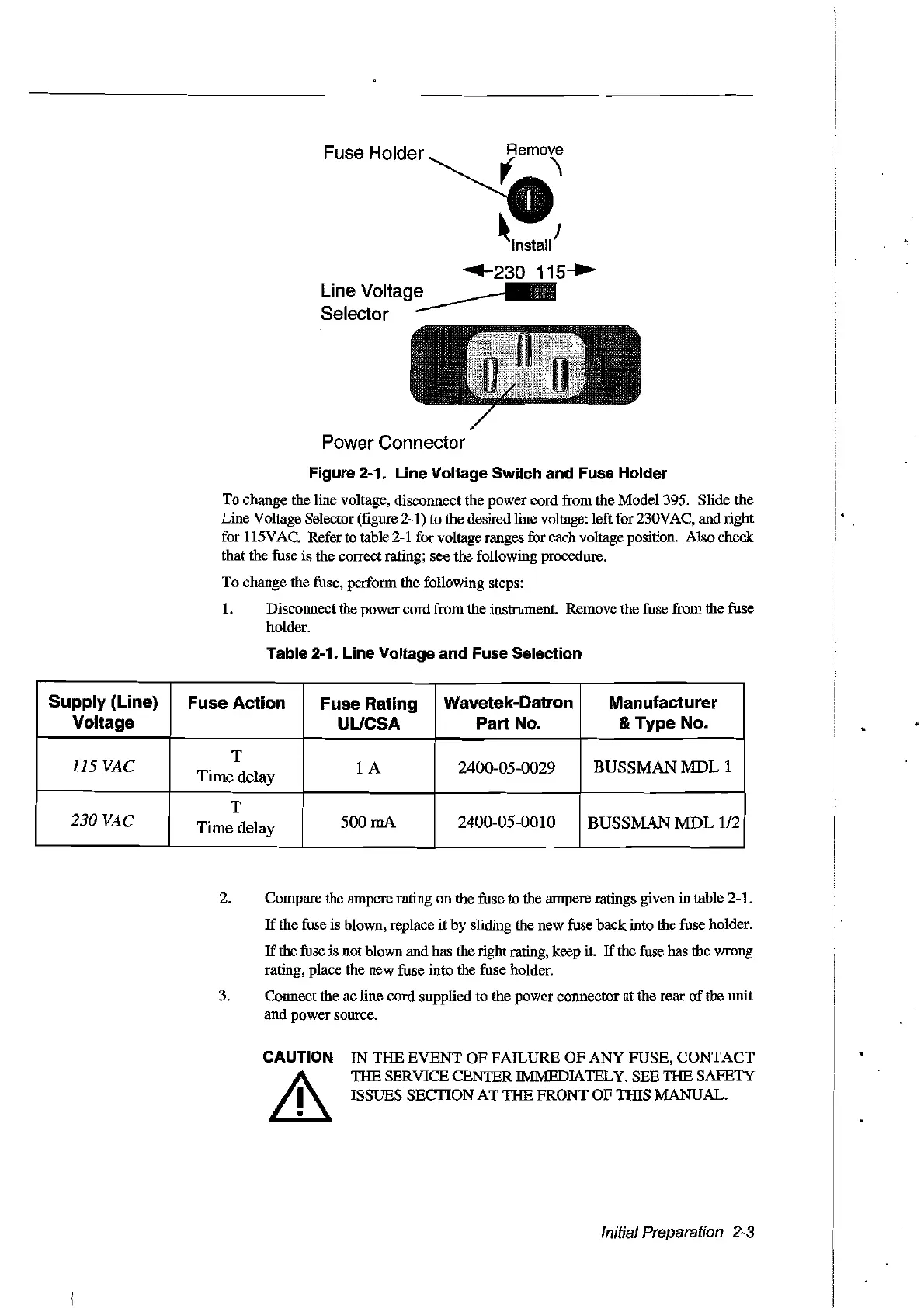
Figure 2-1.
Une
Voltage Switch and Fuse Holder
To change the line voltage, disconnect the power cord from the Model 395. Slide the
Line Voltage Selector
(figure 2-1) to the desired line voltage: left for 230VAC, and right
for 115VAC. Refer
to
table 2-1 for voltage ranges for each voltage position. Also check
that the fuse is the correct rating; see the following procedure.
To change the fuse, perform the following steps:
1.
Disconnect the power cord from the instrument. Remove the fuse from the fuse
holder.
Table 2-1. Line Voltage and Fuse Selection
Supply (Line)
Fuse Action
Fuse Rating
Wavetek-Datron
Manufacturer
Voltage
UUCSA
Part No.
& Type No.
115 VAC
T
lA
2400-05-0029
BUSSMAN MDL 1
Time delay
T
230 VAC
Timedelay
500
mA
2400-05-0010
BUSSMAN
MDL
112
2. Compare the ampere rating on the fuse to the ampere ratings given
in
table 2-L
If
the fuse is blown, replace
it
by sliding the new fuse back into the fuse holder.
If
the fuse is not blown and has the rightrating, keep Ît.
If
the fuse has the wrong
rating, place the new fuse into the fuse holder.
3. Connect the ac line cord supplied to the power connector at the rear
of
the unit
and power source.
CAUTION
&
IN
THE
EVENT
OF
FAILURE
OF
ANY
FUSE,
CONTACT
THE SERVICE CENTER IMMEDIATELY. SEE THE SAFETY
ISSUES SECTION
AT
THE FRONT
OF
THIS MANUAL.
IniüalPreparaüon
2-3
Artisan Technology Group - Quality Instrumentation ... Guaranteed | (888) 88-SOURCE | www.artisantg.com



 To Next Page