EasyManua.ls Logo

Fluke Wavetek-Datron 395 - Page 227

Fluke Wavetek-Datron 395
285 pages
Print Icon
To Next Page IconTo Next Page
To Previous Page IconTo Previous Page
Loading...
OPERATION
AL
SCREENS
CONNECTOR CONTROL SCREENS
,;;;;
Legend'
For
Operational
Screen
Selections:
Select
using
one
of
the
Beige
Front
Panel
(double
row)
Keys
directly
below
the
gray
display
group.
To
select
or
modify
the
displayed
screen
parameters,
press
one
of
the
gray
Function
Keys
(Fl
thru
F8)
around
the
display
or
use
the
Knob
and/or
cursor
keys
to
modify
if
desired
item
is
already
selected.
For
Connector
Control
Screen
Selections:
Select
using
one
of
the
Beige
Front
Panel
Keys
directly
above
the
Front
Panel
Connector.
Ta
select
or
modify
the
displayed
screen
parameters,
press
one
of
the
gray
Function
Keys
(Fl
thru
F8)
around
the
display
or
use
the
Knob
and/or
cursor
keys
to
modify if
desired
item
is
already
selected.
For
Numeric
Key
Group
Screen
Selections:
Select
using
one
of
the
Beige
Front
Panel
Keys
directly
to
the
right of
the
gray
display
group.
To
select
or
modify
the
displayed
screen
parameters,
press
one
of
the
gray
Function
Keys
(Fl
thru
F8)
around
the
display
or
use
the
Knob
and/or
cursor
keys
to
modify if
desired
item
is
already
selected.
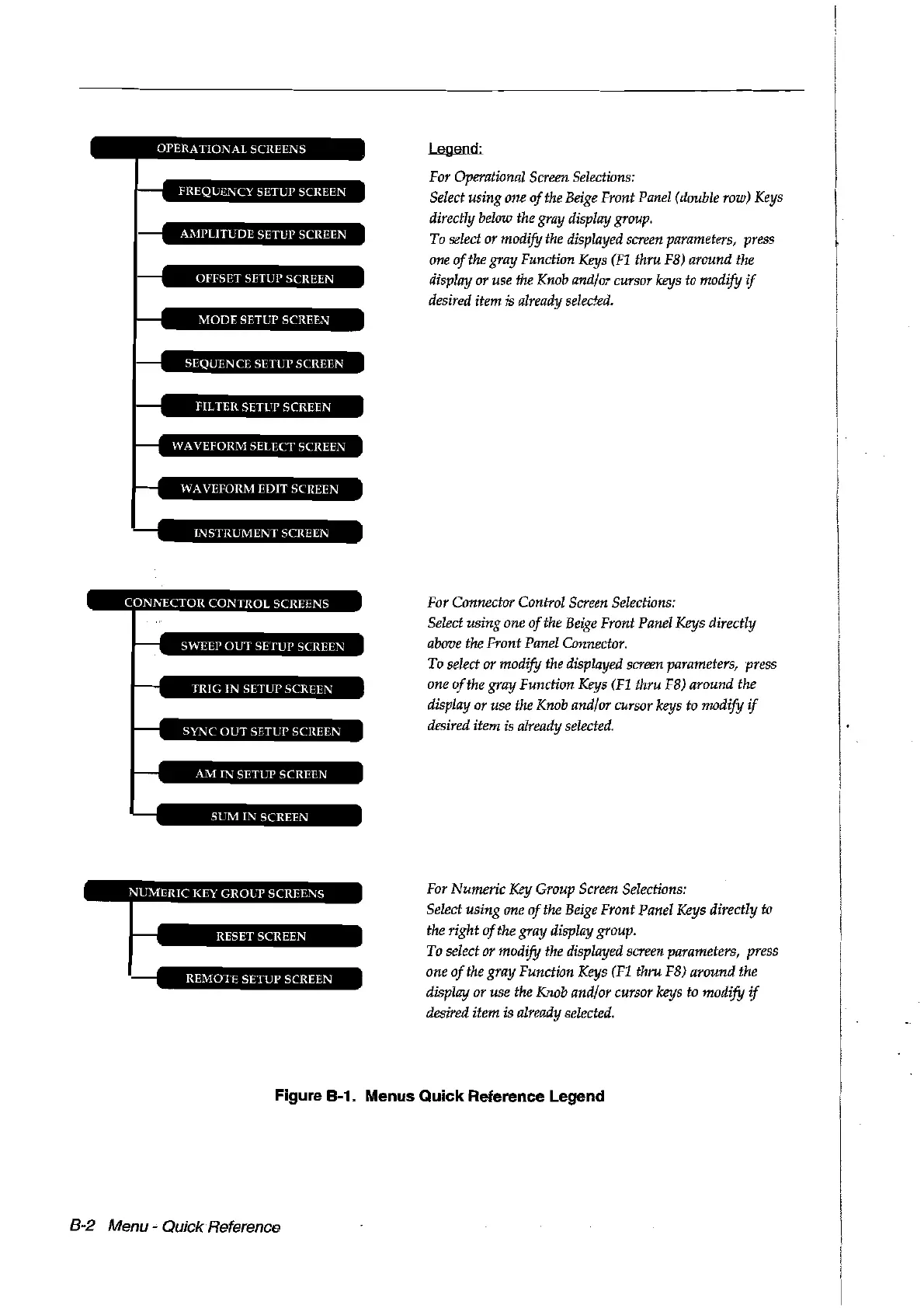
Figure 8-1. Menus Quick Reference Legend
8-2
Menu
..
QuickReference
Artisan Technology Group - Quality Instrumentation ... Guaranteed | (888) 88-SOURCE | www.artisantg.com

Table of Contents

Related product manuals