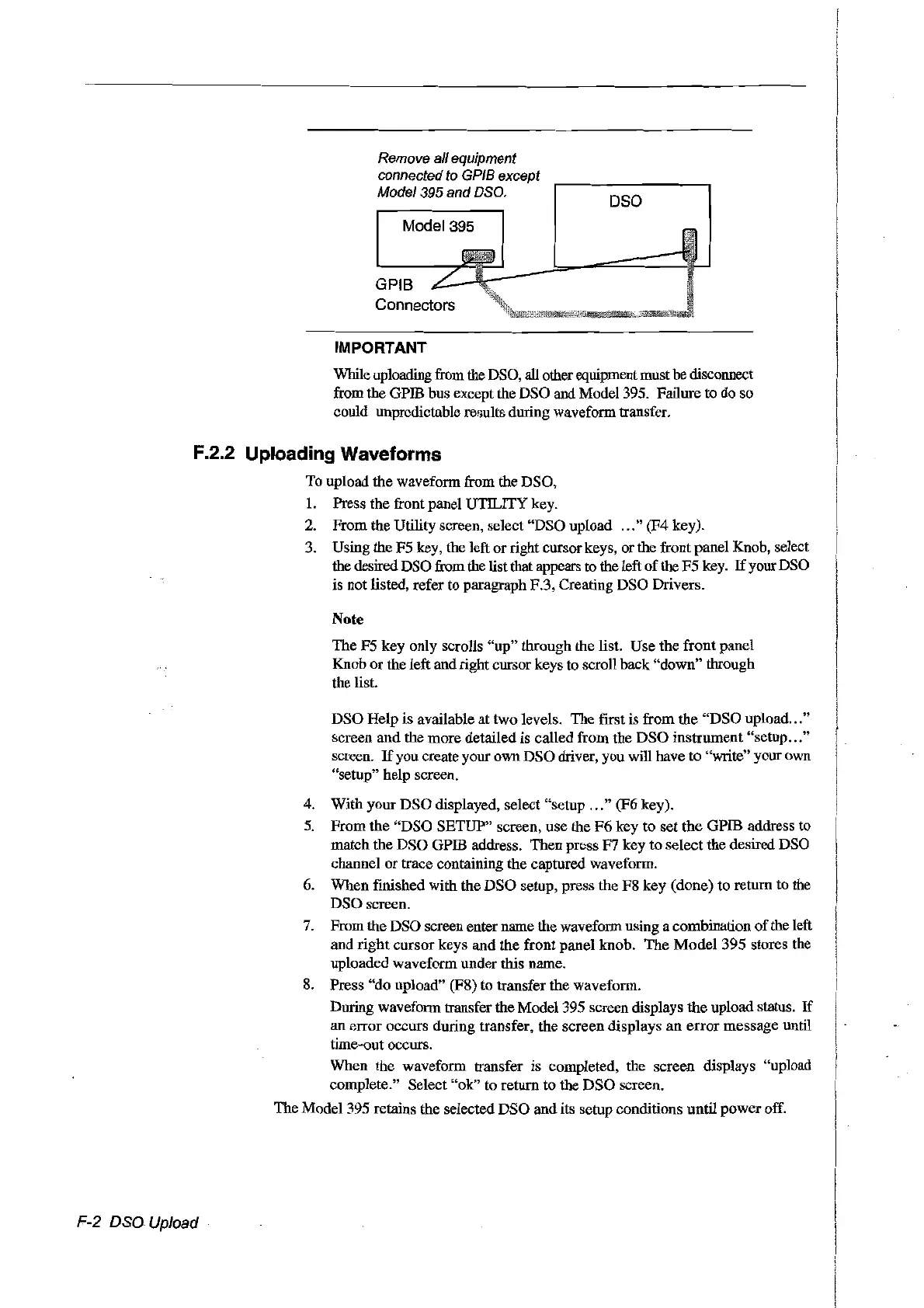
Remove a/l equipment
connected to GPIB except
Model
395
and
DSO.
Madel 395
IMPORTANT
Dsa
While uploading from the DSO, aIl otherequipment must be disconnect
from the GPffi bus except the DSO and Model 395. Failure to do so
could unprcdicroble results during waveform transfer.
F.2.2 Uploading Waveforms
To upload the waveform from the DSO,
1.
Press the front panel UTILITY key.
2.
From the Utility screen, select "DSO upload
...
" (F4 key).
3. Using the F5 key, the left or right cursorkeys, or the front panel Knob, select
the desired DSO from the listthat appears to the left
of
the
F5
key.
If
your DSO
is not listed, refer to paragraph F.3, Creating DSO Drivers.
Note
The
F5
key only scrolls
"up"
through the list. Use
the
front
panel
Knob or the left and right cursor keys to scroll back "down" through
the list.
DSO
Help is available at two levels. The first is from
the
"DSO
upload "
screen
and
the more detailed is called from the
DSO
instrument "setup "
screen.
If
you create your own DSO driver, you will have
ta
"write" your own
"setup" help screen.
4. With your
DSO
displayed, select "setup
...
" (F6 key).
5. From
the
"DSO
SETUP" screen, use the
F6
key to
set
the
GPffi address to
match the
DSO
GPffi address. Then press F7 key to select the desired DSa
channel
or
trace containing the captured waveform.
6.
When finished with
the
DSO
setup, press the F8 key (done)
ta
return to the
DSO screen.
7. From the DSO screen entername the waveform using a combination
of
the left
and
right
cursor keys
and
the
front panel knob.
The
Model
395 stores the
uploaded waveform under this name.
8.
Press
"do
upload" (F8)
ta
transfer the waveform.
During waveform transfer the Model 395 screen displays the upload status.
If
an
error
occurs during transfer, the screen displays
an
error
message
until
time-out occurs.
When the waveform transfer is completed, the screen displays "upload
complete." Select
"ok"
ta
return
to
the
DSO
screen.
The Model 395 retains the selected
DSO
and its setup conditions until
power
off.
F-2
DSa
Upload
Artisan Technology Group - Quality Instrumentation ... Guaranteed | (888) 88-SOURCE | www.artisantg.com



 To Next Page