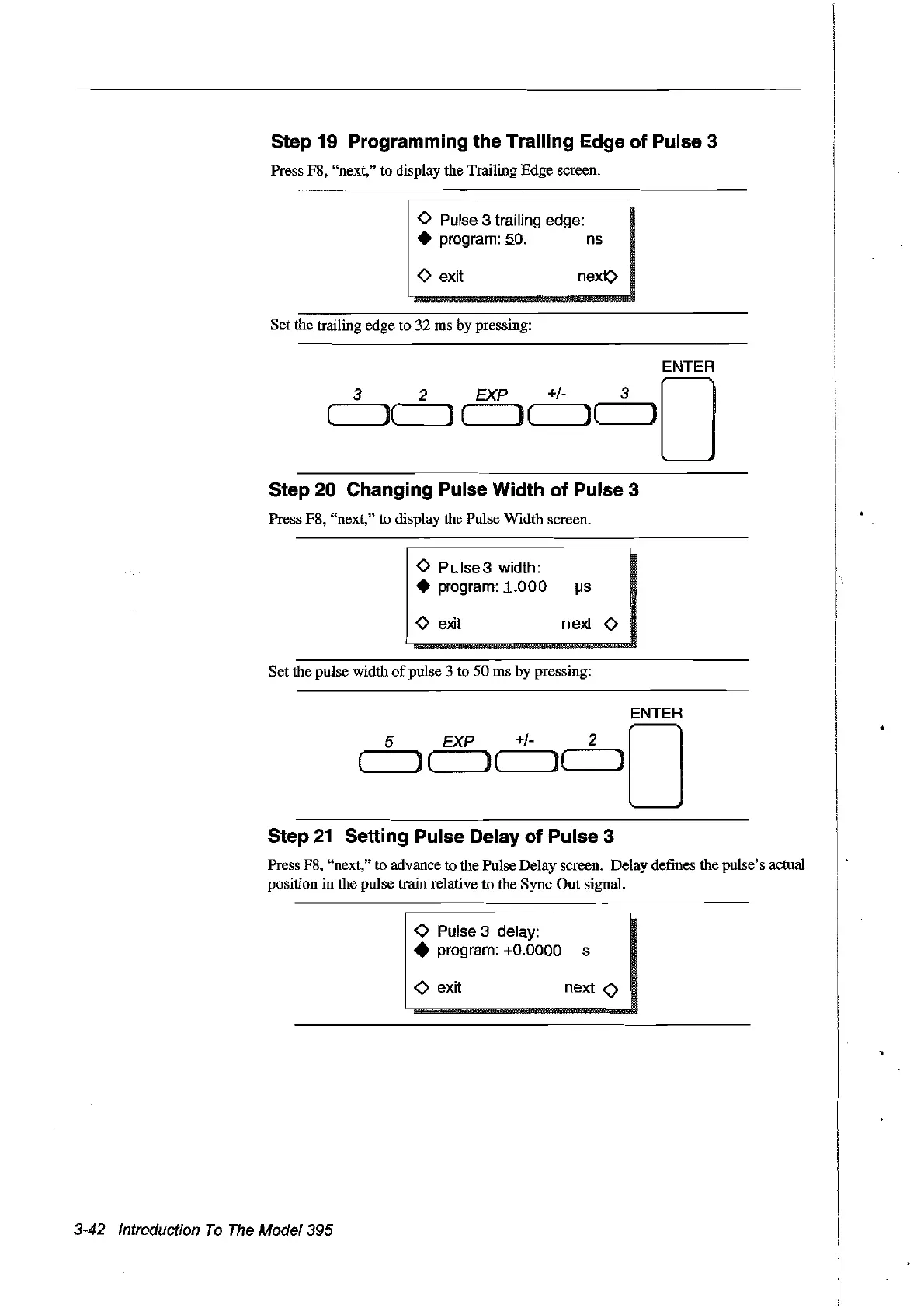
Step 19 Programming the Trailing Edge of Pulse 3
Press F8, "next,"
ta
display the Trailing Edge screen.
o
Pulse
3 trailing edge:
•
program:
5.0.
ns
o exit
Set the trailing edge to 32 ms by pressing:
nex(>
ENTER
3 2
EXP
+/- 0
(
l(
) ( l(
]"---_
Step 20 Changing Pulse Width of Pulse 3
Press F8, "next," to display the Pulse Width screen.
o Pulse3 width:
•
program:
1.000
I..lS
o
exit
n
e:xt
0
Set the pulse width
of
pulse 3 to
50
ms by pressing:
EXP +/-
'---_
(
J(
)(
Step
21
Setting Pulse Delay of Pulse 3
Press F8, "next," to advance to the Pulse Delay screen. Delay defines the pulse's actual
position in the pulse train relative to the Sync
Out
signaL
<0
Pulse
3 delay:
• program:
+0.0000 s
<0
exit next 0
3-42 Introduction
Ta
The
Madel 395
Artisan Technology Group - Quality Instrumentation ... Guaranteed | (888) 88-SOURCE | www.artisantg.com



 To Next Page