Press
FI,
"continuous,"
to
select this mode. Continuous is the default mode.
Step 2. Selecting the Waveform
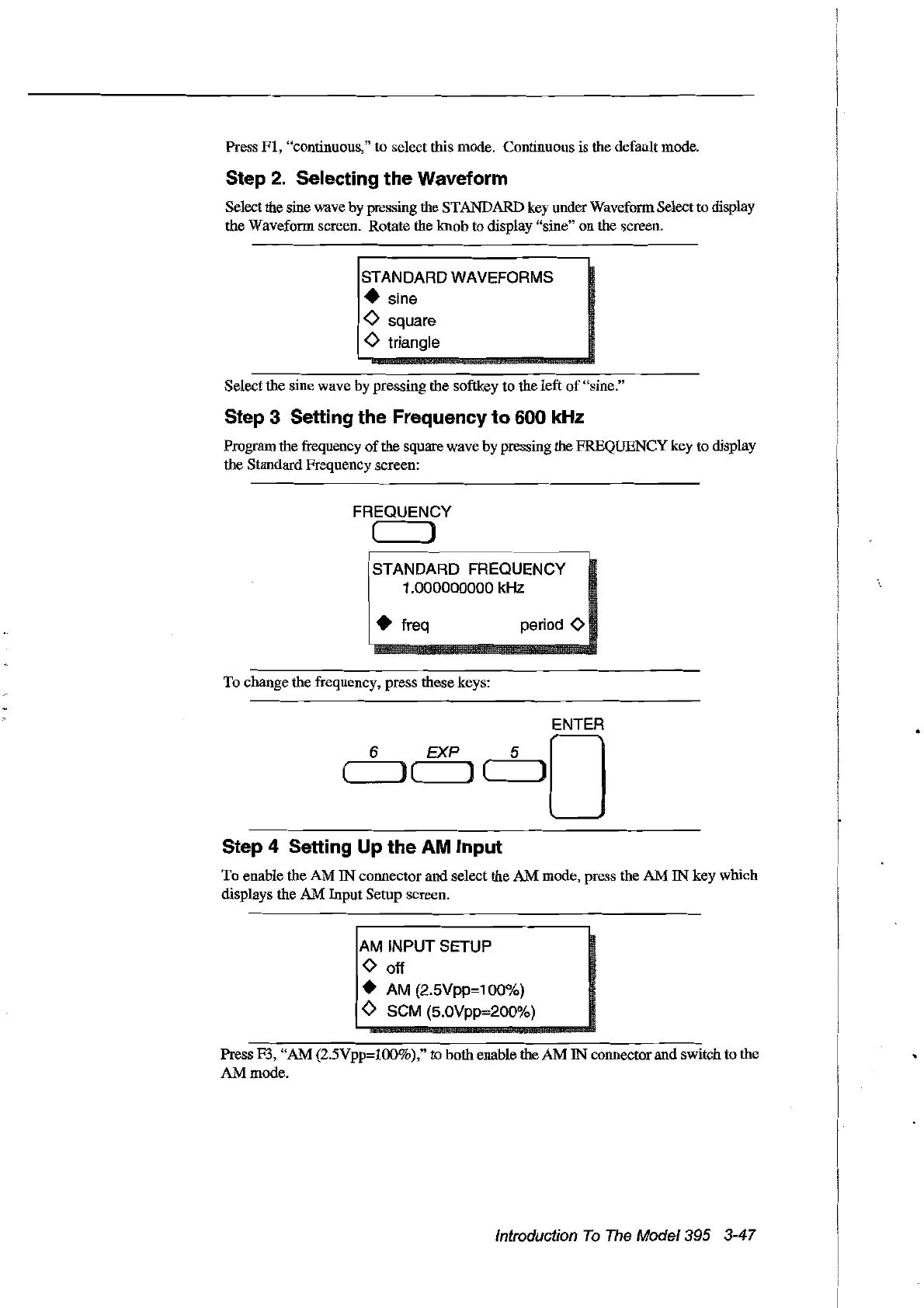
Select the sine wave by pressing the STANDARD key underWaveform Select to display
the Waveform sereen. Rotate the
knob
to display "sine" on the screen.
STANDARD WAVEFORMS
• sine
<>
square
<>
triangle
Select the sine wave by pressing the softkey to the left
of
"sine."
Step 3 Setting the Frequency to 600 kHz
Program the frequency
of
the square wave by pressing the FREQUENCY key to display
the Standard Frequency screen:
FREQUENCY
( )
STANDARD FREQUENCY
1.000000000 kHz
• freq
To
change the frequency, press these keys:
period
<>
6
ENTER
EXP 5 0
(,----,)
( ) ( J
Step 4 Setting Up the AM Input
To
enable the
AM
IN
connectorand select the AM mode, press the
AM
IN
key which
displays the
AM
Input Setup screen.
AM INPUT SETUP
<>
off
• AM (2.5Vpp=100%)
o SCM (5.0Vpp=200%)
Press F3,
"AM
(2.5Vpp=IOO%)," to both enable the
AM
IN
connector and switch to the
AM
mode.
Introduction
To
The
Model395
3-47
Artisan Technology Group - Quality Instrumentation ... Guaranteed | (888) 88-SOURCE | www.artisantg.com



 To Next Page