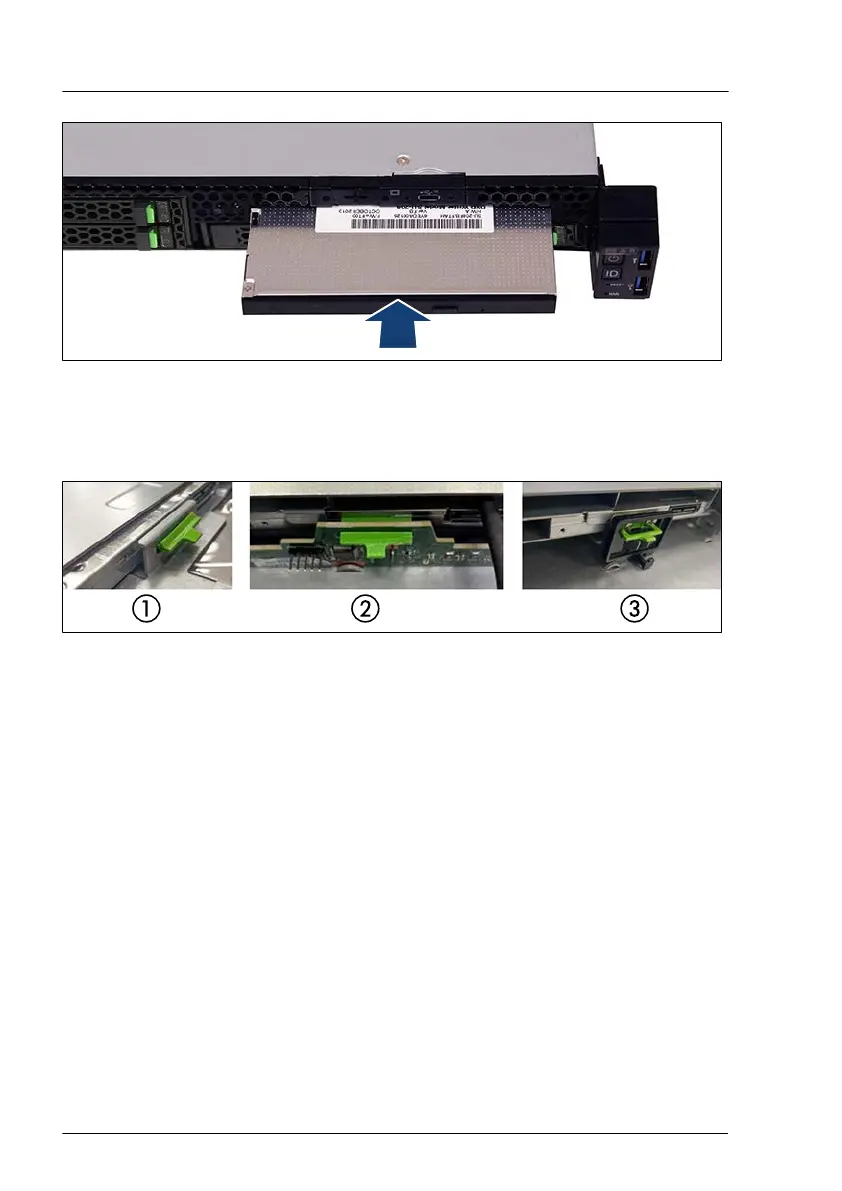
Figure 191: Installing the ODD
▶
Push the ODD into the bay until the ODD latch engages in the HDD
backplane or in the ODD lock.
Figure 192: ODD latch engaged
1 ODD latch engaged in chassis
2 ODD latch engaged in second 2.5-inch
HDD backplane
3
ODD latch engaged in ODD lock
(reverse direction)
▶
Connect the ODD power cable and the ODD data cable to the ODD and the
system board, see "Positions of the ODD" on page 243.
Concluding steps
▶
"Reassembling" on page
53.
▶
"Connecting the power cord" on page 57.
▶
"Switching on the server" on page 60.
▶
If applicable, "Installing the front cover with lock" on page 61.
▶
"Resuming BitLocker functionality" on page 86.
Accessible drives
250 Upgrade and Maintenance Manual RX1330 M5



 To Next Page
 Loading...