Heart and Respiration Rate Monitoring System powered by EarlySense
90 Centrella® Smart+ Bed with Heart and Respiration Rate Monitoring System powered by EarlySense Instructions for Use
(193587 REV 10)
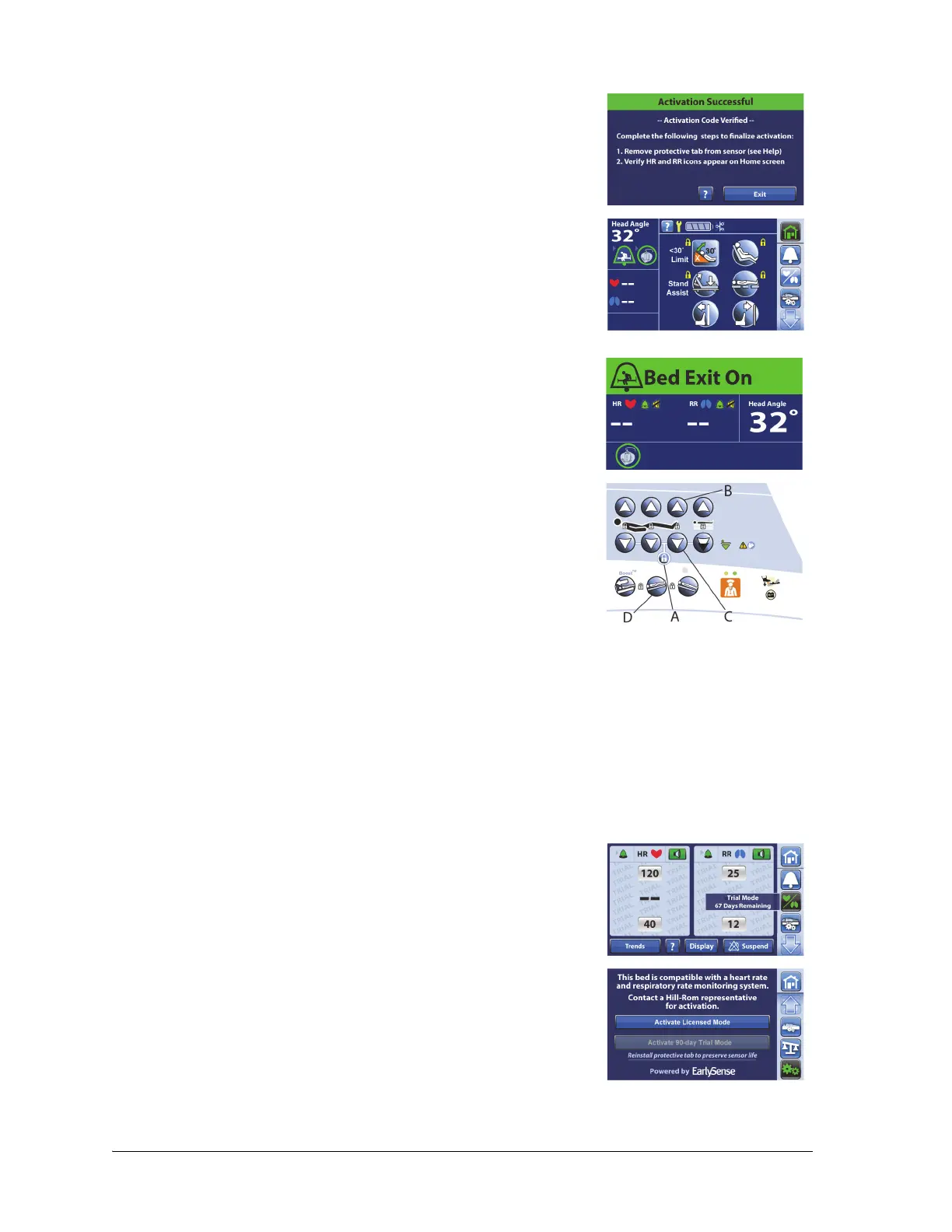
10. Follow the on-screen instructions, and press Exit when complete.
11. Press the Home menu control. The HR and RR symbols will show in
the bed indicators section of the Home screen.
NOTES:
• The HR/RR values will show by default when a patient is in
the bed. To turn off the HR/RR display, see “Turn ON/OFF
HR and RR Display” on page 94.
• After approximately five minutes, the touchscreen will
default to the Status screen.
12. Reset the bed as follows:
a. Unplug the bed.
b. Press and hold the Lockout control (A) until you hear a beep
(approximately 20 seconds). This puts the bed in Service
mode.
c. Press and hold these controls at the same time until you hear a
beep: Foot Up (B), Foot Down (C), and Trendelenburg (D). The
bed should shut down within 5 seconds after you release the
controls.
d. Plug the bed in.
The HR and RR Monitoring System uses the same speaker as the Brake Not Set Alert for in-room alerts.
13. To check the HR and RR Monitoring System in-room alarm, do as follows:
a. Put the brake or steer pedal in the level position.
b. Make sure the alarm sounds.
NOTES:
• To see the number of trial days that remain, press the HR/RR
menu control. The number of days will show for 3 seconds.
• The watermark “TRIAL” will show on the HR/RR screen when
the trial mode is active.
• Once the trial mode is activated, the trial mode control will be
gray and not operate.















 To Next Page