Graphical Caregiver Interface (GCI)® Controls
72 Centrella® Smart+ Bed Instructions for Use (193587 REV 10)
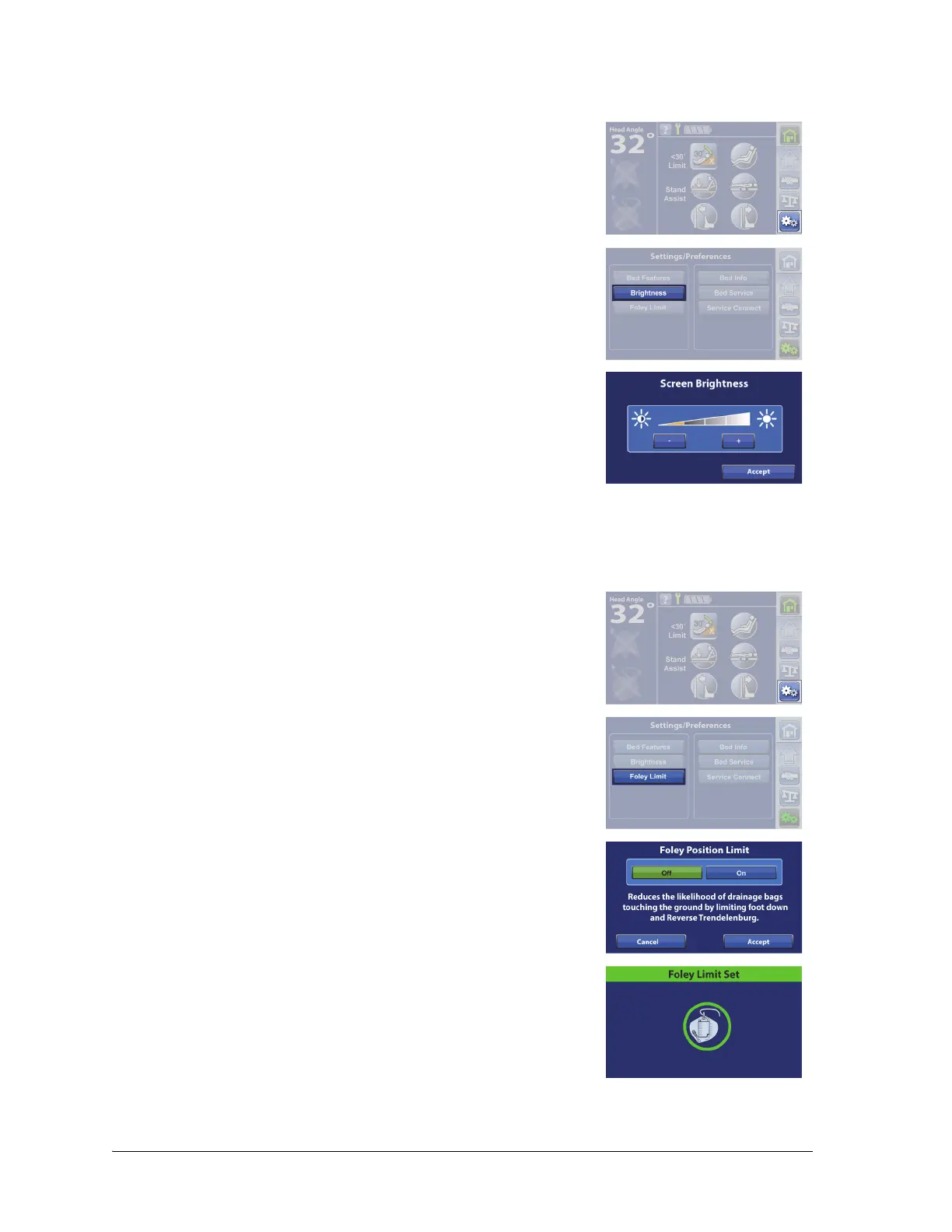
Screen Brightness
Foley Position Limit
1. Press the Settings menu control.
2. Press Brightness.
3. Press - to decrease the brightness, or press + to increase the
brightness.
4. Press Accept.
Beds equipped with Foley Position Limit restrict how much the foot section can lower to reduce the
likelihood of a drainage bag touching the floor.
1. Press the Settings menu control.
2. Press Foley Limit.
3. Press Off or On.
4. Press Accept.
5. A confirmation screen will show that the Foley Position Limit is set.
If a triple beep sounds and an error screen shows, follow the on-
screen instructions.















 To Next Page