Heart and Respiration Rate Monitoring System powered by EarlySense
Centrella® Smart+ Bed with Heart and Respiration Rate Monitoring System powered by EarlySense Instructions for Use 97
(193587 REV 10)
Alarms
The alarms are used to notify caregivers of situations that may require attention. Visual and audible (if
enabled) alarms occur when the HR or RR, averaged over time, passes above or below the user defined
threshold. A low priority alarm will sound for HR and/or RR alarms, and a triple beep alert will sound for
HR and RR technical alarms. For a description of alerts and alarms, see “Alarm, Alerts, and Information
Indicators” on page 88.
If the system has a HR and/or RR alarm, these will occur:
• An audible alarm will sound if enabled.
• A yellow corresponding alarm parameter on the touchscreen will show. A message will show on
the bottom of the touchscreen to describe the alarm, and the time since the alarm was
activated. The alarm screen is noticeable from 4 meters (13 feet), and can be read from the
caregiver bedside position.
• If the bed is equipped and connected to a Nurse Call System, a priority nurse call is sent to the
nurse’s station.
• If the bed is equipped with the SafeView®+ Alerts option, an amber flashing indicator will show
at the foot end of the bed.
A Bed Exit Alert will have priority over a HR or RR alarm. You must address the Bed Exit Alert before
the HR or RR alarm will show on the touchscreen.
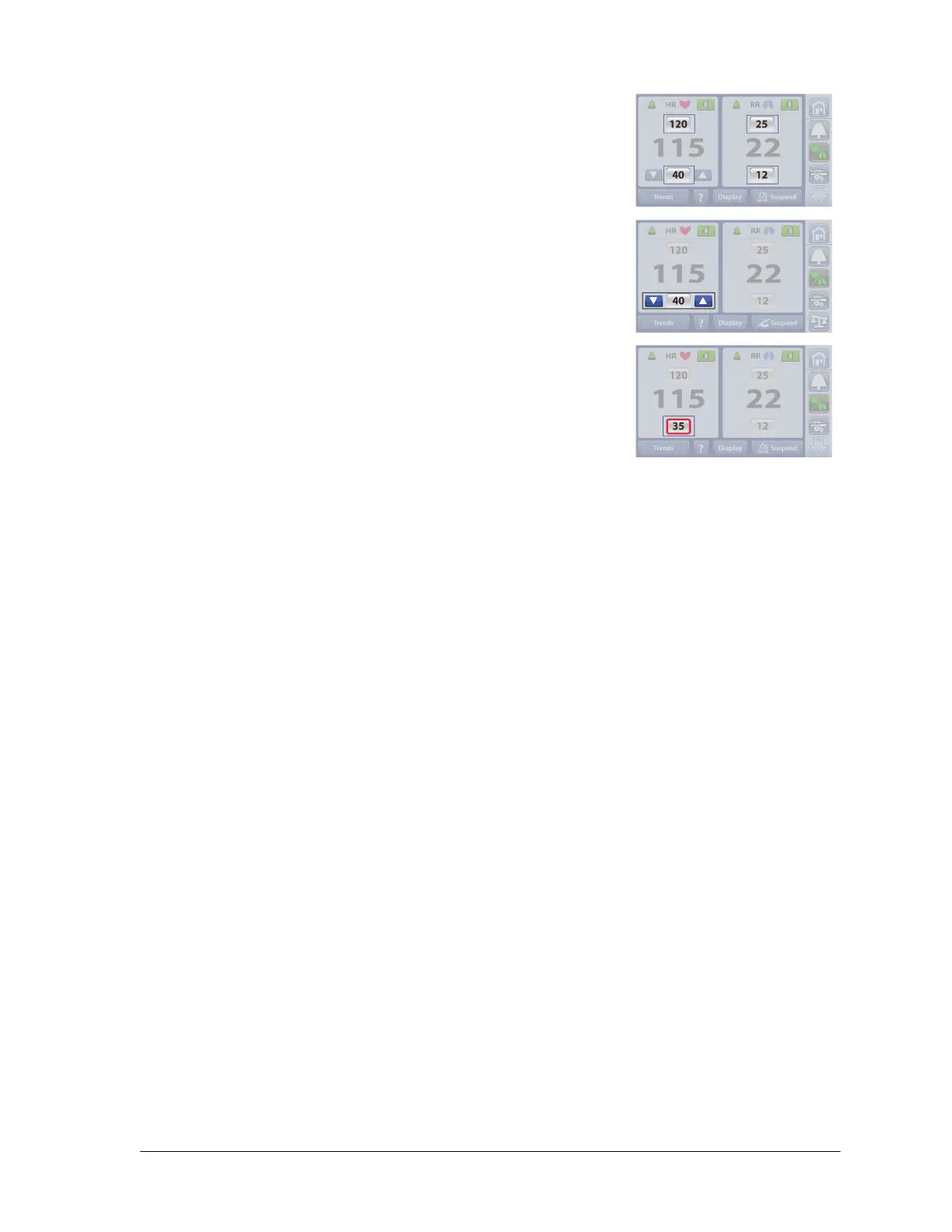
2. Press the number for the alarm threshold that you want to change.
3. Press the Up or Down arrows to the desired threshold.
NOTES:
• The Up and Down arrows will no longer show after 4
seconds if an arrow is not pressed.
• A red box will show around the number if the number is
changed from the default threshold.
4. To change the default thresholds, contact your facility-authorized maintenance persons or
Hill-Rom Technical Support for assistance.
The HR and RR Monitoring System returns to the default threshold settings when the New Patient
(Zero) scale procedure is performed. See “Reset HR and RR Data” on page 92.















 To Next Page