Graphical Caregiver Interface (GCI)® Controls
78 Centrella® Smart+ Bed Instructions for Use (193587 REV 10)
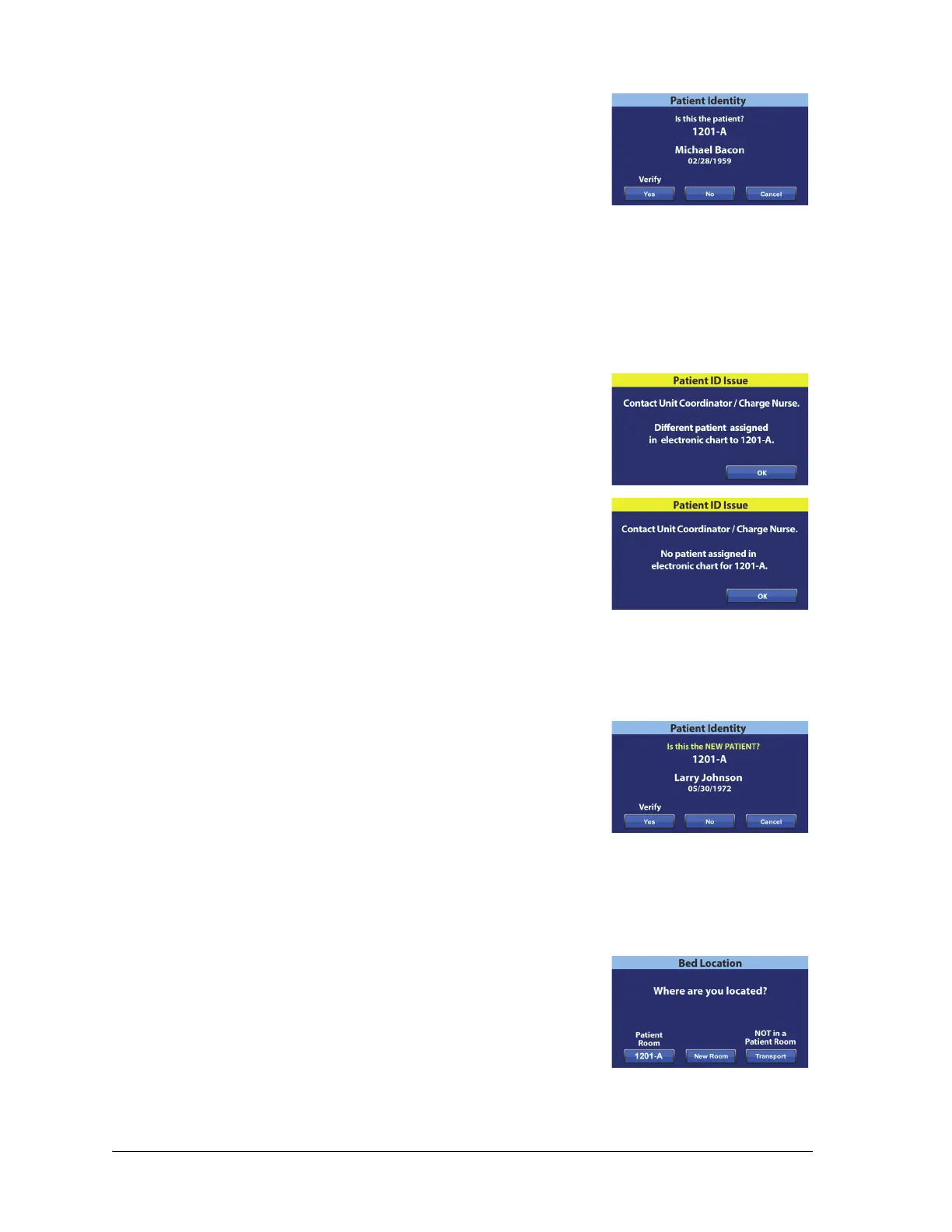
At the Patient Identity screen, you have these options:
• Yes—press this control if the patient identity shown is correct.
The Home screen will show with the Room Associated and
Patient Verified icons.
• No—press this control if the patient identity shown on the screen is not correct. The Patient ID
Issue screen will show to let you know that a different patient is assigned to the room through
the Admit, Discharge, Transfer (ADT) system. Press OK. The Home screen will show with the
Room Associated and No Patient icons.
• Cancel—press this control if you no longer want to verify the patient identity. The Home screen
will show with the Room Associated and No Patient icons.
NOTES:
• If a different patient has been assigned to the room through
the ADT system, this Patient ID Issue screen will show. Press OK.
The Home screen will show with the Room Associated and No
Patient icons.
• If the patient has not been assigned to the selected room
through the ADT system, this Patient ID Issue screen will show.
Press OK. The Home screen will show with the Room Associated
and No Patient icons.
Verify the Patient Identity when Zeroing the Scale
When Bedside Association is On, and you zero the scale for a new patient, you will be asked to verify the
bed location and, if applicable, patient identity.
• If you are verifying the bed location and patient identity, the
Patient Identity screen will show. You have these options:
– Yes—press this control if the patient identity shown is
correct. The zeroing process will continue.
– No—press this control if the patient identity shown is not correct. You will be directed to
contact the unit coordinator / charge nurse. From that screen, you can continue with the
zeroing process.
– Cancel—press this control if you do not want to verify the patient identity. The zeroing
process will continue.
• If your are verifying the bed location only, the Bed Location
screen will show. You have these options:
– Room number—press this control if the room number is
correct. The zeroing process will continue.















 To Next Page