Graphical Caregiver Interface (GCI)® Controls
58 Centrella® Smart+ Bed Instructions for Use (193587 REV 10)
To Zero/Tare the Scale
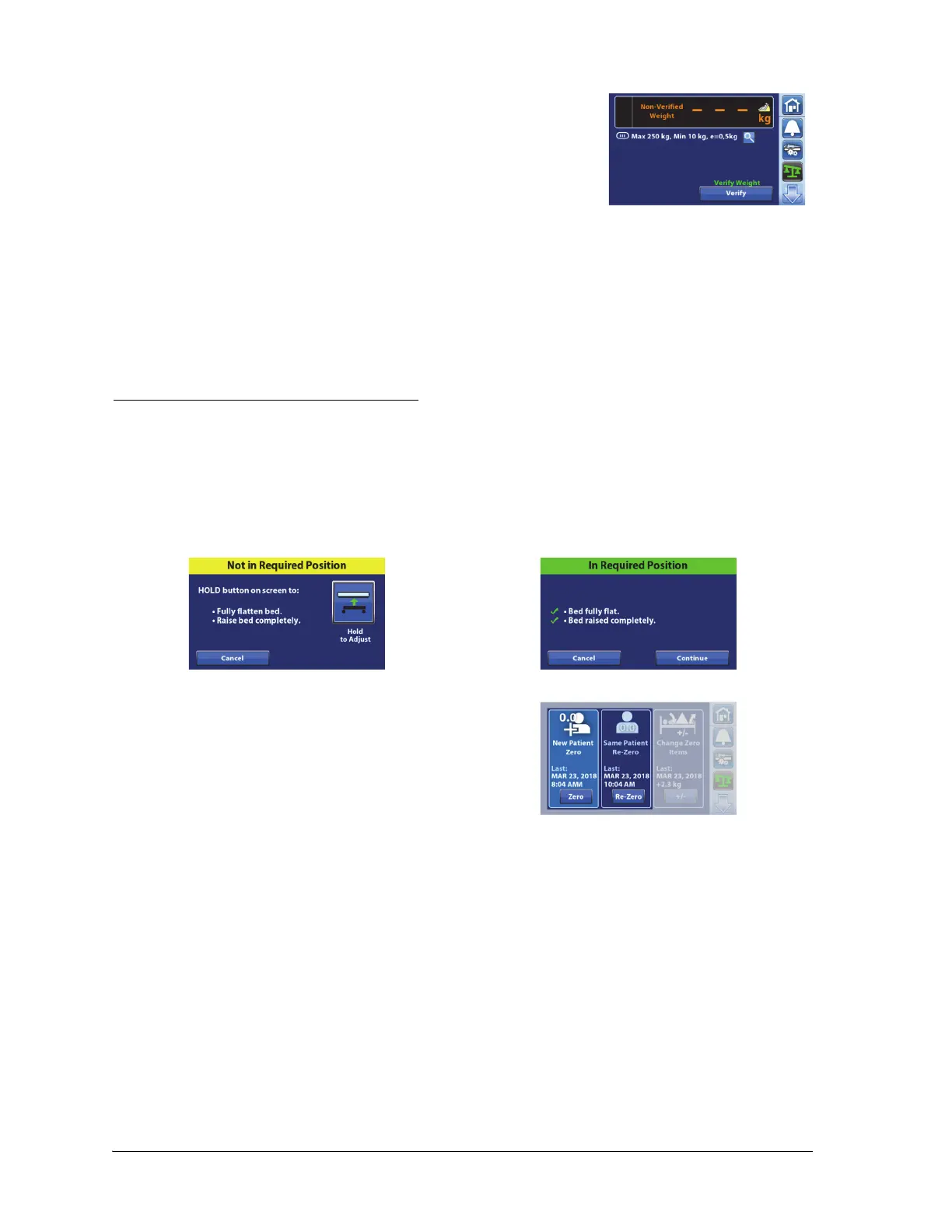
If the scale reading shows dashes, the scale is unable to weigh the
patient. This may occur when—
• The bed weighs below -0.25 kg.
• The bed weighs above 254.5 kg.
• The measured weight is unstable.
If the measured weight is unstable, make sure the patient and bed
are not moving.
Remove the patient from the bed. If this does not fix the problem,
contact your facility-authorized maintenance person.
Make sure the pendant is either on the siderail or bed when you zero the scale or weigh a patient.
Required Bed Position to Zero the Scale
The required bed position is as follows:
• The bed in the highest position.
• The bed fully flat.
If the bed is not in the required bed position to zero the scale, the Not in Required Position screen will
show on the touchscreen. Press the Hold to Adjust control on the touchscreen, or use the caregiver or
patient controls to adjust the bed to the required position.
There are two ways to zero the scale:
• Zero (New Patient)—this is used before
you admit a new patient into the bed. New
Patient will clear the patient history, zero
the scale, and reset all settings to the
facility’s default settings.
• Re-Zero (Same Patient)—this is used when
you want to add equipment to the bed
during a patient’s stay and not have it
included with the patient weight, or if you
are getting inconsistent weight readings
when you weigh a patient. Re-Zero will
zero the scale and keep the bed settings.
Always make sure there is not a patient on the bed when you Zero or Re-Zero the scale.
Setup
1. Make sure the bed is plugged into AC power.
2. Make sure the bed is in the required position for Zero. See “Required Bed Position to Zero the
Scale” on page 58.















 To Next Page