Graphical Caregiver Interface (GCI)® Controls
52 Centrella® Smart+ Bed Instructions for Use (193587 REV 10)
To Zero the Scale
Required Bed Position to Zero the Scale
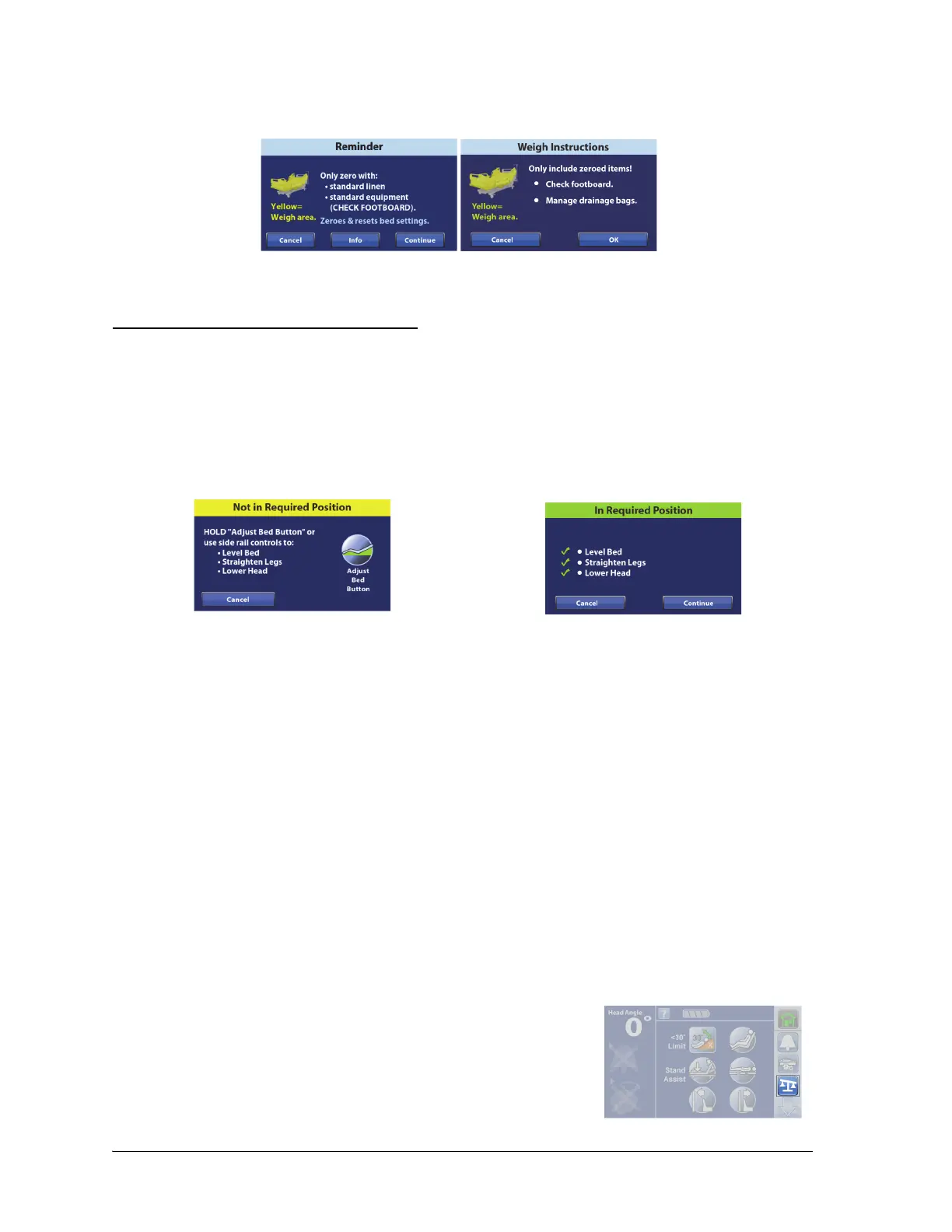
• Zero scale Reminder and patient Weigh Instructions screens will show to instruct you to check
items to be included in the scale reading.
The required bed position is as follows:
•Bed level
• Head angle <35° (bed Zero only)
•Knee angle <25°
• Foot angle <10°
If the bed is not in the required bed position to zero the scale, a Not in Required Position screen will
show on the touchscreen. Press the Adjust Bed Button on the touchscreen, or use the caregiver or
patient controls to adjust the bed to the required position.
There are two ways to zero the scale:
• New Patient—this is used before you admit a new patient into the bed. New Patient will clear
the patient history, zero the scale, and reset all settings to the facility’s default settings.
• Same Patient Re-Zero—this is used when you want to add equipment to the bed during a
patient’s stay and not have it included with the patient weight, or if you are getting
inconsistent weight readings when you weigh a patient. Re-Zero will zero the scale and keep
the patient’s history. Re-Zero will not reset the SafeView®+ Alerts option or Bed Exit Alert.
Always make sure there is not a patient on the bed when you zero the scale.
Setup
1. Make sure the bed is plugged into AC power.
2. Put all standard linens, blankets, pillows, and the patient pendant on the bed. A list of these items
posted near the bed may be helpful for future reference.
3. The scale is very sensitive. Make sure the bed is not touching anything that could affect the
patient weight (other beds or carts, headwall, miscellaneous drainage lines, etc.).
4. Make sure the patient is not on the bed.
5. Put the bed in the required bed position to zero the scale. See “To
Zero the Scale” on page 52.
6. Press the Scale menu control.















 To Next Page