Transport The Patient
Centrella® Smart+ Bed Instructions for Use Manual (193587 REV 10) 113
PREPARE THE BED FOR TRANSPORT
TO TRANSPORT
•Bed without powered transport—transport the patient per facility protocol.
•Bed with powered transport—continue to “Use the Powered Transport System” below.
Powered Transport Only
• If no bars show on the battery indicator that is on the Transport Pod, the battery is too low for
transport. Either plug the bed in to charge the battery, or put the bed in Neutral to transport
the patient.
• When the bed is moving at full speed, a sudden release of the enable switches will cause the
bed to stop abruptly.
• A sudden change in direction of the push handles (push/pull; forward/backward) will cause
the bed to stop abruptly.
• If the bed is difficult to move, it may be that the powered drive system is not correctly
engaged. Make sure that the bed is in steer and the battery indicator shows at least one bar.
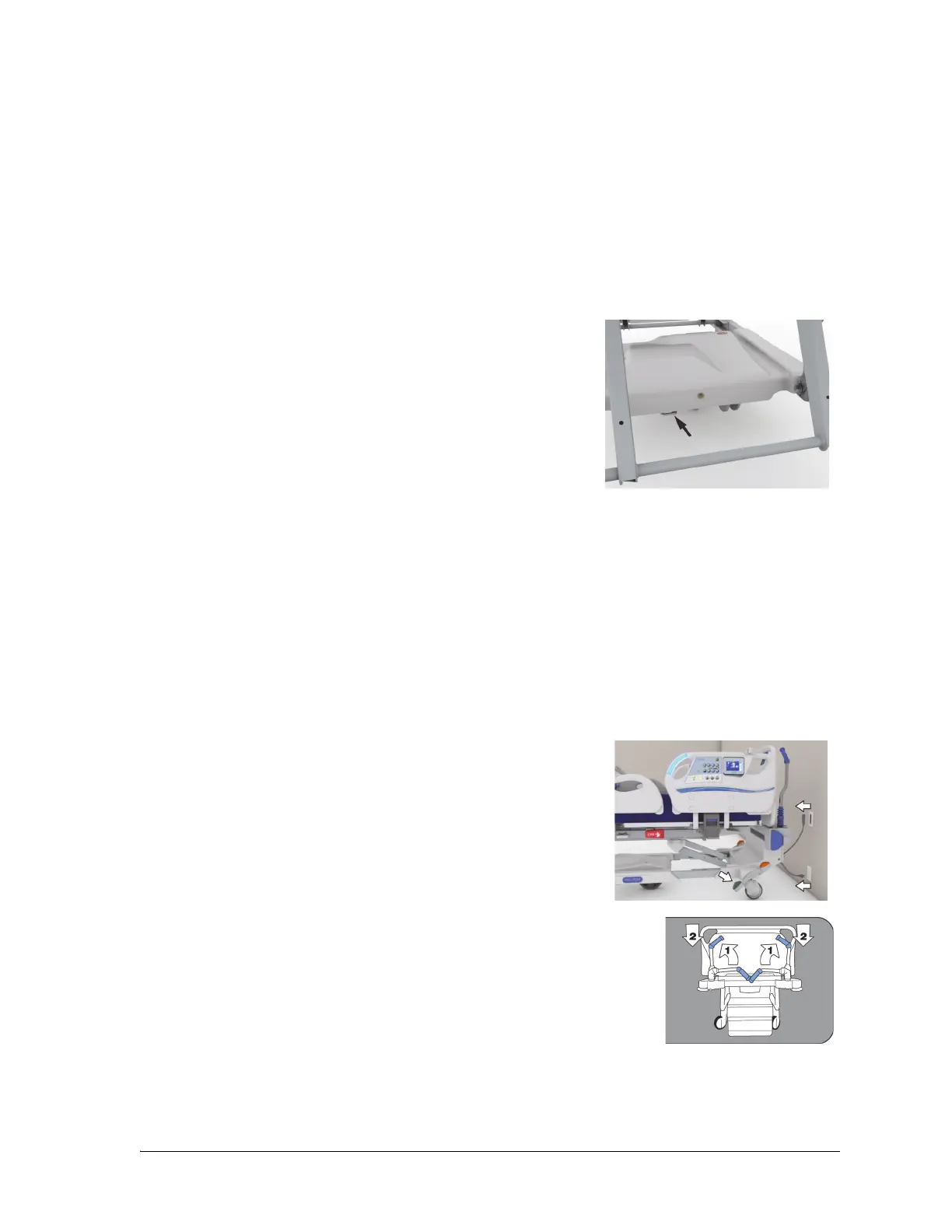
• If the bed does not move when the bed is in
steer, the enable switch is pressed, and
pressure is applied to the handle(s), make sure
the mechanical override is not engaged (the
handle on the power drive module’s foot end is
completely pushed in).
1. Raise all four siderails to the up and locked position.
2. Shorten the length of the bed if necessary.
3. Adjust the head section to make sure the view is not obstructed from the head end of the bed.
4. Secure all hoses and equipment (such as monitors, oxygen tanks, and IV poles) that are to be
transported with the bed.
5. If the Patient Helper or Experience Pod® Device accessory is installed, make sure that it will not
impact doorways or ceiling fixtures.
6. Lower the IV poles as necessary so that they do not impact doorways or ceiling fixtures.
7. Unplug and store the power cord, and as applicable, the
auxiliary outlet power cord and the communication cable.
8. Put the bed in Steer.
9. If the bed has push handles, lift the handles up, and drop them
into the locked position.















 To Next Page