Graphical Caregiver Interface (GCI)® Controls
Centrella® Smart+ Bed Instructions for Use (193587 REV 10) 71
Mattress Features
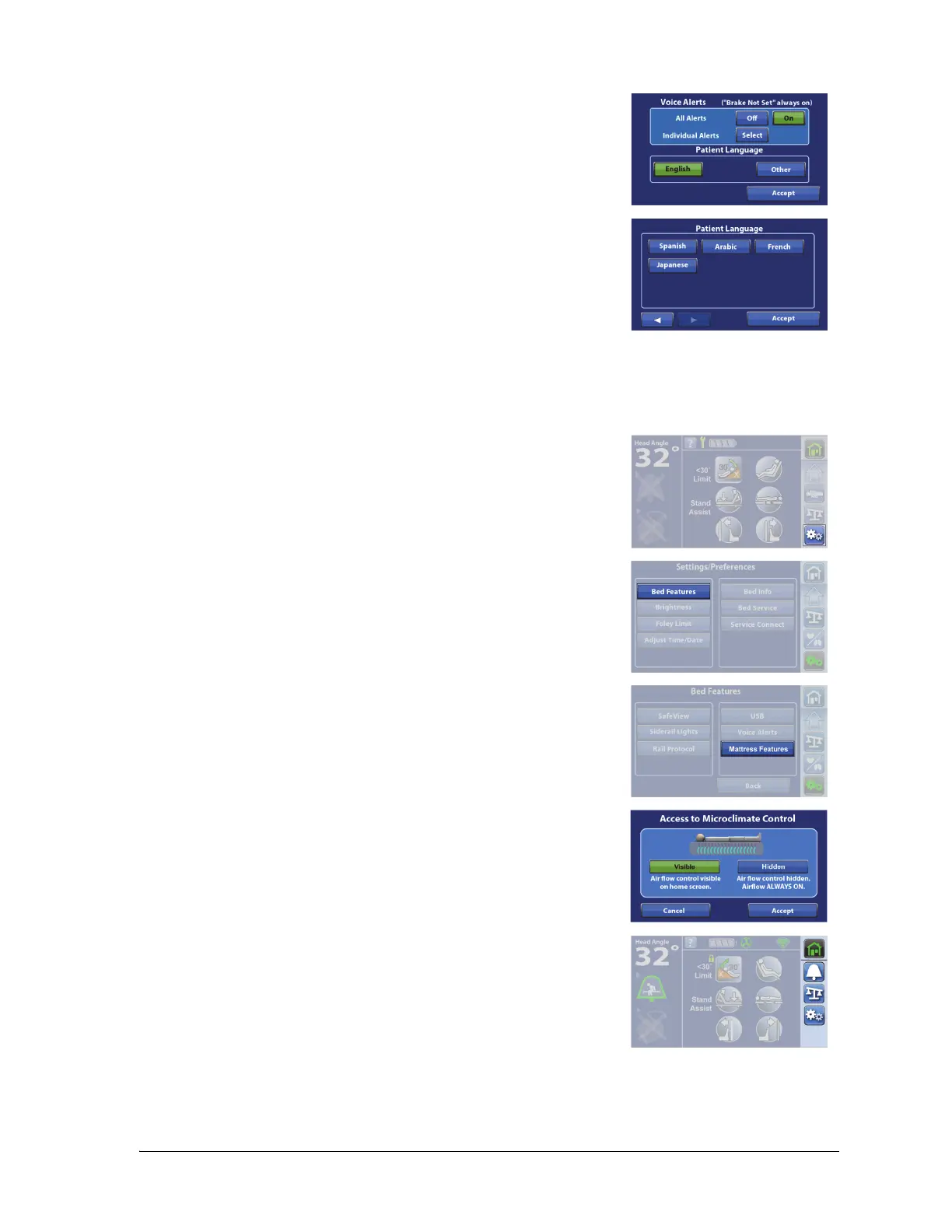
5. Select the patient’s language, and then press Accept.
Beds equipped with the pro+ mattress have the Microclimate Management® (MCM) feature. The MCM
menu control can be visible or hidden from the Home screen menu.
1. Press the Settings menu control.
2. Press Bed Features.
3. Press Mattress Features.
4. Press Visible or Hidden.
5. Press Accept.
The MCM Menu control will not show on the Home screen if Hidden is
selected.















 To Next Page