SideCom® Communication System
Centrella® Smart+ Bed Instructions for Use (193587 REV 10) 41
SIDECOM® COMMUNICATION SYSTEM
NURSE CALL CONTROL
WIRELESS CONNECTIVITY OPTION
The SideCom® Communication System provides a control
for Nurse Call and other entertainment features.
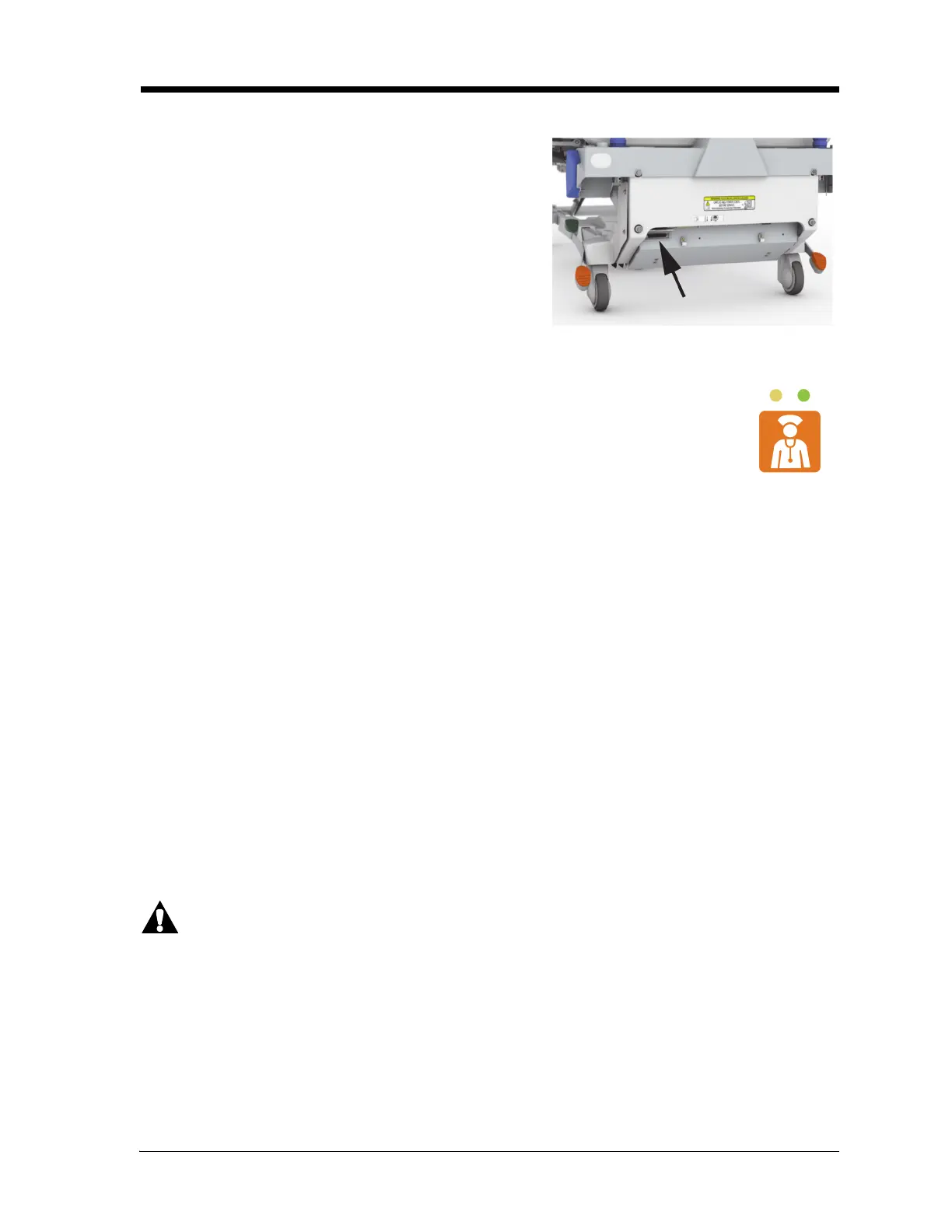
The SideCom® Communication System connector is at the
head end of the bed below the headboard.
There is a Nurse Call control on the caregiver control panel, the patient controls, and the
patient pendant (if installed).
When a Nurse Call control is activated, a signal is sent to the nurse’s station. Voice
communication is provided through a speaker/microphone that is on the inside of both
head siderails.
To Activate
Press a Nurse Call control. These will occur:
• The yellow indicator near the Nurse Call control will come on and a single beep will sound to
let you know that the call has been sent. If equipped, a verbal alert “The care team has been
called” will sound.
• When the nurses station communication line is open, the indicator turns green. The nurses
station is ready for you to speak.
NOTES:
• The Nurse Call controls are always lit, visible, and active if the bed is connected to a
compatible Nurse Call System. If the Nurse Call button does not light when connected to the
Nurse Call system, contact your authorized maintenance persons. See “SideCom®
Communication System” on page 41
• The Nurse Call controls can not be locked out.
• If the Nurse Call control is not visible, there is not a connection to the Nurse Call system and
you can not place a Nurse Call.
Warning—The wireless module does not communicate nurse call information. The bed’s SideCom®
Communication System cable must be connected to the facility network for remote nurse call
communications.
The Wireless Connectivity module is not intended as a replacement for your wired Nurse Call
connection.















 To Next Page