Graphical Caregiver Interface (GCI)® Controls
Centrella® Smart+ Bed Instructions for Use (193587 REV 10) 69
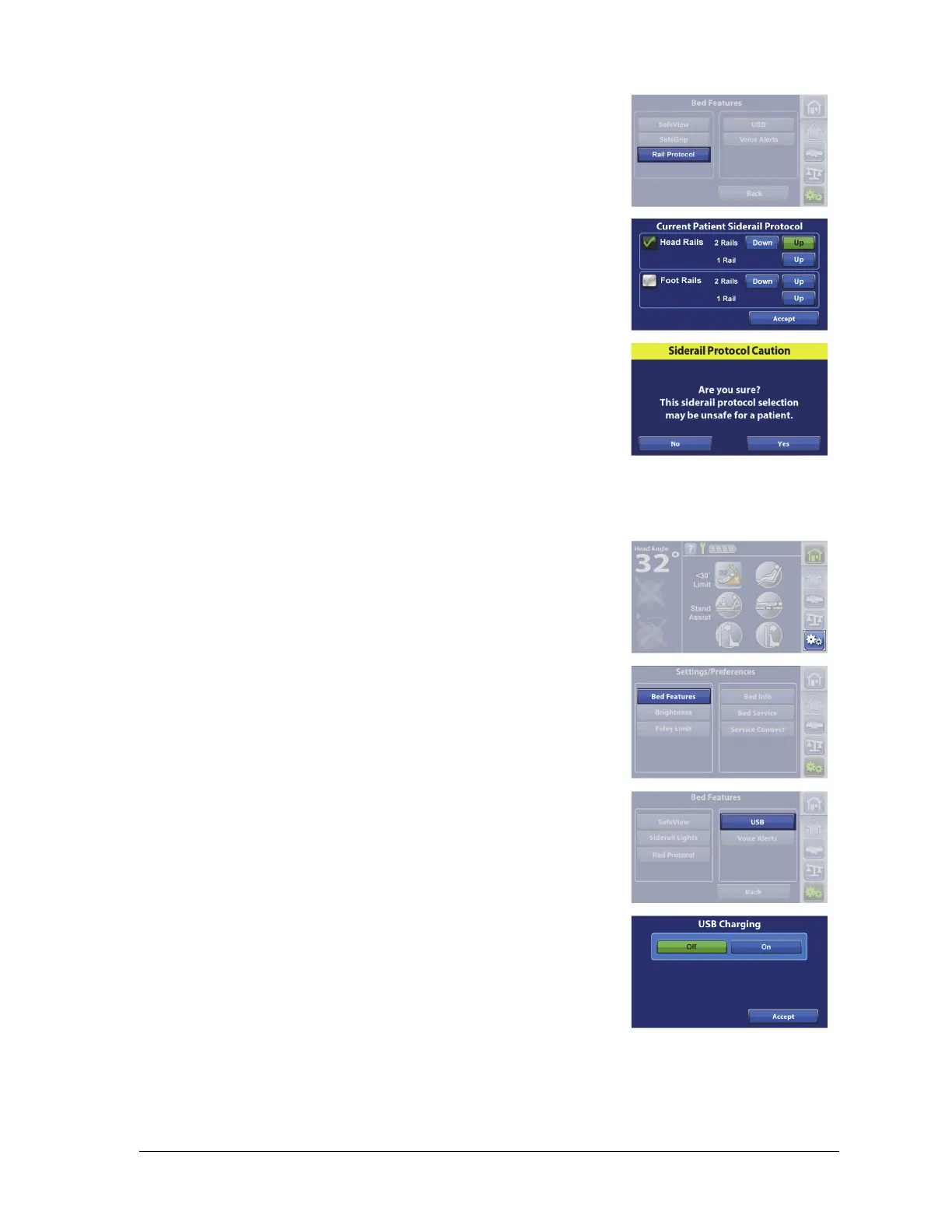
USB Charging Port—On/Off
3. Press Rail Protocol.
4. Select the patient siderail protocol. A green check shows when the
siderail is being monitored.
5. Press Accept.
Some rail combination settings may be unsafe for some patients. A
message may show on the touchscreen to confirm your selection.
The USB charging port is on the right-head siderail.
1. Press the Settings menu control.
2. Press Bed Features.
3. Press USB.
4. Press Off or On.
5. Press Accept.















 To Next Page