Graphical Caregiver Interface (GCI)® Controls
Centrella® Smart+ Bed Instructions for Use (193587 REV 10) 81
Bedside Association Notes:
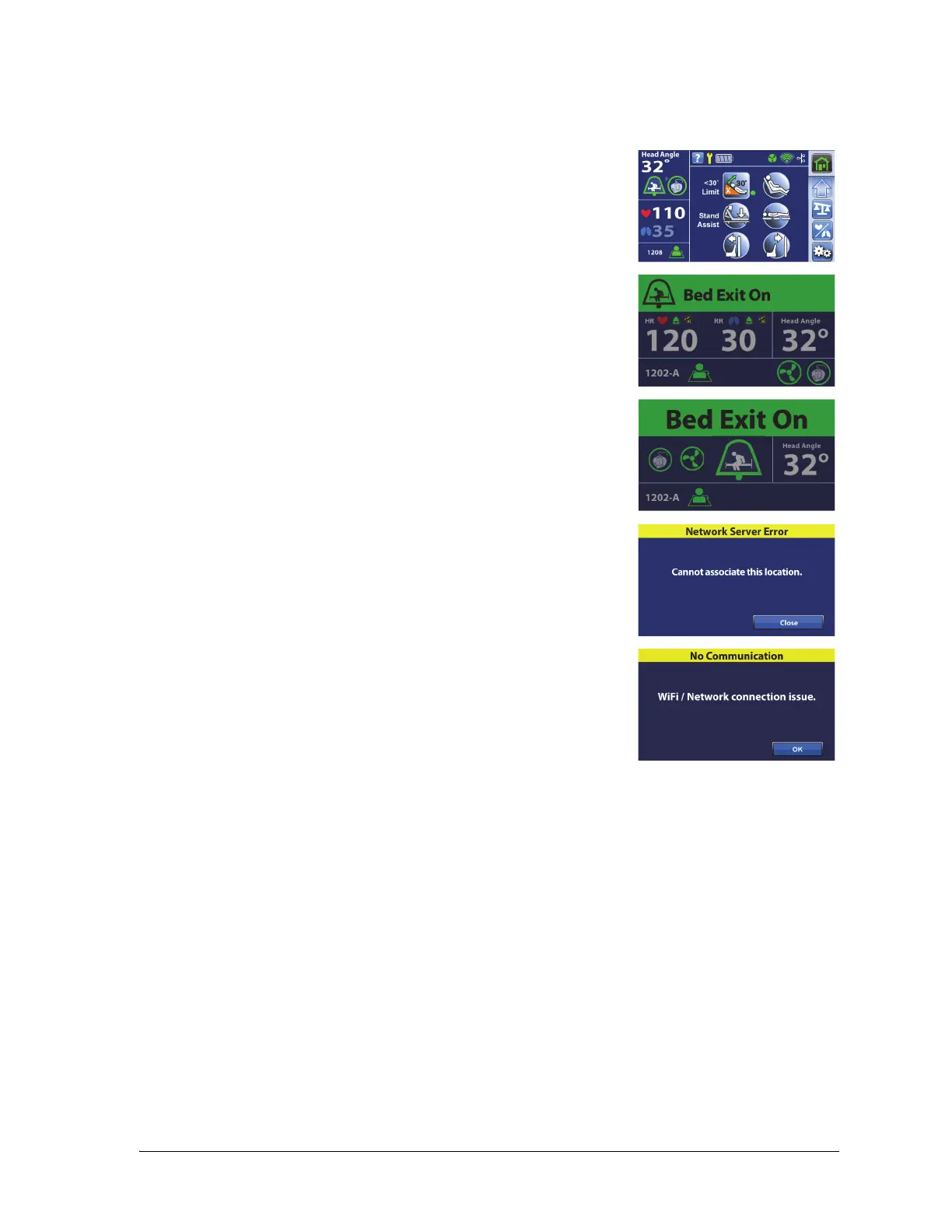
• When the bed is correctly associated to a room and the patient
identity is verified, the Home screen will show the Room Associated
and Patient Verified icons.
If the Bed Exit monitoring is On, the Room Associated and Patient
Verified icons will show on the status screens also:
– Status screen with the HR/RR Monitoring On.
– Status screen with the HR/RR Monitoring Off.
• If there is an issue with the network server while you are trying to
associate the bed to a room, this screen will show. A location will
not be associated, press Close to go to the Home screen.
• If Bedside Association is On and the connection to the Hillrom™
Digital Health Gateway is lost, this screen will show. Press OK to go
to the Home screen.















 To Next Page