Point-Of-Care® Bed Controls
Centrella® Smart+ Bed Instructions for Use (193587 REV 10) 35
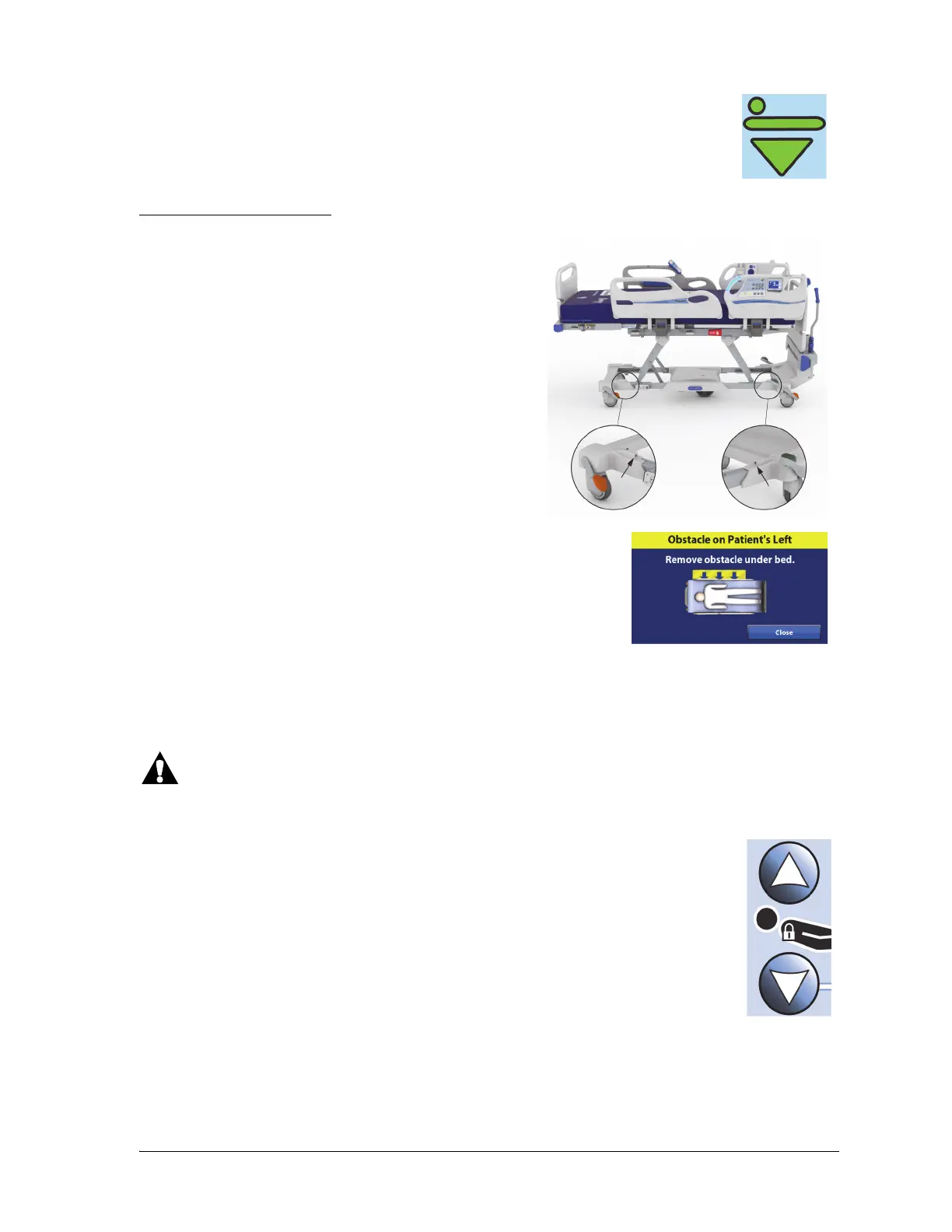
Obstacle Detect® System
Head Up/Down
NOTES:
• When the bed reaches its lowest position, you will hear a single beep and the
Bed in Lowest Position indicator will be green.
• The Bed up/down and head up/down controls can be used at the same time.
Beds equipped with the Obstacle Detect® System sense
objects that are between the upper frame and the base
frame. The system sensors run along the right and left
open sides of the base frame.
If the system senses an object while the bed is lowering, these will
occur to let you know that an object is detected:
• The bed will stop lowering.
• A triple beep will sound.
• A pop-up screen will show on the GCI.
• If equipped, a verbal alert “Obstacle is detected on the left
(or right)” will sound.
Warning—For patient and equipment safety, make sure to monitor the patient and all patient
interface lines during articulation. Failure to do so could cause injury or equipment damage.
The caregiver can adjust the head section to specific angles. The maximum travel for
the head section is 65°.
To raise—press and hold the Head Up control until the bed is at the desired position.
To lower—press and hold the Head Down control until the bed is at the desired
position.
The Auto Contour™ feature is not active when you use the caregiver controls; it is only
active when you use the patient controls. See “Patient Controls” on page 38.















 To Next Page