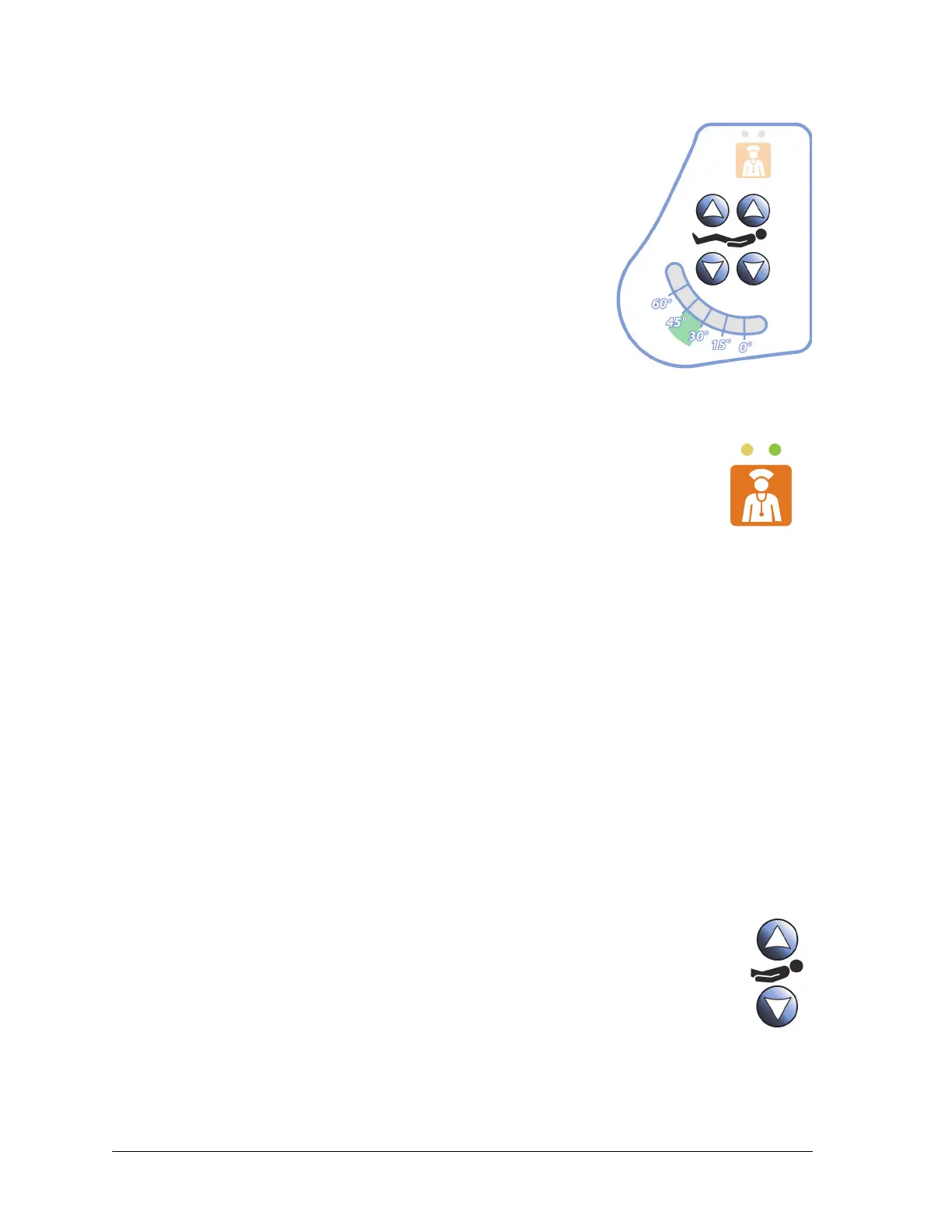
Point-Of-Care® Bed Controls
38 Centrella® Smart+ Bed Instructions for Use (193587 REV 10)
PATIE NT CONTROLS
Nurse Call Control
Head Up/Down
The patient controls are on the patient side of the head siderails.
The standard patient controls include: Nurse Call, Head Up/Down, and
Knee Up/Down.
There are head of bed (HOB) angle indicators that patients can use to
help them comply with HOB orders.
The patient head up/down control includes the Auto Contour™ feature.
When the patient raises or lowers the head section, the head and knee
sections raise or lower at the same time.
The patient can use the Nurse Call control to call the nurse when the control is lit.
When a Nurse Call control is activated, a signal is sent to the nurse’s station. Voice
communication is provided through a speaker/microphone that is on the inside of both
head siderails. See “SideCom® Communication System” on page 41.
To Activate
Press a Nurse Call control. These will occur:
• The yellow indicator near the Nurse Call control will come on and a single beep will sound to
let you know that the call has been sent. If equipped, a verbal alert “The care team has been
called” will sound.
• When the nurses station communication line is open, the indicator turns green. The nurses
station is ready for you to speak.
NOTES:
• The Nurse Call controls are always lit, visible, and active if the bed is connected to a
compatible Nurse Call System. If the Nurse Call control does not light when connected to the
Nurse Call system, contact your authorized maintenance persons.
• The Nurse Call controls can not be locked out.
• If the Nurse Call control is not visible, there is not a connection to the Nurse Call system and
you can not send a Nurse Call.
To raise—press and hold the Head Up control until the bed is at the desired height.
To lower—press and hold the Head Down control until the bed is at the desired height.















 To Next Page