Transport The Patient
114 Centrella® Smart+ Bed Instructions for Use (193587 REV 10)
Use the Powered Transport System
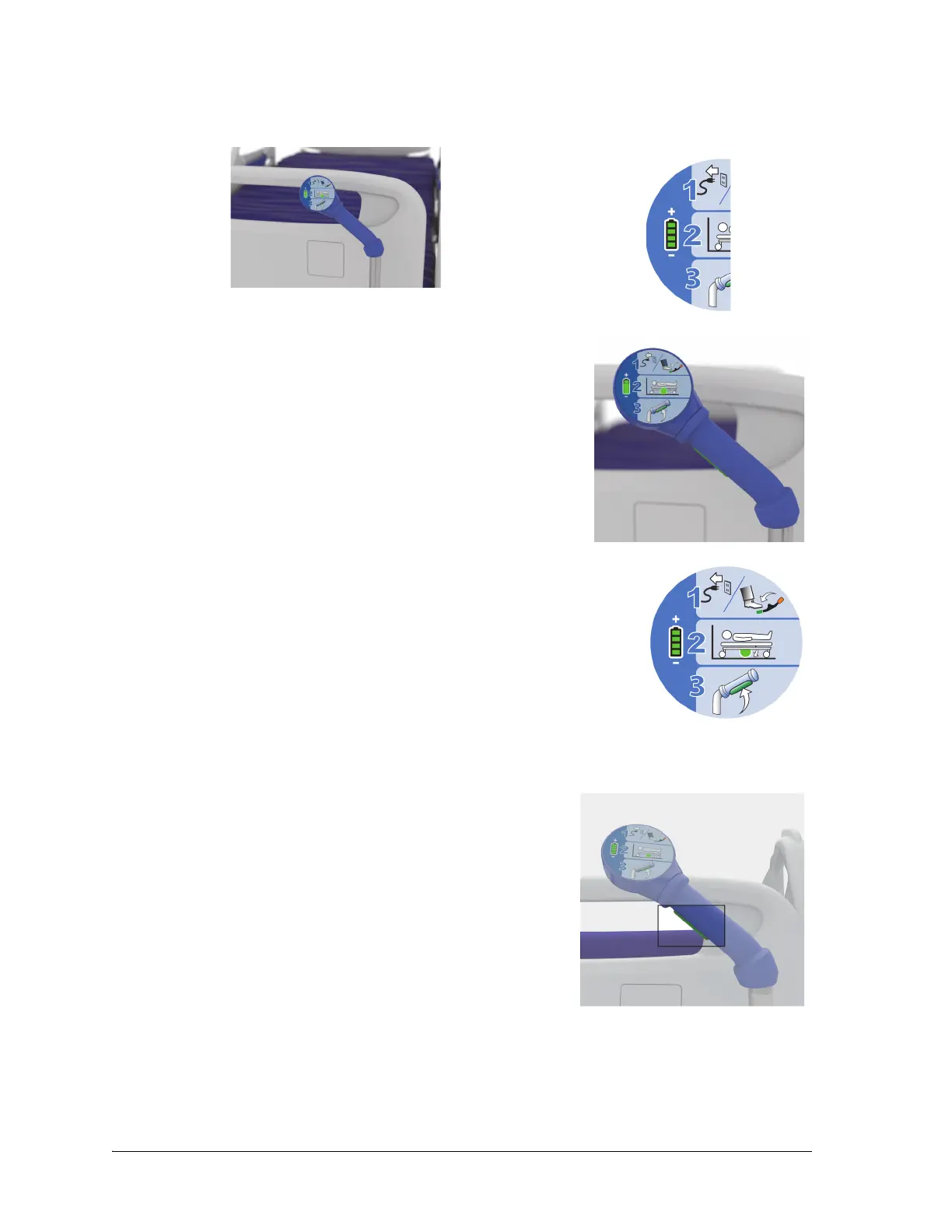
1. At the Transport Pod, look at the battery indicator, and make sure that at least one bar shows.
2. Adjust the transport pod into a position for easy access.
3. Do these steps as shown on the Transport Pod:
a. Make sure that the power cord is unplugged, (and as
applicable, the auxiliary outlet power cord and the
communication cable), and then step down on the green
pedal to put the bed in Steer (1).
b. Listen for the power drive wheel to lower. When the
wheel has fully lowered, the wheel indicator on the
Transport Pod will turn green (2) and a beep will sound.
c. Grip one or both of the push handles, and then press and
hold at least one of the enable switches that are on the
underside of the blue push handles (3).
– When pressed, the enable switch prepares the
transport system to move the bed when pressure is
applied to the handles.
– The bed will not move until pressure is applied to the
handles.
4. To move the bed, push the push handles forward to start forward movement or pull them
backward to start reverse movement:















 To Next Page