Mattress Information
Centrella® Smart+ Bed Instructions for Use Manual (193587 REV 10) 107
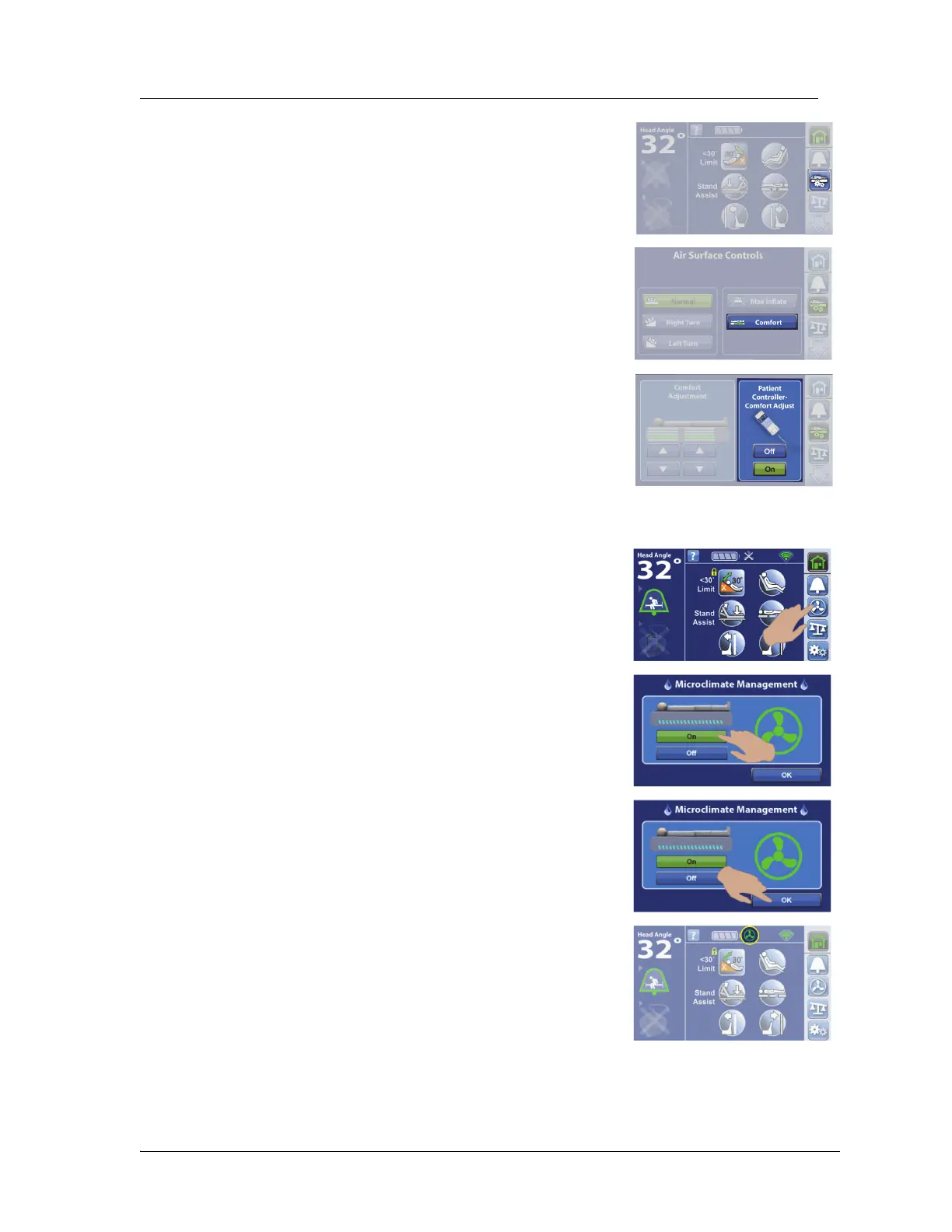
To Turn On/Off the Patient Comfort Controls on the Patient Pendant (Handheld Remote)
pro+ Mattress
1. Press the Mattress menu control.
2. Press Comfort.
3. Press On or Off to allow the use of the comfort controls on the
patient pendant.
1. Press the MCM menu control.
2. Press On.
3. Press OK.
At the Home screen, make sure the green status indicator shows.















 To Next Page