Graphical Caregiver Interface (GCI)® Controls
Centrella® Smart+ Bed Instructions for Use (193587 REV 10) 65
The maximum scale capacity is 250 kg; however, the maximum patient weight for the bed is 227 kg.
To Troubleshoot Scale Messages
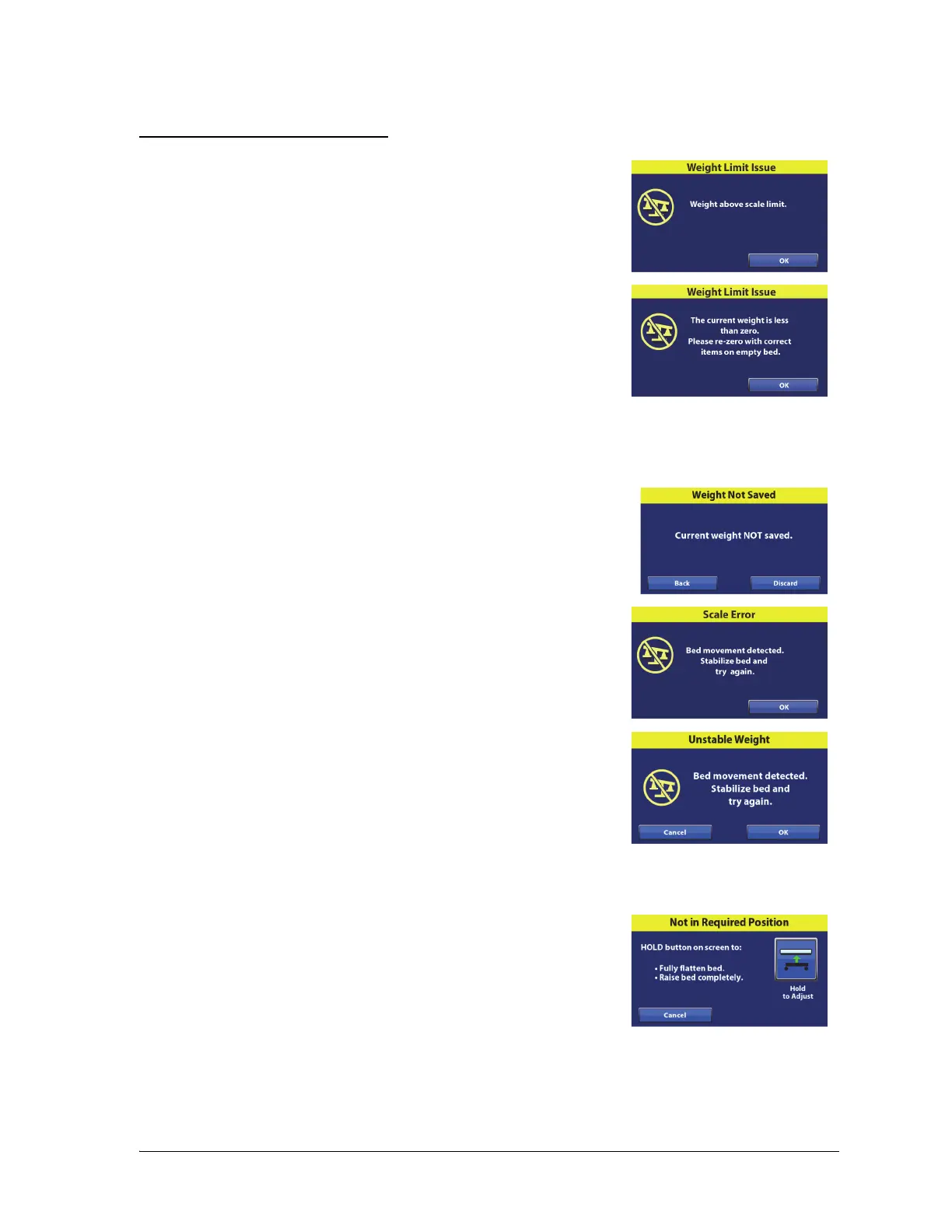
Weight Limit Issue (weigh problem)—this message shows when the
scale system can not weigh because the weight is more than 500 lb
(227 kg).
Weight Limit Issue (weigh problem)—this message shows when the
scale system can not weigh because the weight is less than zero. Re-
zero the bed with the bed empty and the correct items on the bed.
If you are certain that the patient weight is within the 70 lb to 500 lb (32 kg to 227 kg) range, zero the
scale (see “To Zero the Scale” on page 52), and then weigh the patient.
Weight Not Saved (weigh problem)—this message shows if the
weight was not saved. Press Back, and then press Save.
Scale Error (Scale “A”; bed movement problem)—this message shows
when the scale system detects movement of the bed or the patient.
Do not adjust or move the bed, have the patient lay still, and then
press OK.
Unstable Weight Error (Scale “B”; bed movement problem)—this
message shows when the scale system detects movement of the bed
or the patient. Do not adjust or move the bed, have the patient lay still,
and then press OK.
The scale will not function if bed motion is detected. Keep the bed still while zeroing or weighing.
Not in Required Position (Scale “B”
)—this message shows when the
bed is not in the required position to zero the scale. Press the Hold to
Adjust control on the touchscreen, or use the caregiver or patient
controls to adjust the bed to the required position.
For Required Bed Position, put the bed fully flat in the highest position.















 To Next Page