Heart and Respiration Rate Monitoring System powered by EarlySense
Centrella® Smart+ Bed with Heart and Respiration Rate Monitoring System powered by EarlySense Instructions for Use 101
(193587 REV 10)
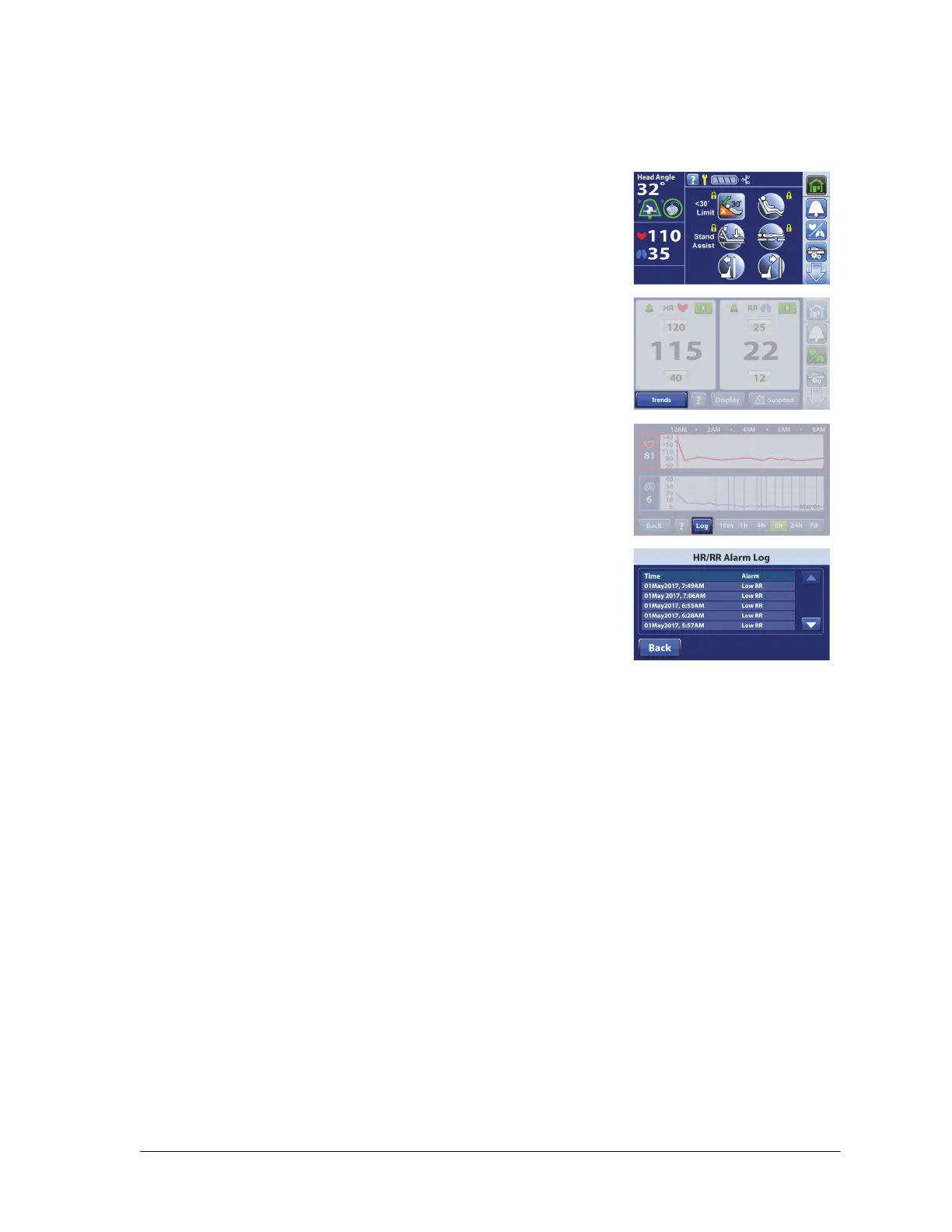
View HR/RR Alarm Log
The HR/RR Alarm Log provides a list of alarms, the time when the alarm occurred, and the type of alarm.
The log will show the last 7 days of alarms. Alarms older than 7 days can not be viewed.
NOTES:
• The HR/RR Alarm Log is saved to the bed’s memory and is retained when the bed power is lost.
• To clear the patient’s HR and RR information, do the New Patient (Zero) scale procedure. See
“Reset HR and RR Data” on page 92.
1. Press the HR/RR menu control.
2. Press Trends.
3. Press Log.
The last alarm shows at the top of the screen on the first page.
4. Press the Up or Down arrow to view additional events logged, or
press Back to go to the previous screen.















 To Next Page