Graphical Caregiver Interface (GCI)® Controls
66 Centrella® Smart+ Bed Instructions for Use (193587 REV 10)
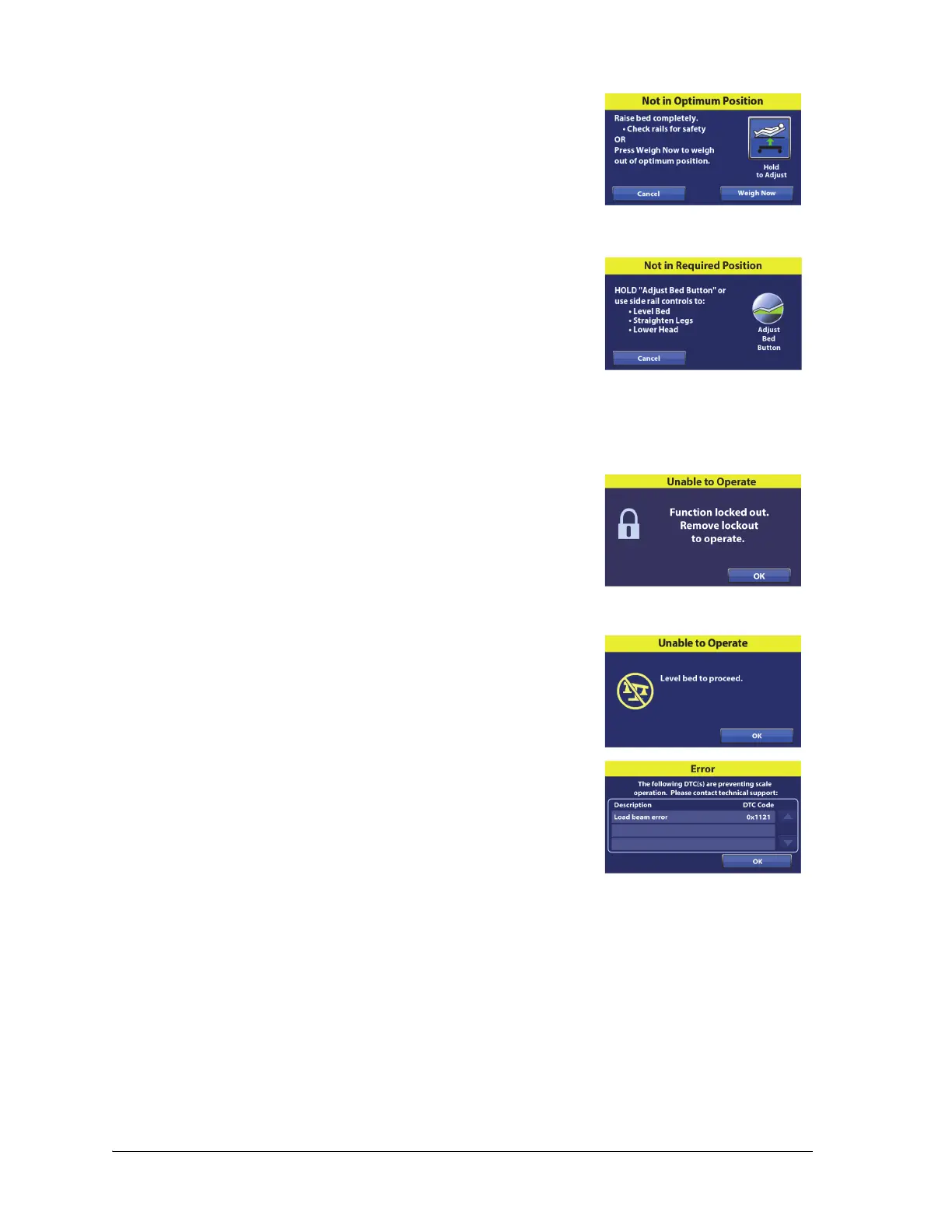
Not in Optimum Position (Scale “B”)—this message shows when the
bed is not in the optimum position to weigh. Press the Hold to Adjust
control on the touchscreen, or use the caregiver or patient controls to
adjust the bed to the optimum position.
For the Optimum Position, put the bed fully flat in the highest position.
The bed will weigh the patient even if the bed is not in the optimum
position when you press Weigh Now.
Not in Required Position (Scale “A”)—this message shows when the
bed is not in the required position to zero the scale. Press the Adjust
Bed Button on the touchscreen, or use the caregiver or patient
controls to adjust the bed to the required position.
The Required Bed Position—
•Bed level
• Head angle <35°
• Knee angle <25°
• Foot angle <10°
Unable to Operate (lockout error)—this message shows when the
Adjust Bed Button (Scale “A”) or Hold to Adjust (Scale “B”) is pressed
while a bed control is locked out. The bed is unable to adjust to the
correct position. Press OK, and then do as follows:
1. Unlock the bed control(s).
2. Put the bed in the correct position.
3. Continue to Zero the scale or Weigh the patient.
Unable to Operate: Level Bed (Scale “B”; scale zero error)—this
message shows when the bed is not level to zero or re-zero the scale.
Press OK, and then do as follows:
1. Use the Trendelenburg control to level the bed.
2. Continue to Zero the scale.
Error (technical problem)—this message shows when a scale load
beam does not operate as intended. Contact your authorized
maintenance persons.















 To Next Page