Heart and Respiration Rate Monitoring System powered by EarlySense
Centrella® Smart+ Bed with Heart and Respiration Rate Monitoring System powered by EarlySense Instructions for Use 93
(193587 REV 10)
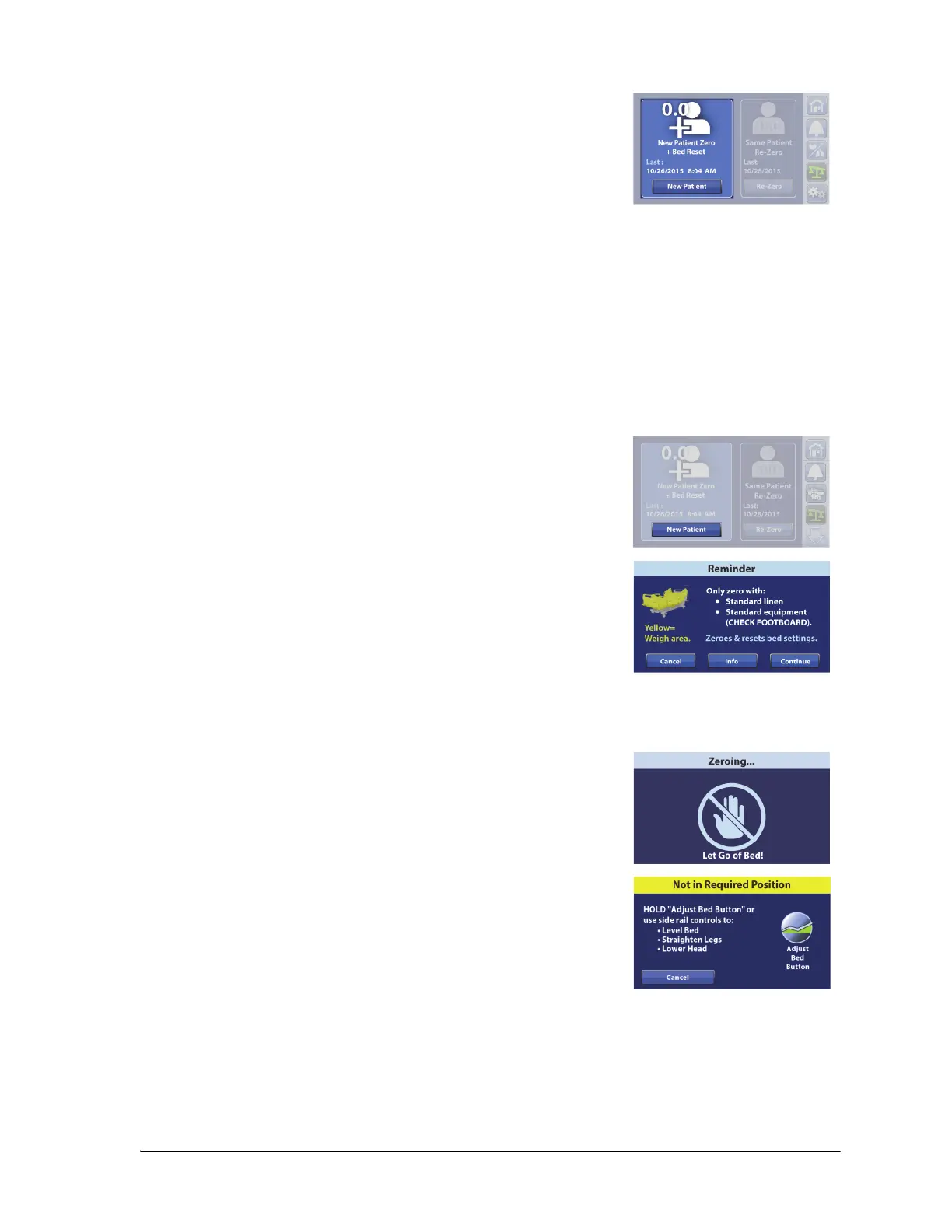
Use New Patient zero every time a new patient is admitted to the bed.
The New Patient control will—
• Clear the previous and current weight history
•Zero the scale
• Reset these features:
– Bed Exit Alert to off
– SafeView®+ Alerts option to the default protocol
– HR and RR monitoring data
– Audible indicator to the default protocol
– Alert setting to the default protocol
– Head <30° Limit to off
– Frame lockouts to off
– Comfort settings to Normal
1. Press New Patient.
2. A reminder message shows. Follow the on-screen instructions.
NOTES:
• Remove everything attached to the upper frame, siderails,
and foot end of the bed or the items will be included in
the patient’s weight.
• The headboard and devices mounted to the head end of
the bed will not be included in the patient’s weight.
• Cancel will return the touchscreen to the previous screen.
3. The touchscreen will show that the bed is zeroing. Do not touch
the bed while the bed zeroes.
NOTES:
• If the “Not In Required Position” screen shows, press the
Adjust Bed Button on the touchscreen.
• If the “Difference from Last Zero” caution screen shows, re-
check the bed for items that should be included during
the zero.
• The scale will not zero if there is more than a 45 kg (99.2 lb)
weight difference from the last zero. This is to reduce the
possibility of zeroing the scale with a patient in the bed.















 To Next Page