Graphical Caregiver Interface (GCI)® Controls
56 Centrella® Smart+ Bed Instructions for Use (193587 REV 10)
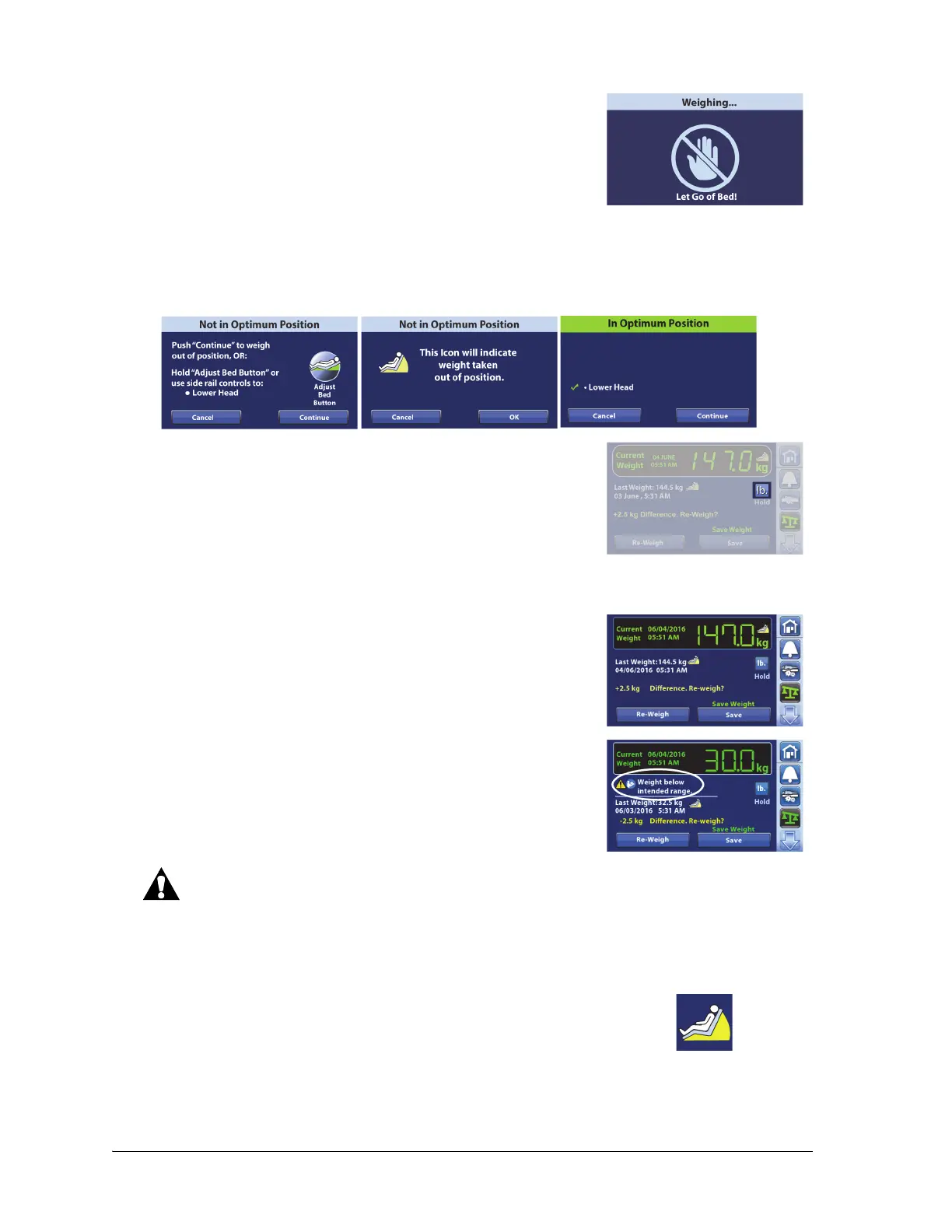
5. Make sure not to touch the bed as the scale weighs the patient.
If the bed is in the required position but not in the best position to weigh, the Not in Optimal Position
screen may show. You may weigh the patient in this position, but the accuracy of the measured weight
is reduced. You may use the Adjust Bed Button to put the bed In Optimum Position.
To see the current weight, last weight, and weight difference in the
non-primary scale unit, press and hold the lb (or kg) control.
The default primary scale unit is measured in kg. Contact your
authorized maintenance persons to do these—
• Change the primary scale unit to lb.
• Disable or enable the ability to view the alternative scale unit.
6. When the current weight screen shows, you have the option to
Save or Re-Weigh:
• Re-Weigh—bed will repeat the steps to weigh the patient
• Save—stores the weight
NOTES:
• A warning statement will show on the screen if the scale
system detects a weight that is less than the intended
minimum patient weight (70 lb, 32 kg). See the warning
below:
Warning—The intended patient range is 70 lb (32 kg) to 500 lb (227 kg). Use of the bed with
patients outside the intended patient weight may increase the risk of entrapment or asphyxiation
and/or loss of therapeutic value. Use of the bed with patients above the bed’s intended maximum
patient weight may also cause damage the bed.
• This yellow symbol shows that the weight was taken when the
bed was Not In Optimum Position.















 To Next Page