69
_____________________________________________________________________________________________
5.1 Withstand Voltage Mode Display
______________________________________________________________________________________________
1
2
3
4
5
6
7
8
9
1
11
1
1
1
A
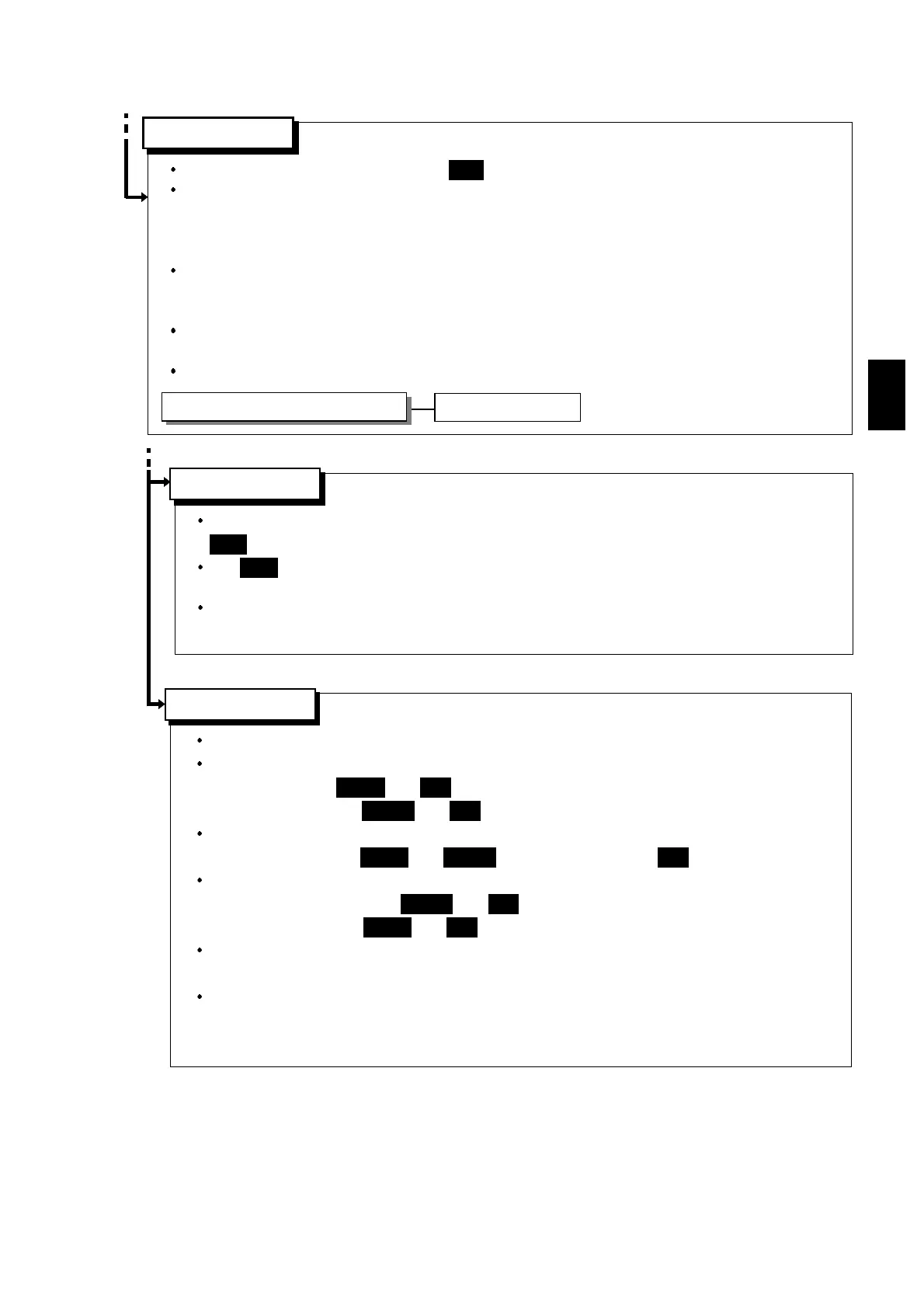
Indicates that either the withstand voltage or insulation resistance test was failed.
When performing a withstand voltage test, if the measured current value deviates from the
upper-limit value,
UPPER
and
FAIL
light up. If the measured current value deviates from
the lower-limit value,
LOWER
and
FAIL
light up.
When performing a withstand voltage test, if the measured voltage value deviates from
the set voltage value,
UPPER
and
LOWER
light up together with
FAIL
.
When performing an insulation resistance test, if the measured resistance value deviates
from the lower-limit value,
LOWER
and
FAIL
light up. If the resistance value deviates from
the upper-limit value,
UPPER
and
FAIL
light up.
The FAIL state can be maintained. To return to the READY state, press the
STOP
key,
which will cancel the FAIL Hold function.
FAIL Hold function can be disabled in the optional settings.The FAIL-state screen is
displayed for 0.3 seconds, and the unit then switches to the READY state.
(See Section 6.2)
Key operation in the TEST status
When the unit is in the TEST state, the
TEST
lamp is lit. This indicates that a test is in progress.
When performing a withstand voltage test, compares the measured voltage value and the
measured current value set in withstand voltage mode SETTING state. If the measured value
deviates from either of these values, the unit terminates the test and switches to the FAIL
state.
When performing an insulation resistance test, compares the measured resistance value and
the value set in the insulation resistance mode SETTING state. If the value deviates from
either of these values once the test time has elapsed, the unit shifts to the FAIL state.
If both the voltage and insulation resistance tests are passed, the unit switches to the PASS
state.
Press the
STOP
key to forcibly terminate the test.
Forced ending
Indicates that both the voltage and insulation resistance tests were passed.
PASS
lights up.
The
PASS
lamp is turned on. The PASS state screen is displayed for about 0.3 second
before switching to the READY state.
The PASS state can be maintained if the PASS Hold function is disabled in the optional
settings. (See Section 6.1)
Press the
STOP
key.
See Section 5.4.2
See Section 5.5.1
See Section 5.5.3
「READY 状態」
TEST
state
「READY 状態」
PASS
state
「READY 状態」
FAIL
state
START
key



 To Next Page