the Total number of units in this group. Some parameters of the slave units
will be modied by the master unit synchronously.
Context
The parameters in this section are for reference only. Set actually parameter values
as required.
Procedure
Step 1 On the home screen, tap
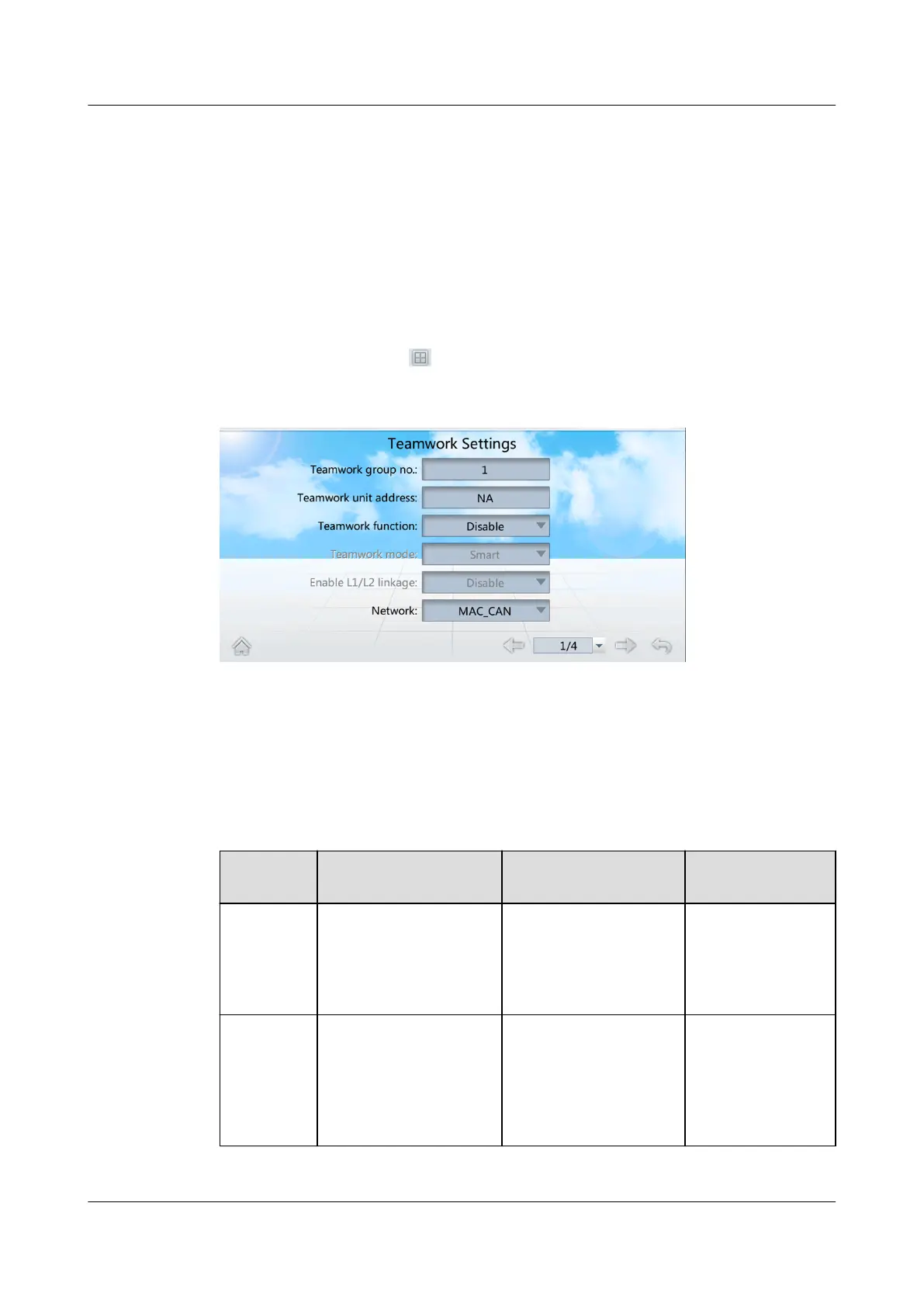
> Teamwork Settings, Figure 4-8 is displayed.
Figure 4-8 Teamwork settings
Step 2 Set teamwork control parameters.
You can set all the teamwork control parameters on the master smart cooling
product but only Teamwork group no., Teamwork unit address, and Teamwork
function on a slave smart cooling product. Table 4-7 describes how to set the
parameters.
Table 4-7 Teamwork settings
Paramete
r
Description Conguration
Principle
Default Value
Teamwork
group no.
The number of the
teamwork controlled
group, which is the
same for all the
devices in the group.
Set the assigned
teamwork control
number.
1
Teamwork
unit
address
Only one device in
each group can be set
to 1. Other device
addresses should be
dierent from each
other.
Set the assigned unit
address.
NA
NetCol5000-A025 In-row Air Cooled Smart Cooling
Product
User Manual (300 mm Width) 4 Power-On Commissioning
Issue 15 (2020-12-10) Copyright © Huawei Technologies Co., Ltd. 113







 To Next Page