15-19
15. ABOUT THE DV GATEWAY FUNCTION
Access Point mode operation
D Making a Gateway call through the Access Point transceiver
When using the DR function
In this document, the ID-51A (PLUS2)/ID-51E (PLUS2) is used as an example of a Remote D-STAR
transceiver.
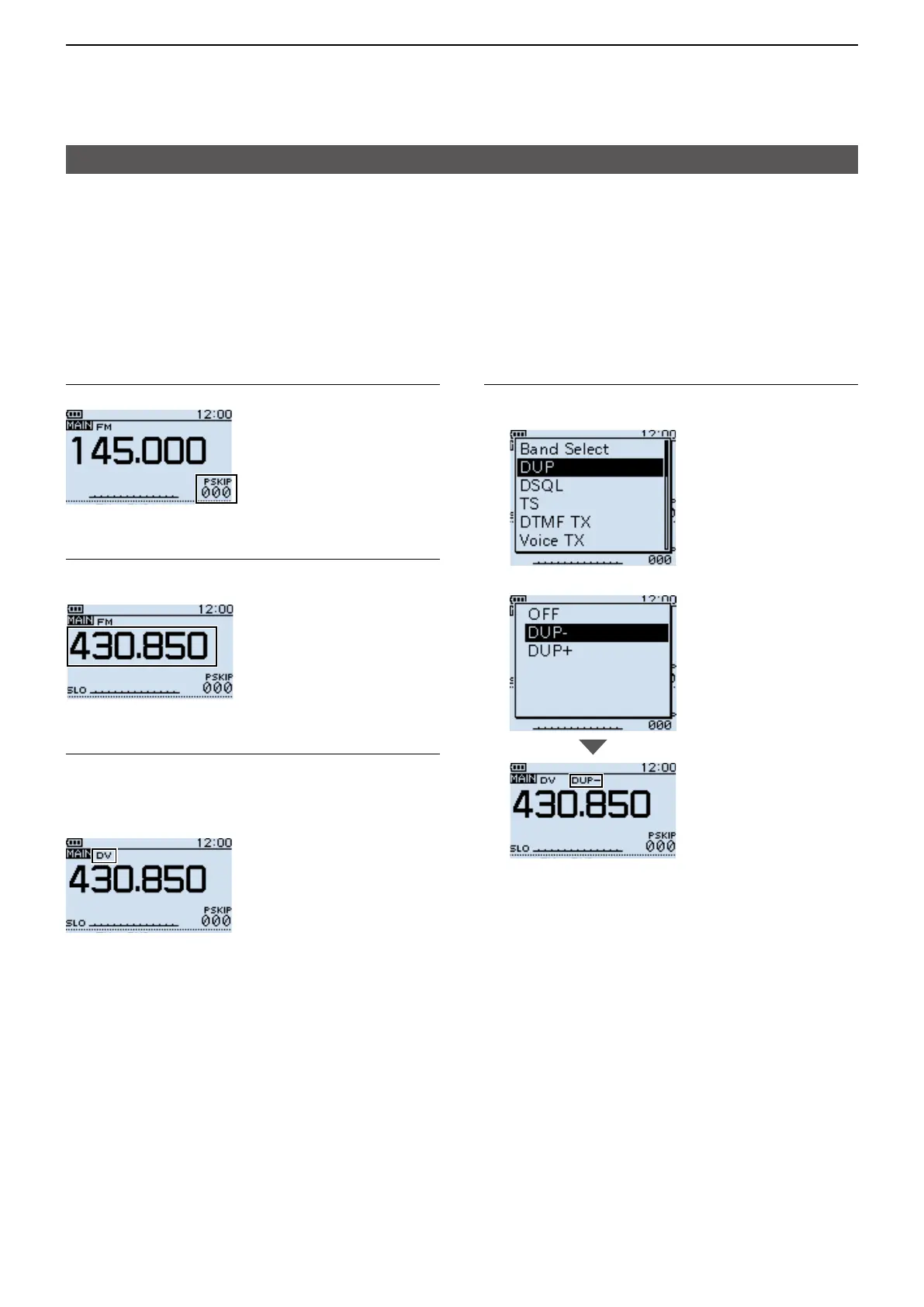
Step 1� Enter the VFO mode
Push [V/MHz].
Step 2� Set the operating frequency
Rotate [DIAL] to set the frequency that is set in
the Access Point transceiver. (Example: 430.850)
Step 3� Set the Receive mode to “DV mode”
Push [MODE] several times until “DV” is
displayed.
LWhen the “GPS TX Mode” is set, “DV-G” or “DV-A”
is displayed.
Step 4� Set the duplex direction
1. Push [QUICK].
2. Select “DUP.”
3. Select “DUP–.”





 To Next Page