Section 4 Scan Mode - Monochrome 4-7
2. 0 Operation Details
2.1 Main Screen
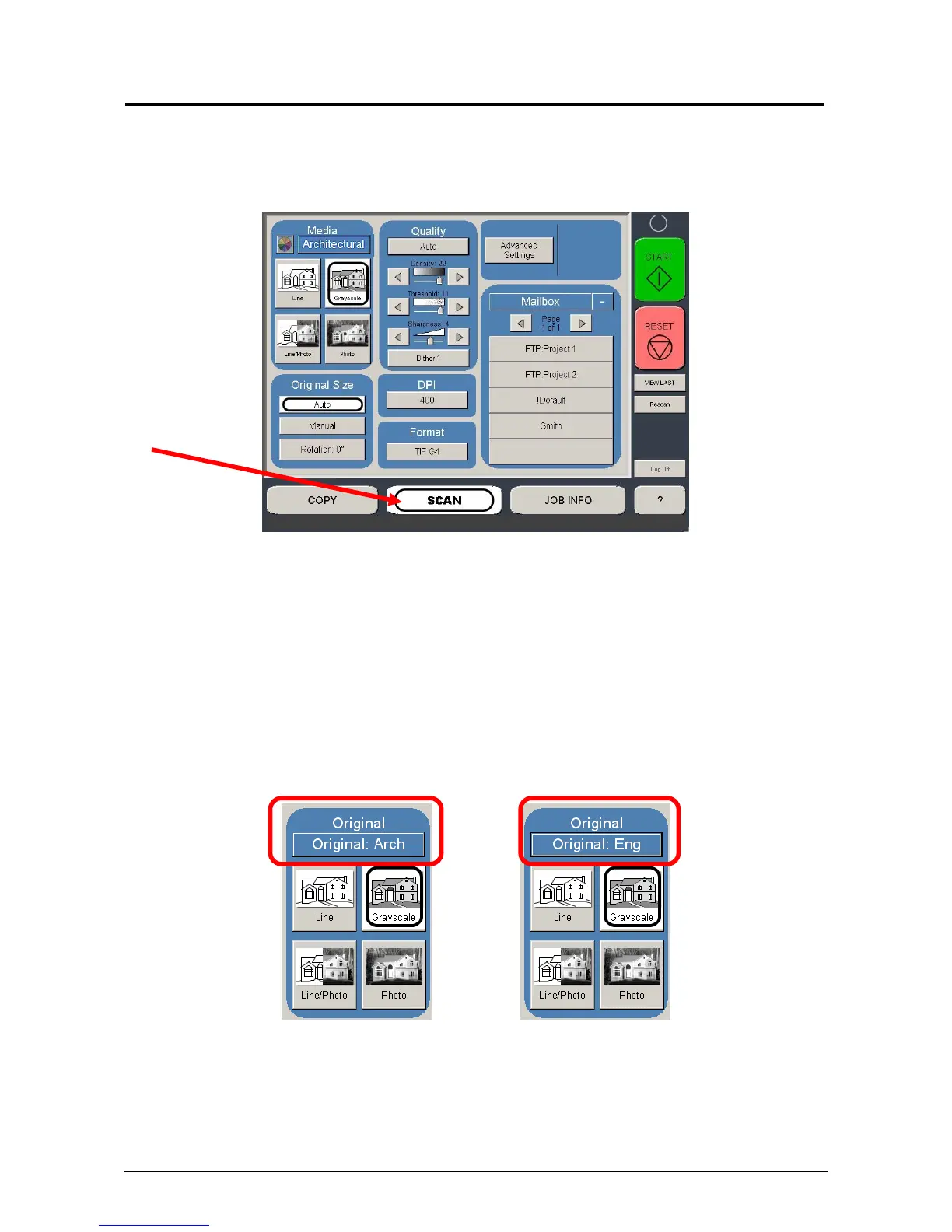
The main SCAN screen is selected with the Scan Button.
This screen contains all user functions for scanning to file. The following pages detail the
functions and settings of each button and sub screen that can be used to adjust the scan
parameters to achieve the required result.
2.2 Original
This region allows the setting of the Size Mode (Engineering or Architectural) and the
Original Document type.
2.2.1 Original Size Mode
This button is used to select the Size Mode of Engineering or Architectural and Original
Image type.
This will allow the automatic width detection system to determine the image width when an
original is placed in the KIP 3000.
(Eng) Engineering widths = 34, 22, 17, 11, and 8.5 inches
(Arch) Architecture widths = 36, 30, 24, 18, 12, and 9 inches



 To Next Page