Section 10 KIP Request 10-15
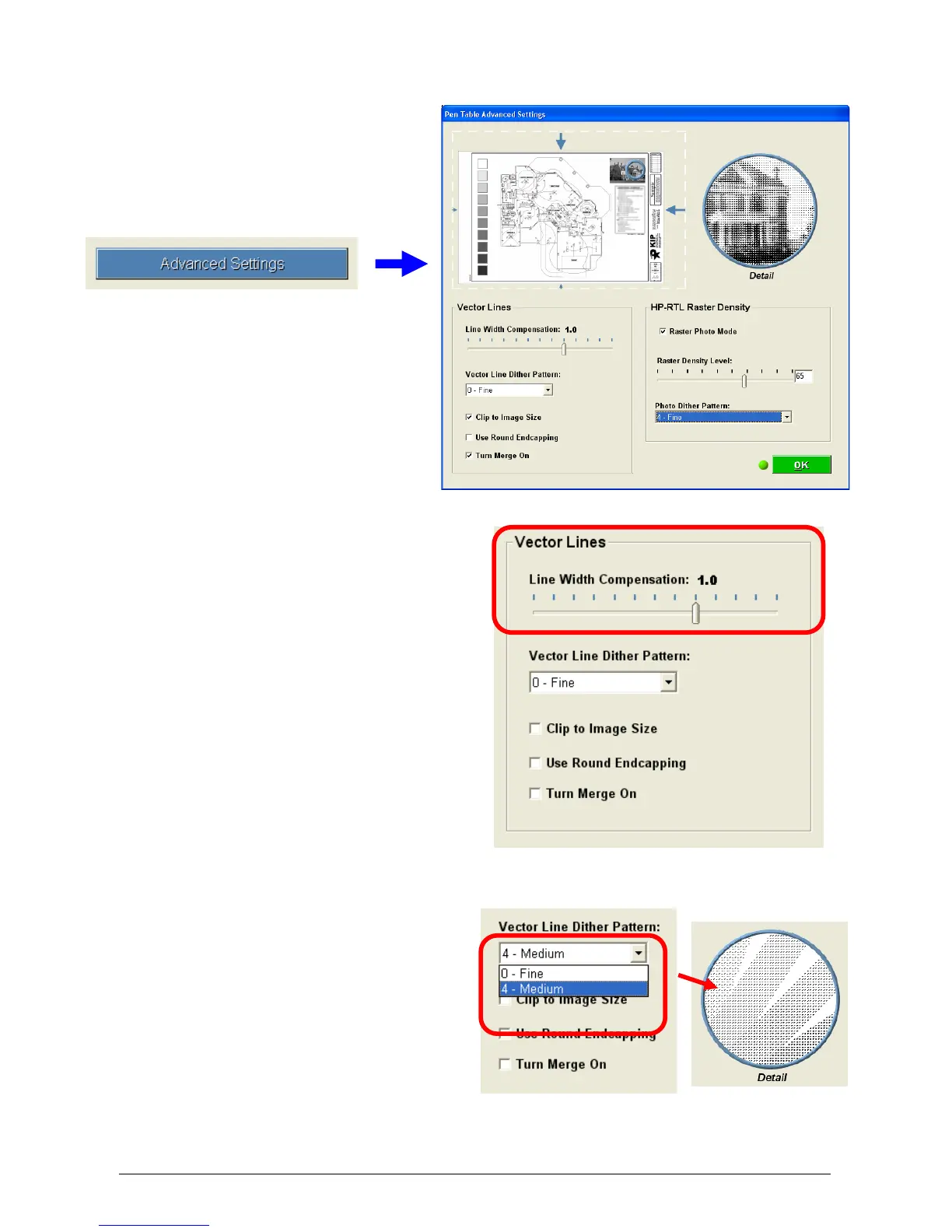
2.5.2 Advanced Settings Button
Opens the Advanced Settings Menu.
2.5.2.1 Line Width Compensation
This allows addition and
subtraction of pixels from the
overall width of all vector lines.
Users have the choice of
selecting negative values (to
compensate for thick lines) to
positive values (to compensate
for thin lines)
Choosing -1.0 will remove 1 pixel
from vector data lines.
Choosing 3.0 will add 3 pixels to
vector data lines.
Choosing 0.0 makes no
changes to the lines.
2.5.2.2 Vector Line Dither pattern
Users have 2 choices of
vector line dither patterns.
This will alter the appearance
of vector grayscale in different
ways. Fine is the default
setting. There is no ‘correct’
pattern to choose. Users can
choose the setting they prefer.



 To Next Page