Section 2 Copy Mode - Monochrome 2-21
2.6.7 Installing Roll Media
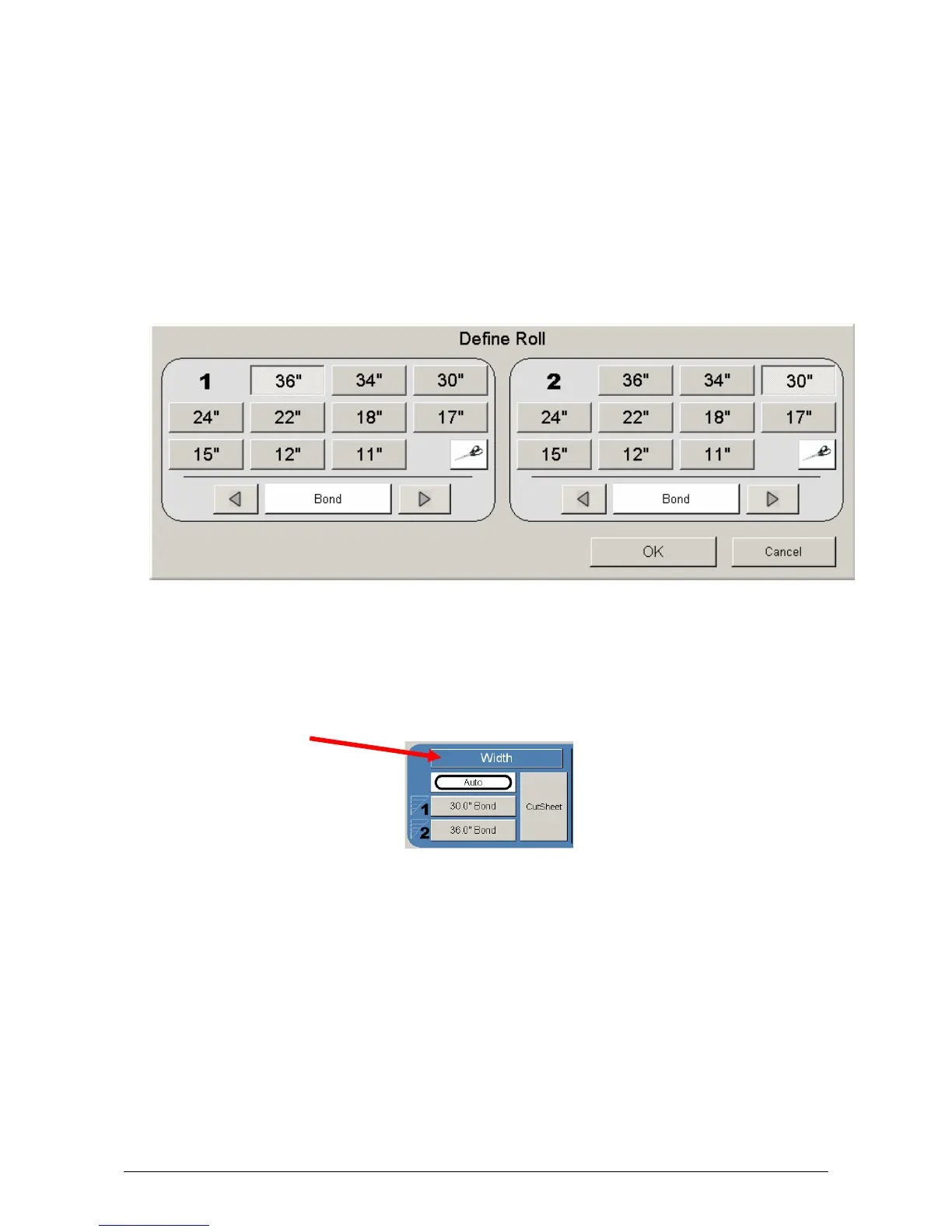
When media is replaced or installed, a screen will automatically appear. This
screen allows the setting of the media type and width. Please see the KIP Printer’s
manual for the procedures to replace a roll of media.
a) If no changes are required, press cancel
b) If changes are required from the currently settings displayed, select the correct
media type and size for each deck and press OK.
This screen shows 36” bond for deck one and 30” Bond for Roll 2 deck. Scroll
through the media choices at the bottom of each roll. Click on the graphical
scissors to trim the desired roll deck.
Media types settings noted above can be changed at any time by pressing the
Media button on the main Copy Screen.



 To Next Page