Section 4 Scan Mode - Monochrome 4-10
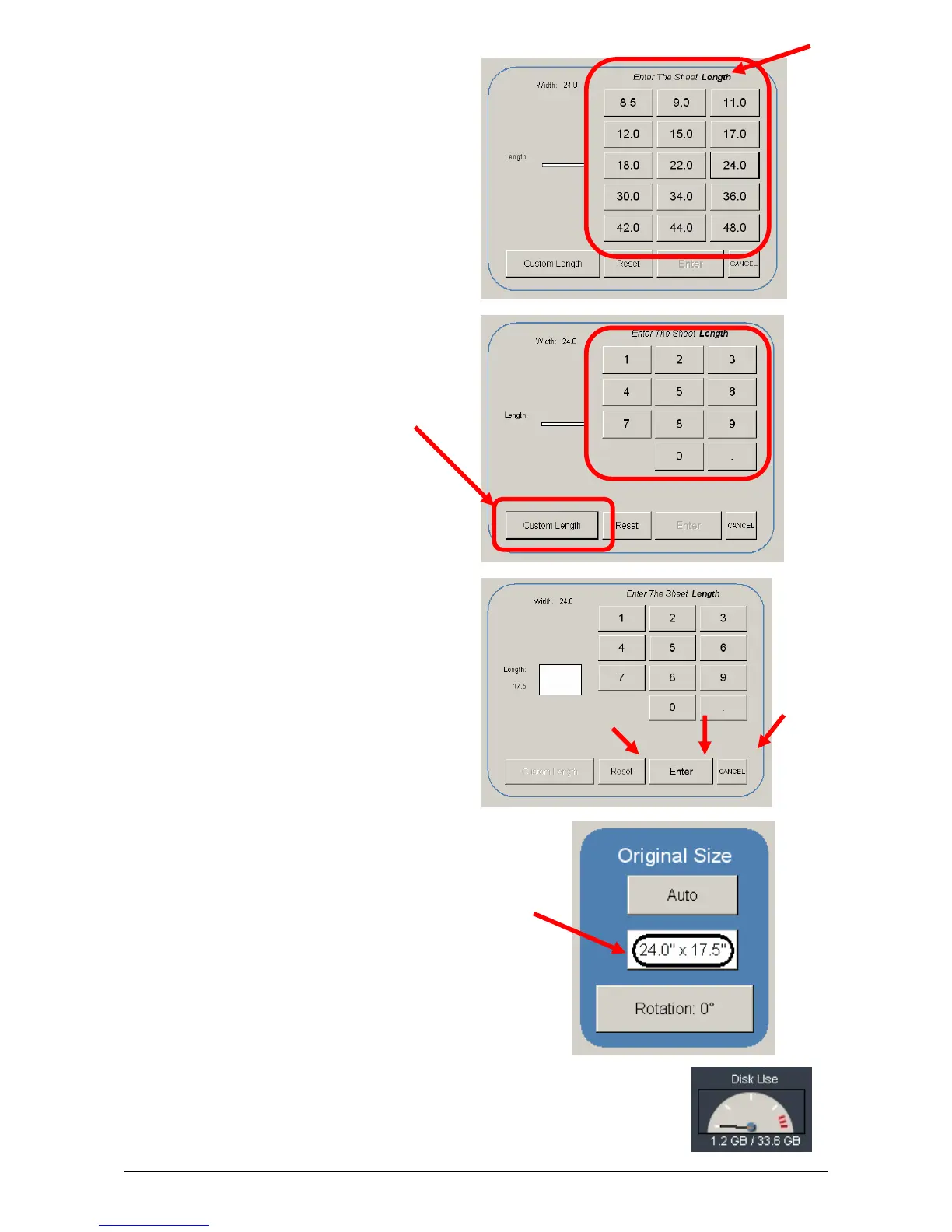
d) Select a standard size length or
e) Select a custom length with the key pad.
f) Press “Reset” to begin again,
“Enter” to accept the settings or Cancel” to
cancel “Manual” image size.
g) The main Scan screen will now
display the custom or manual size
settings for the next image.
2.3.3 Hard Drive Space Monitor
Located on the main screen of the KIP printer Scan mode, the Disk Use
monitor provides a real-time display of remaining disk space on the KIP
printer’s hard drive. The monitor shows both the used space and the space
available for image storage on the drive.



 To Next Page