Section 1 Basic Printer Functions 1-11
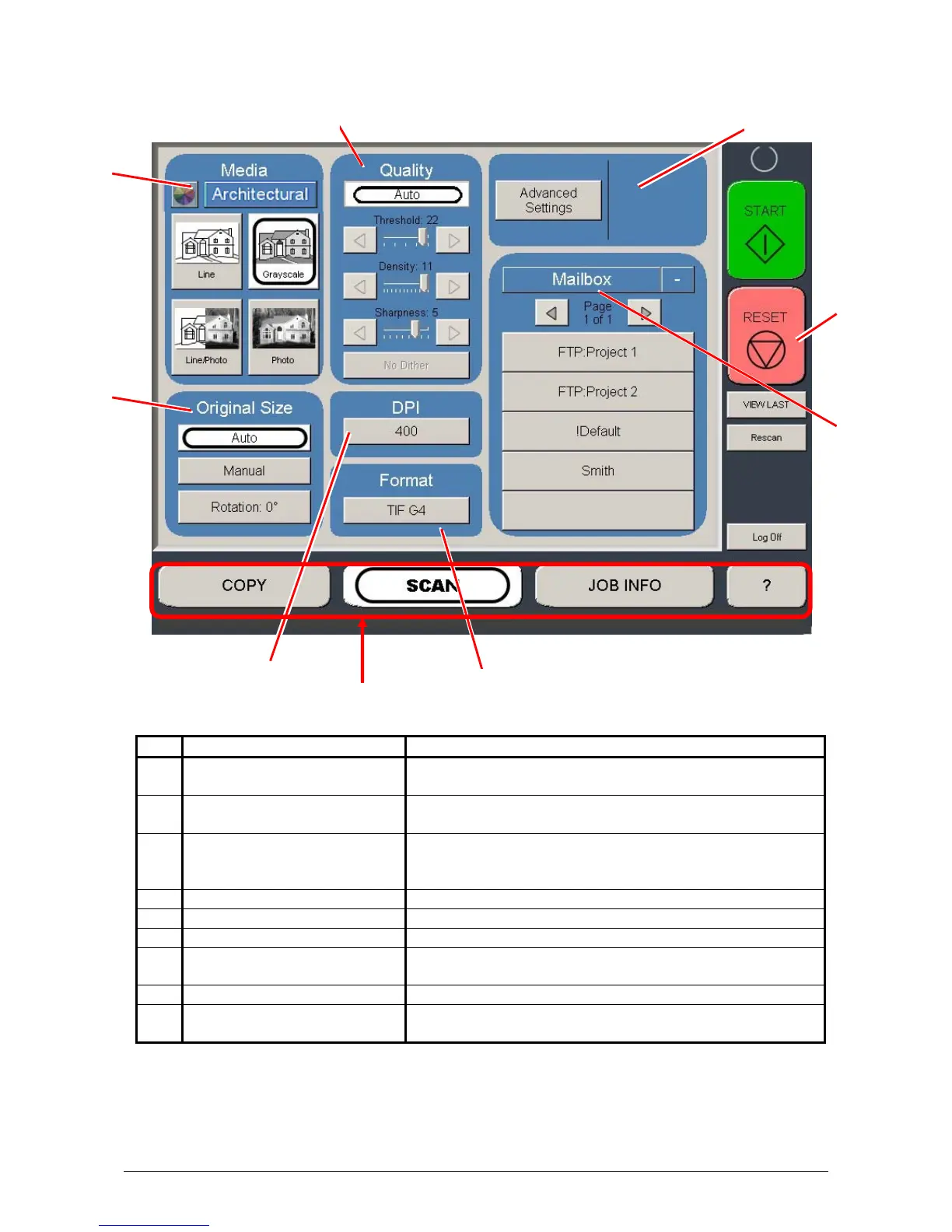
Scan Mode
No. Name Function
1 Mode Selects the “Mode” of the system. (Scan Mode for this
screen shown)
2 Original Size Use automatic settings or manually set width, length and
rotation of the images.
3 Original Type User Selects the type of original to copy. Also select
Eng/Arch Mode selected here. (Color Scan is selected
here if enabled)
4 Quality Select Auto or Manual Image adjustments
5 Resolution Scroll through image resolution (DPI) of the scanner.
6 Format Scroll through file formats.
7 Advanced Settings Invert, mirror, stamps, and edge adjustments preformed
/ displayed in this button (sub screen)
8 Reset Resets the system to default settings.
9 Mailbox Select where the image will be stored after the scan
(local setting, FTP etc.).
1
2
3
4
5
6
8
9
7



 To Next Page