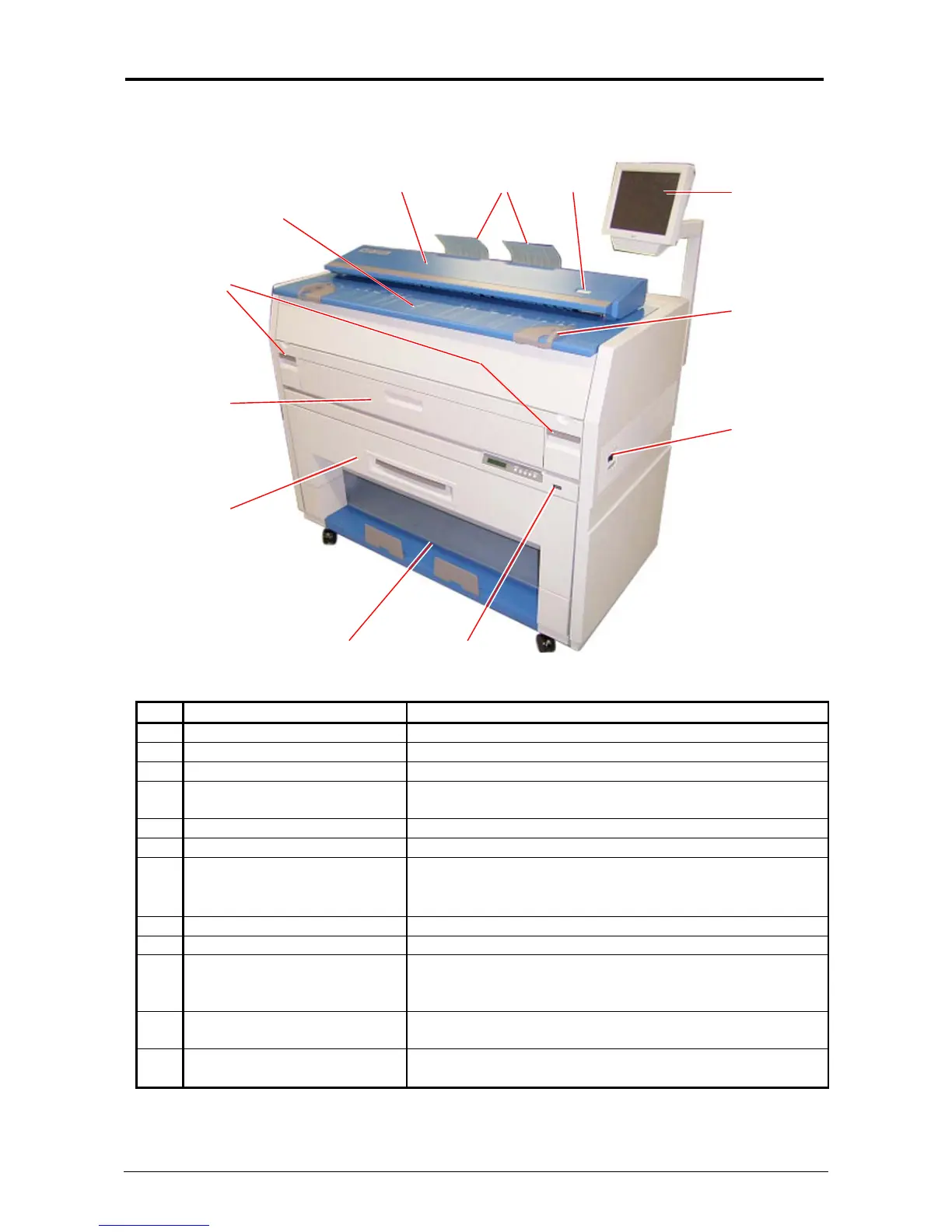
Section 1 Basic Printer Functions 1-8
1. 5 Exterior Views
1. 5. 1 Front view
No. Name Function
1 Main Switch Turns on / off the KIP 3000.
2 Original Guides Assists the user to feed originals into the scanner.
3 User Interface Operation Panel, with many user operations.
4 Emergency Stop Button Press this button when you would like to stop copying or
scanning in an emergency situation.
5 Original Return Guides Guides return the originals to the user.
6 Scanner Images the original for all scans or copies.
7 Original Table Open this cover to replace the Toner Cartridge.
Place the original to feed into the Scanner to make a
scan or copy.
8 Engine Unit Levers Press up on the handles to open the printer engine.
9 Cut Sheet - Bypass Feeds a sheet of cut sheet media.
10 Roll Deck Roll media installed here.
1 Roll - standard
2 Rolls - optional.
11 Print Tray Copies / prints are placed here. (standard configuration)
Optional Stacking / Folding devices are available
12 Counter Counts the total amount printed.
(also see Operational Panel - Info Screen)
1
45
3
6
2
8
9
10
12
7
11



 To Next Page