Section 1 Basic Printer Functions 1-21
2. 4 Toner Installation
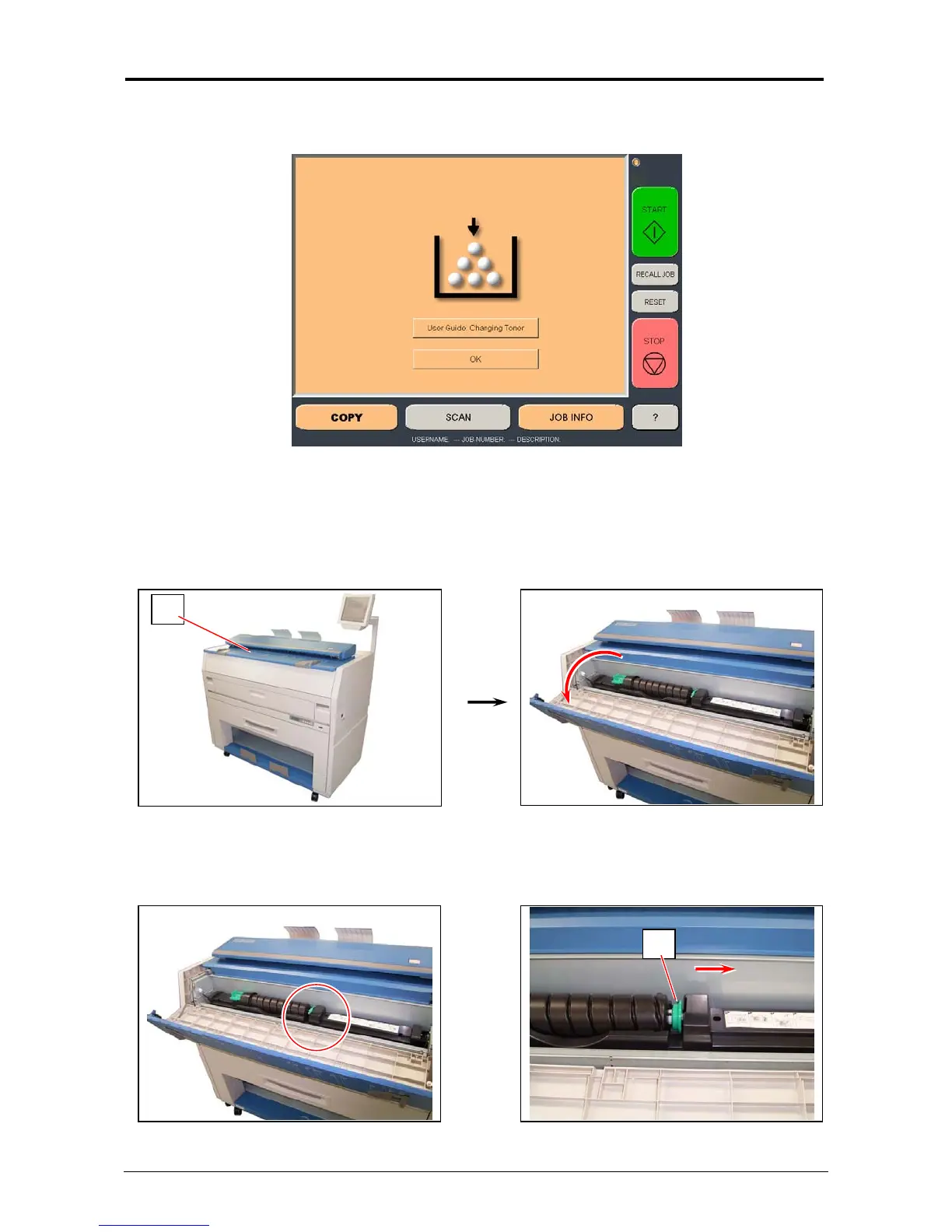
When toner installation is required, the Operator Panel will display a “Toner Required” screen
(in the “Copy” and “Job Info” Screens)
To replace the toner cartridge, please follow these steps:
Please note that the replacement procedure can also be displayed on the Operator Panel for
easier access, by pressing “User Guide : Changing Toner” on the screen)
1. Open the Toner Hatch (1).
2. Slide the green Lever (2) to the right to unlock the Toner Cartridge.
(Lever (2) is held automatically.)
1
2



 To Next Page