Section 1 Basic Printer Functions 1-20
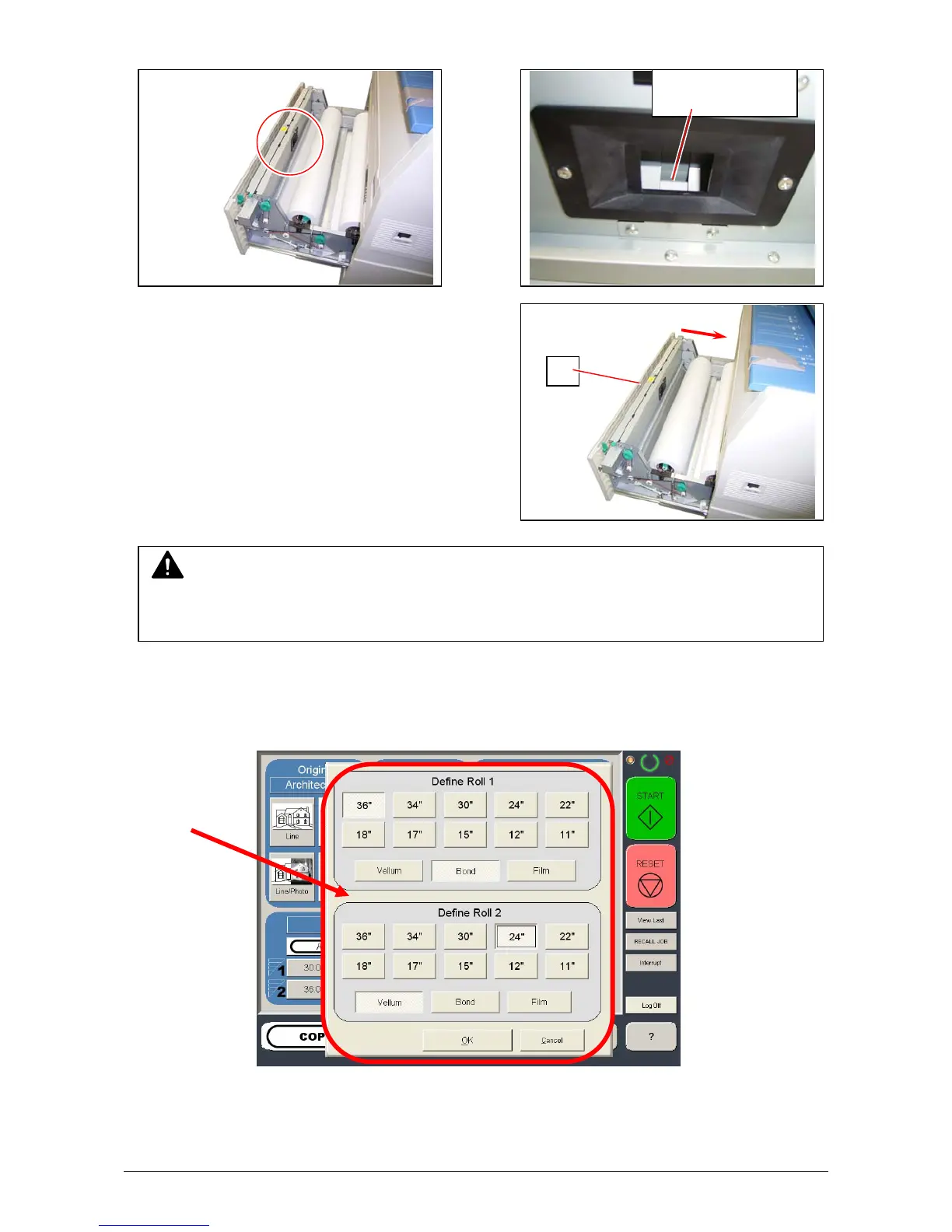
9. Rewind the roll paper to place the leading edge as the following photo.
10. Close the Roll Deck (1).
11. On the Operator Panel, a screen will automatically appear after the deck is closed to define the
media width and type. Please select the width, and type for each roll deck and then select the
“OK” button to confirm the selection.
Place the leading
edge here.
1
NOTE
Be sure to close the Roll Deck fully until it is locked at the correct position.
A paper jam may occur if it is not locked firmly.



 To Next Page