Section 3 Copy Mode – Color 3-3
1.2 Simple Copying
To copy, please follow these basic steps. The following chapters have details on adjustments
and parameters that the user can change to modify the copies as required.
Please note that a third party color printer, supported by KIP, must first be calibrated in
the “?” screen under the “Color Config” button. Please see the “?” Section.
1.2.1 Select Copy Mode
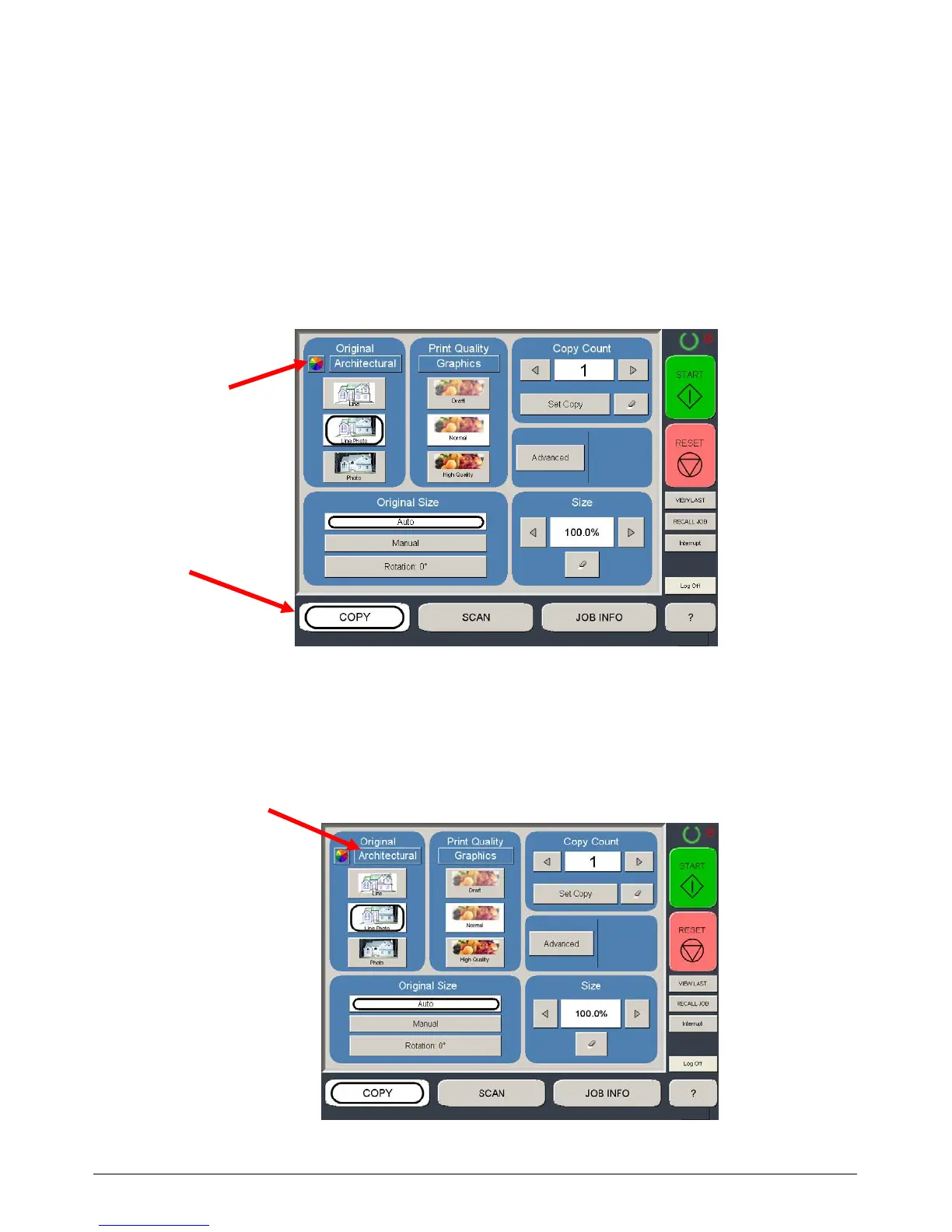
On the lower region of the Operator Panel select “COPY” and then press the Color button if
not already selected.
1.2.2 Select Size Mode
Select whether the document is an engineering or architectural size document. This will
allow the automatic width detection to function.
Engineering widths = 34, 22, 17, 11, and 8.5 inches
Architecture widths = 36, 30, 24, 18, 12, and 9 inches



 To Next Page