Section 2 Copy Mode - Monochrome 2-16
2.5.5 Leading Edge Adjustment
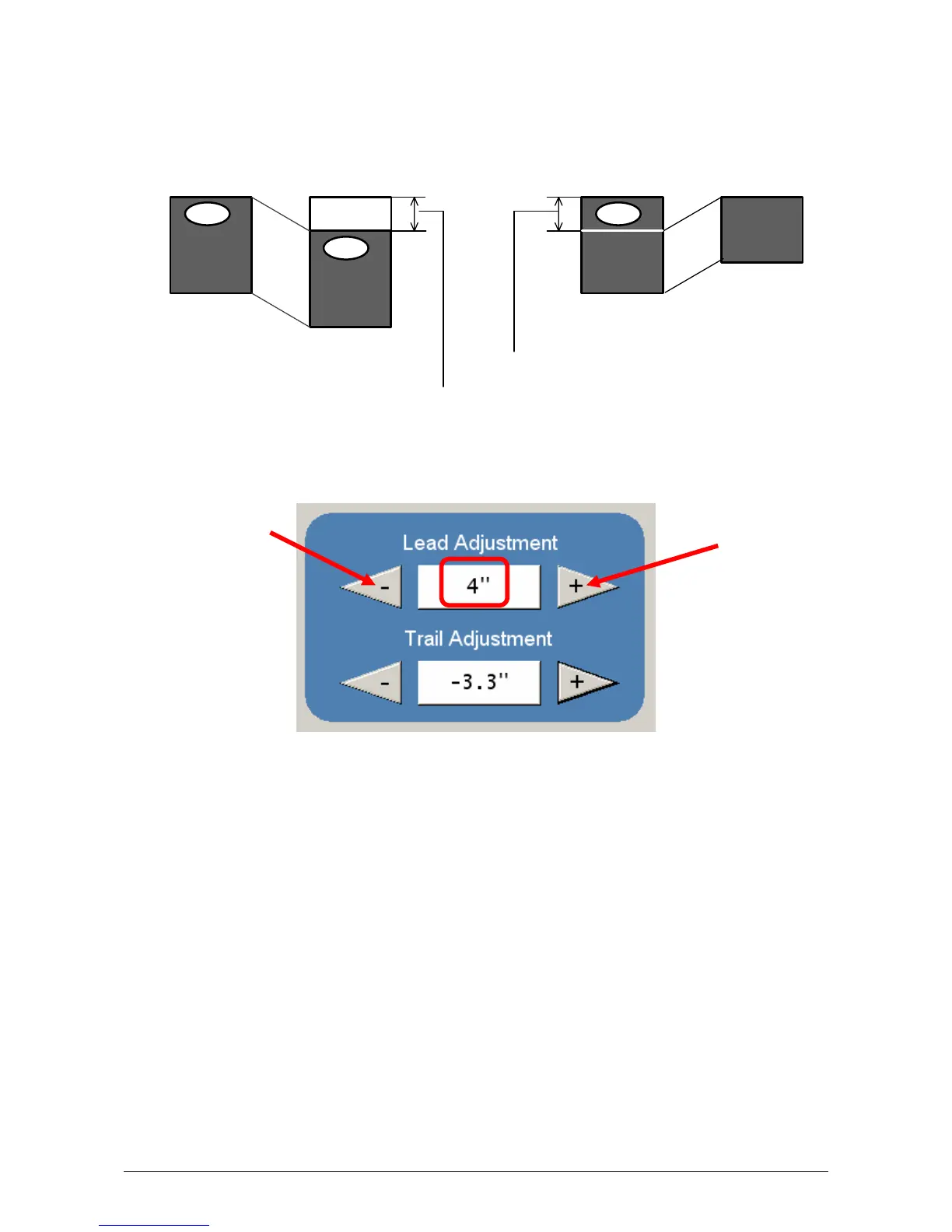
The leading edge of a copy can be altered. ( +/- 4” )
a) additional void area can be placed on the lead edge of a scan or
b) image can be removed (such as a binding strip or a file hanger)
To adjust the Leading Edge, use the arrows to denote the quantity you wish to add
or remove.
Touch the value displayed area to reset the quantity.
Ima g e
Scanner
KIP
Ima g e
Scanner
KIP
Ima g e
ScannerIma g e
Scanner
KIP
Leading Edge + Leading Edge -
Original
Copy
Original
Copy
Added margin
Deleted image



 To Next Page