Section 1 Basic Printer Functions 1-13
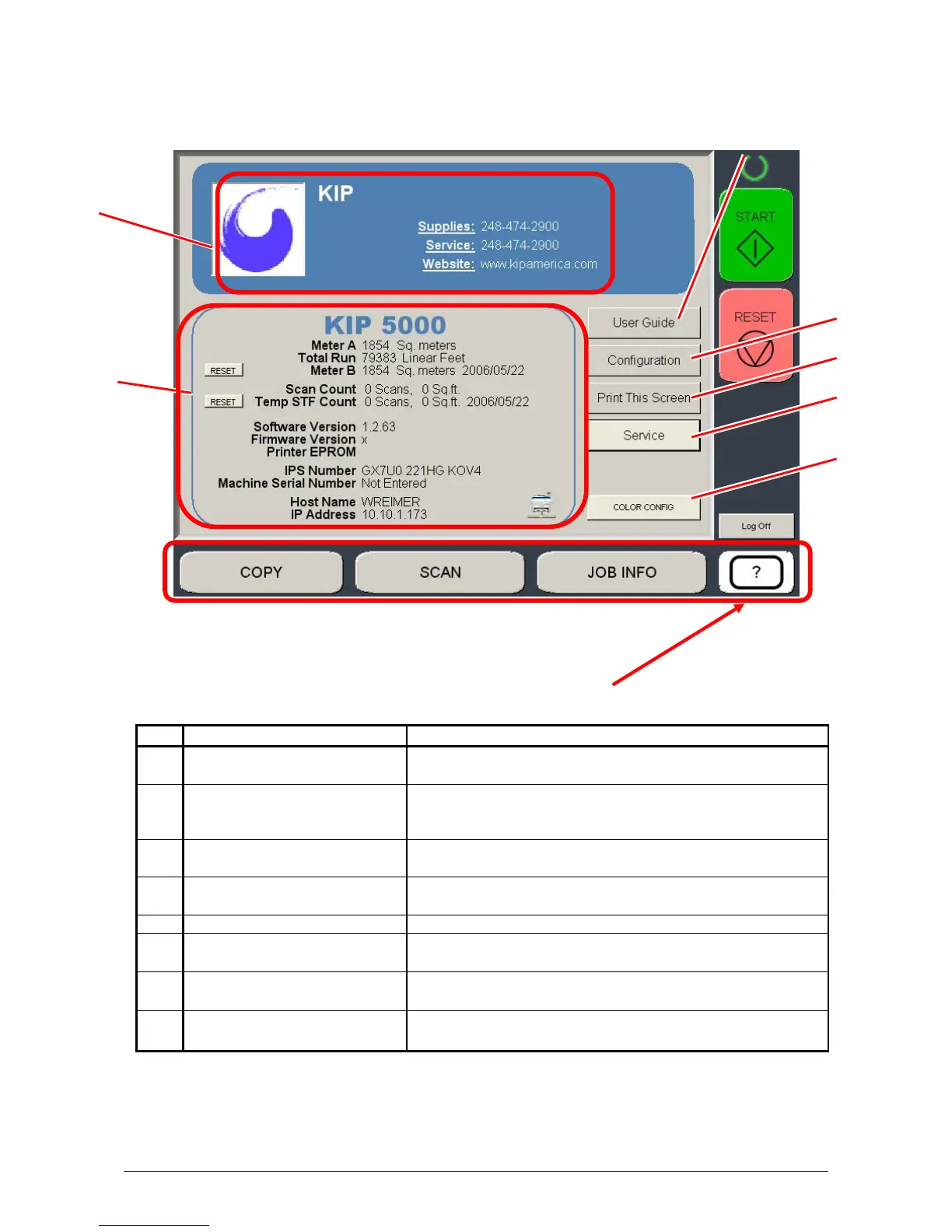
Information / Help Screen
No. Name Function
1 Mode Selects the “Mode” of the system. (Info/Help Mode for
this screen shown)
2 Meter – Versions Display the current meter counts as well as all
Software/Firmware versions, IPS number, Host Name/IP
(The area may vary depending on KIP printer model)
3 KIP Contact Shows the contact information for the KIP Service and
KIP Supplies provider.
4 User Guide User Guides for details on system functions and
operations.
5 Configurations Allows user “set up” of the system.
6 Print This Screen Allows the current screen with version and counter
values to be printed on the KIP printer.
7 Service Allows advanced “set up” of the system. Usually for
technical purposes only. Pass-code required.
8 Color Config Configures the optional color scan and color copy
features.
1
2
3
5
6
7
4
8



 To Next Page